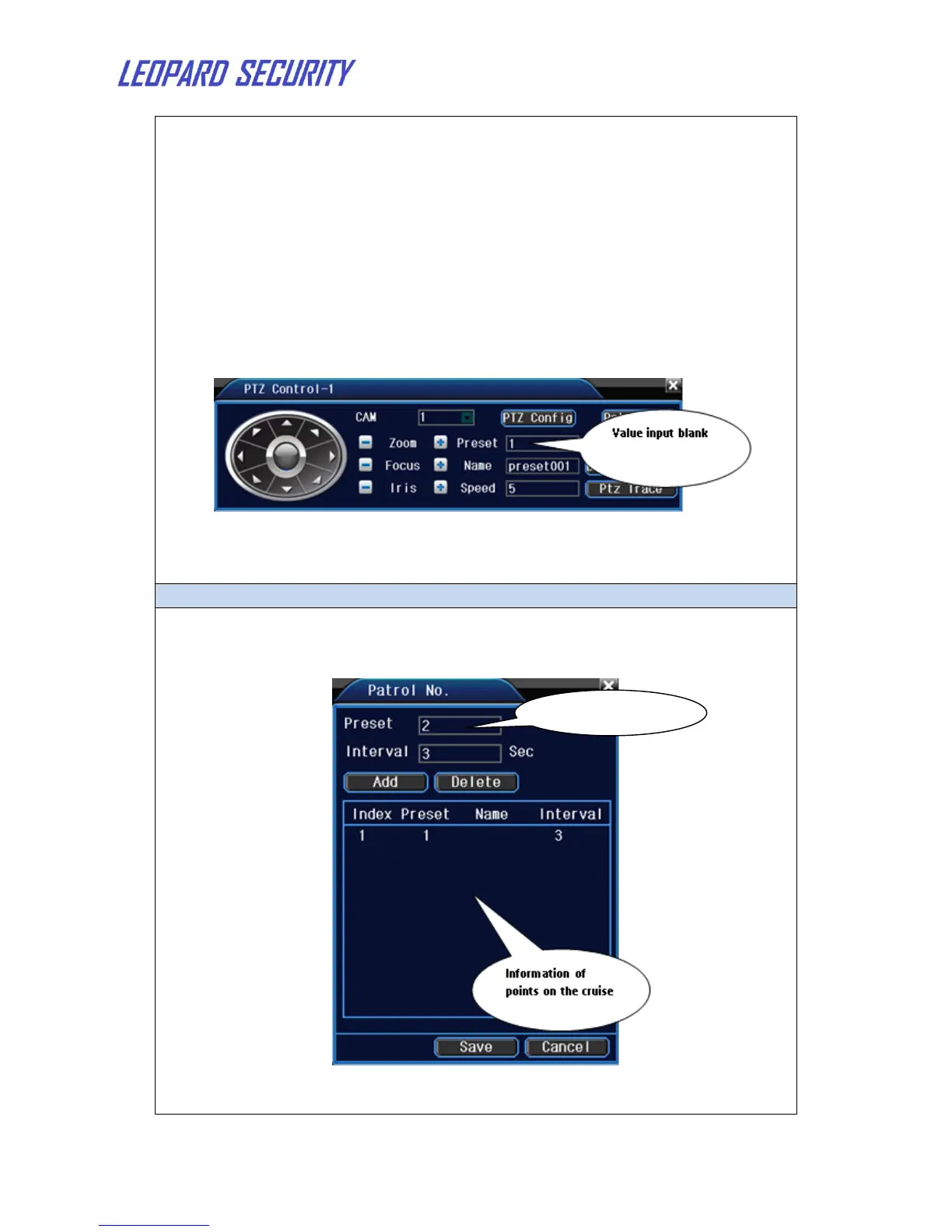
1) Preset option
Set a location for the preset, procedure is as follows:
Step 1: In above Picture, click the Direction button will turn into
preset position.
Step 2: Write the preset points in the input blank, and you can also set
the name of the point, then click the Set button. The preset point is ok
now.
Step 3: Repeat step 1 and 2 to set other preset points.
Clear Preset: Input preset points, click Delete button, remove the
preset。
2) Preset Point Calls
In above picture, write the preset points in the preset input blank,
then click button Goto, PTZ turn to the corresponding preset point.
Multiple preset points connected cruise lines, call cruise between points, the
PTZ run around on the line.


 To Next Page