24Fast /2 Gigabit Ethernet combo Web Smart Switch
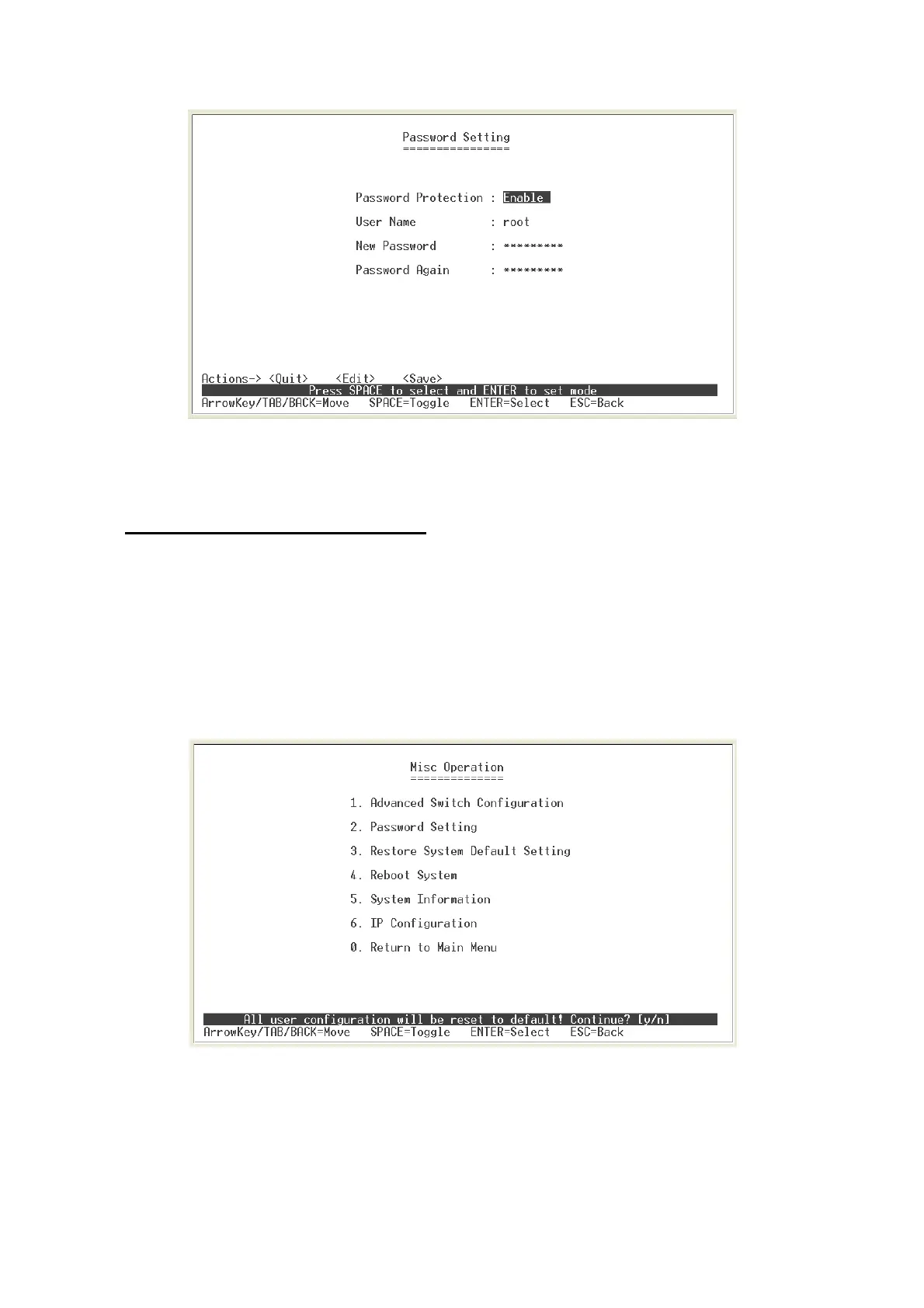
Password Configuration interface
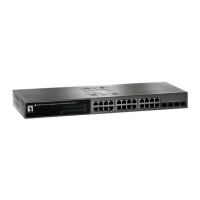
Restore System Default Setting
Reset switch to default configuration.
Select the “
Restore System Default Setting
” from Misc Operation interface or enter
“
3
”. The system will ask you to confirm the restore action. Press “
y
”, switch will load
default setting. After finished load default setting, press any key to reboot the switch.
Factory Default interface
27











 To Next Page