24Fast /2 Gigabit Ethernet combo Web Smart Switch
Trunk Configuration
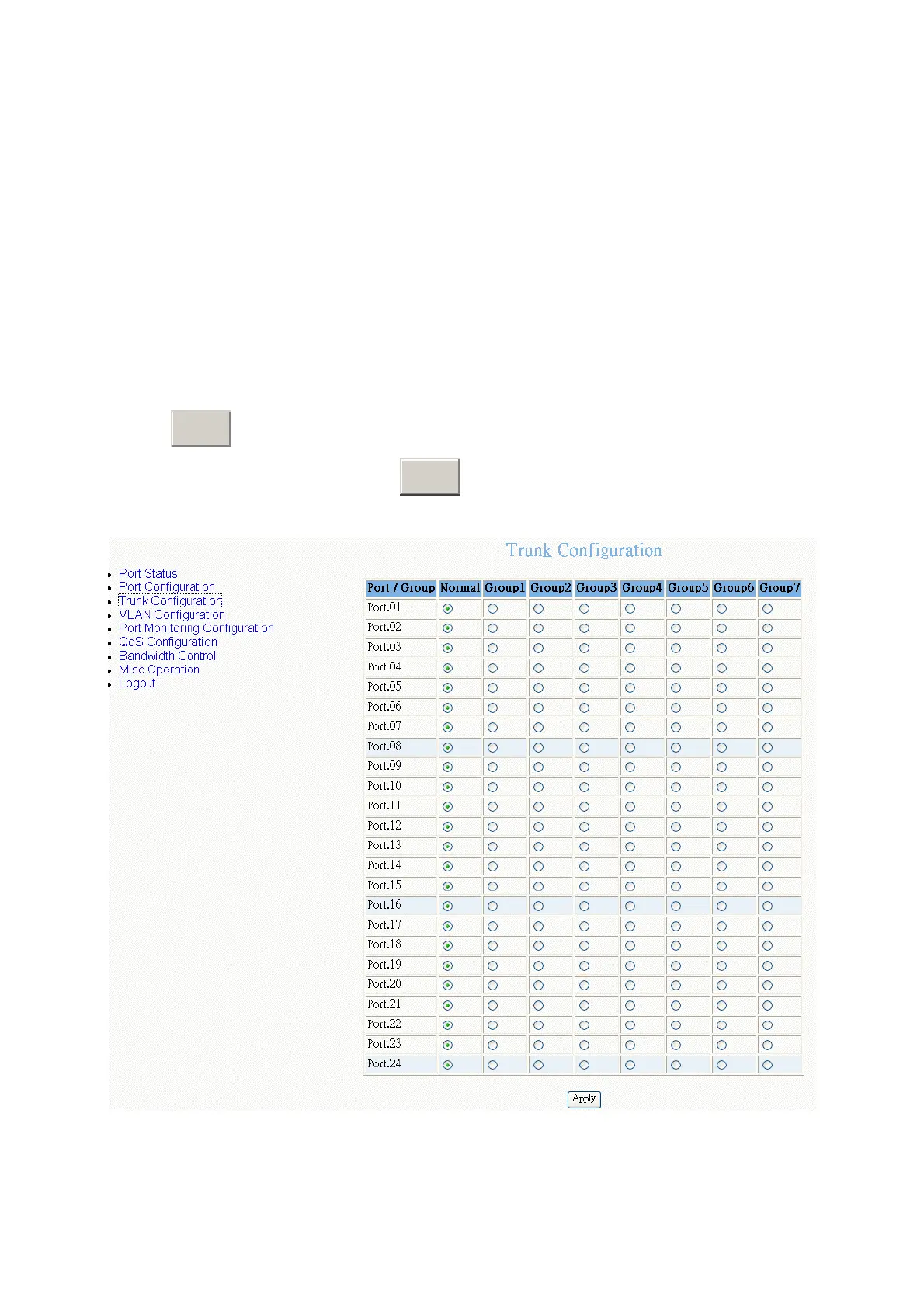
You can configure port trunk group. Trunk function doesn’t support the Gigabit port
(port 25 and 26).
Clicking the radio button to mark the port will be in trunk group. There are 7 trunk
groups. The “Normal” means the port is not in any trunk group. To apply the setting,
click
Apply
button. To remove the port from the trunk group, just select the “Normal”
radio button of the port and click
Apply
button.
Trunk Configuration interface
34











 To Next Page