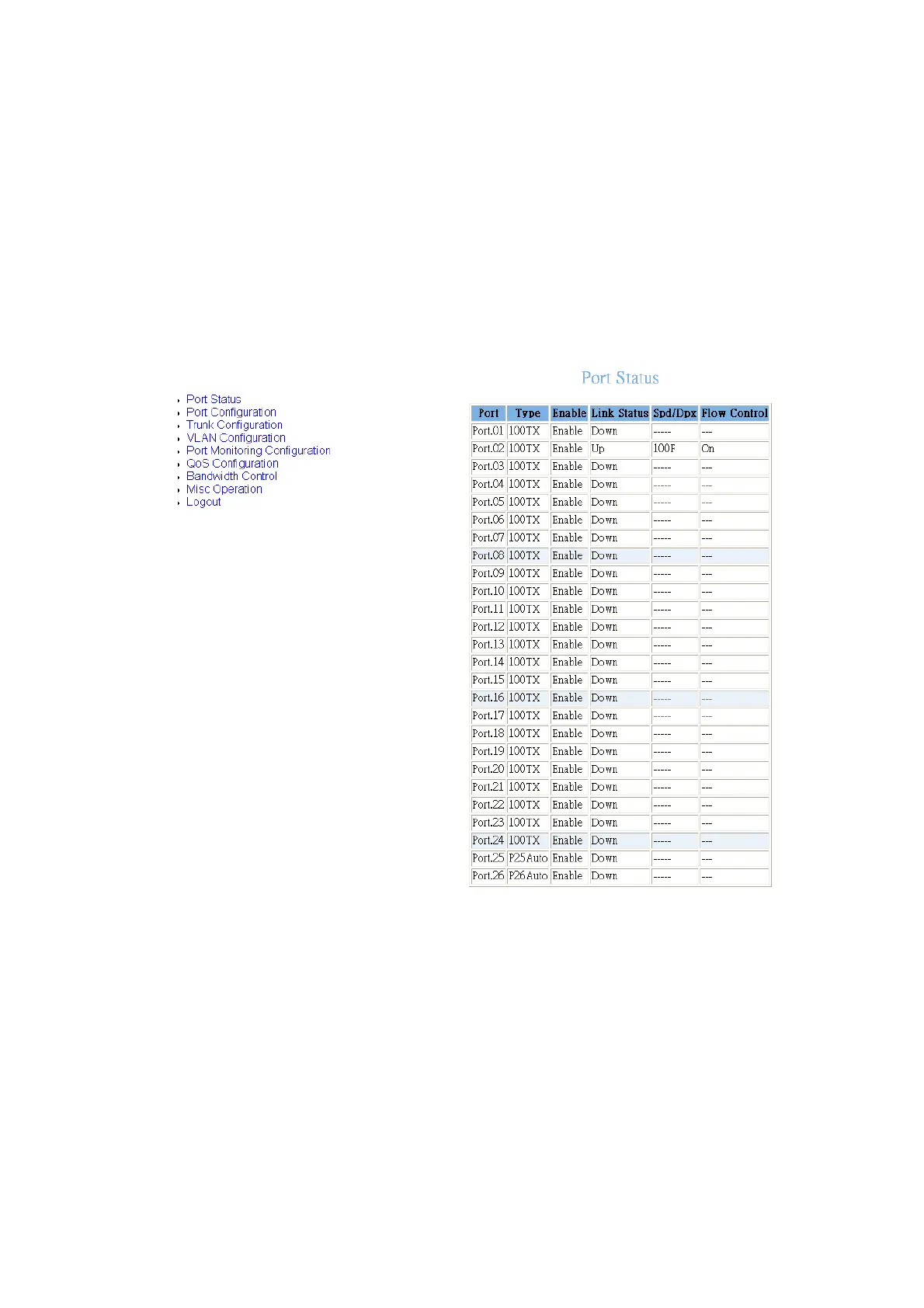
24Fast /2 Gigabit Ethernet combo Web Smart Switch
5.
Type:
display port current type.
6.
Enable:
display port current availability – Enable or Disable.
7.
Link Status:
display port statuses link status. When the port is connecting with the
device and work normally, the link status is “
UP
”. Opposite is “
Down
”.
8.
Spd/Dpx:
display port connection speed.
9.
Flow Control:
display the flow control status is “on” or “off” mode.
Port Status interface
Port Configuration
You can change the each port parameters that include the trunk groups.
1.
Enable:
User can disable or enable this port.
2.
Nway:
User can set Nway negotiation mode is “On” or “Off”.
3.
Spd/Dpx:
set the port link speed (10/100) and mode (duplex/half). When port 25
32















 To Next Page