24Fast /2 Gigabit Ethernet combo Web Smart Switch
VLAN Configuration
You can create the VLAN group, modify existing VLAN group, delete VLAN group and
configure advance 802.1Q VLAN in VLAN Configuration. VLAN configuration function
doesn’t support “
per port PVID
” feature.
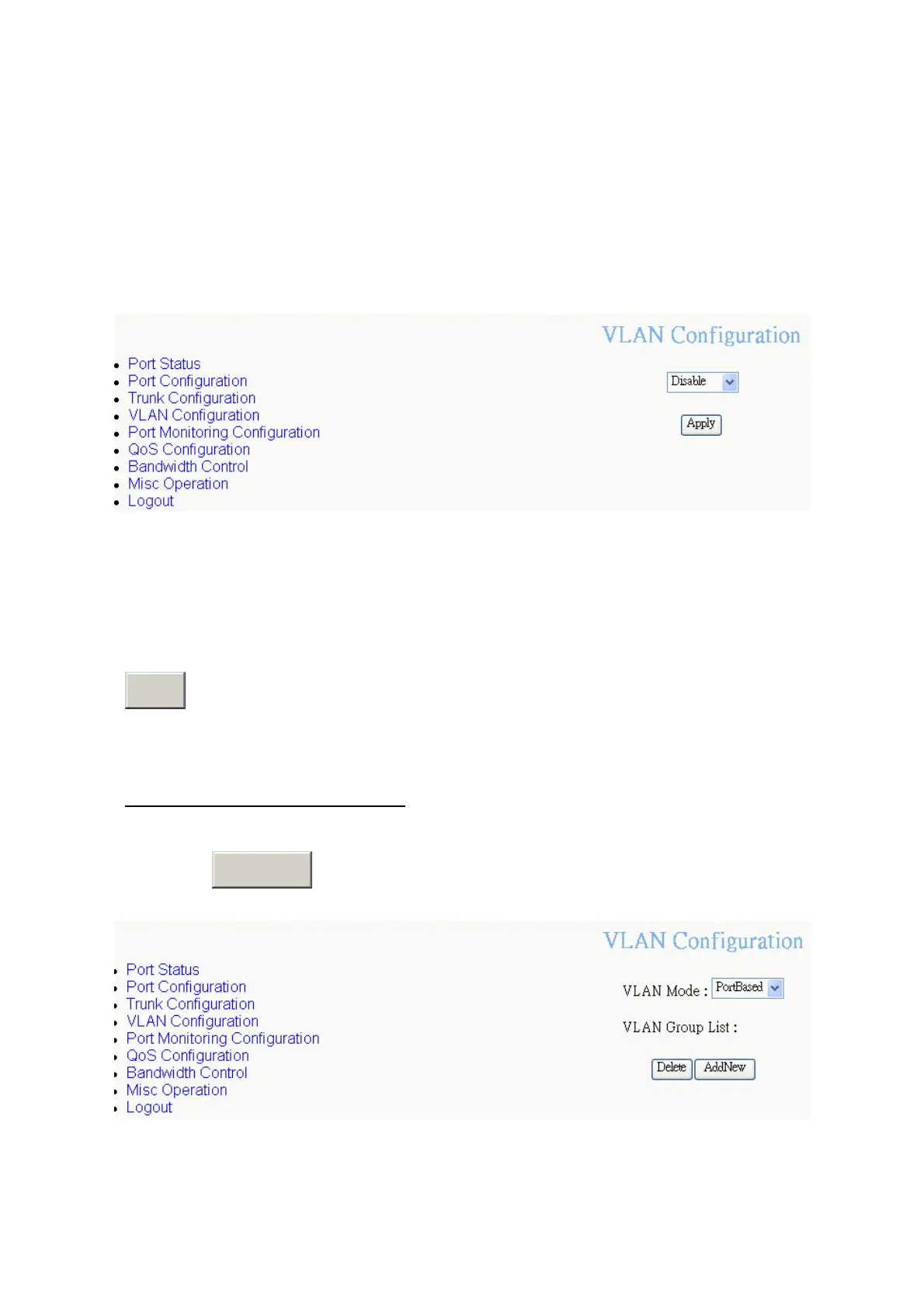
VLAN Configuration Main interface
The switch supports two VLAN modes – PortBase and 802.1Q. Before starting to
configure VLAN, select the VLAN mode first. The default VLAN mode is “
Disable
”.
Drag down the list and select the VLAN mode – PortBase or 802.1Q. Then, click
Apply
button.
Add Port-Based VLAN Group
1. Click
A
button.
dd New
PortBase VLAN — Add new interface
35








 To Next Page