24Fast /2 Gigabit Ethernet combo Web Smart Switch
2.
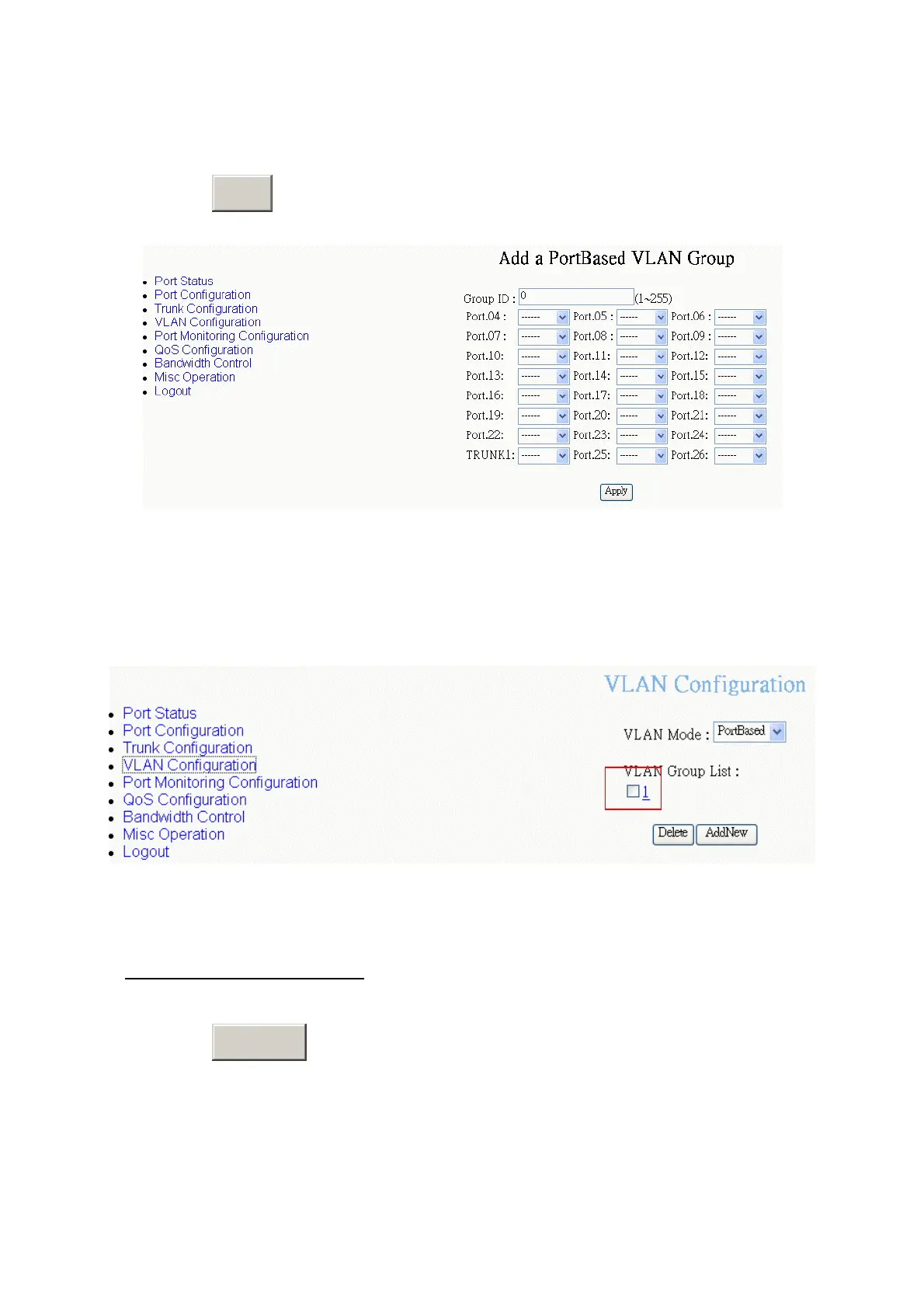
Group ID:
Type the VLAN group ID. The group ID rang is from 1 to 255.
3. Drop down the list and select the “
Member
” to add the port into this VLAN group.
4. Click
A
button.
pply
PortBase VLAN – Add New VLAN Group interface
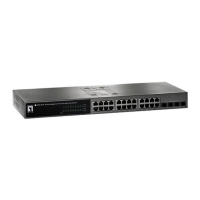
5. Click “VLAN Configuration” function, you will see the VLAN group # list on the
screen.
PortBase VLAN – Complete Add a VLAN interface
Add 802.1Q VLAN Group
1. Click
A
button.
dd New
36








 To Next Page