24Fast /2 Gigabit Ethernet combo Web Smart Switch
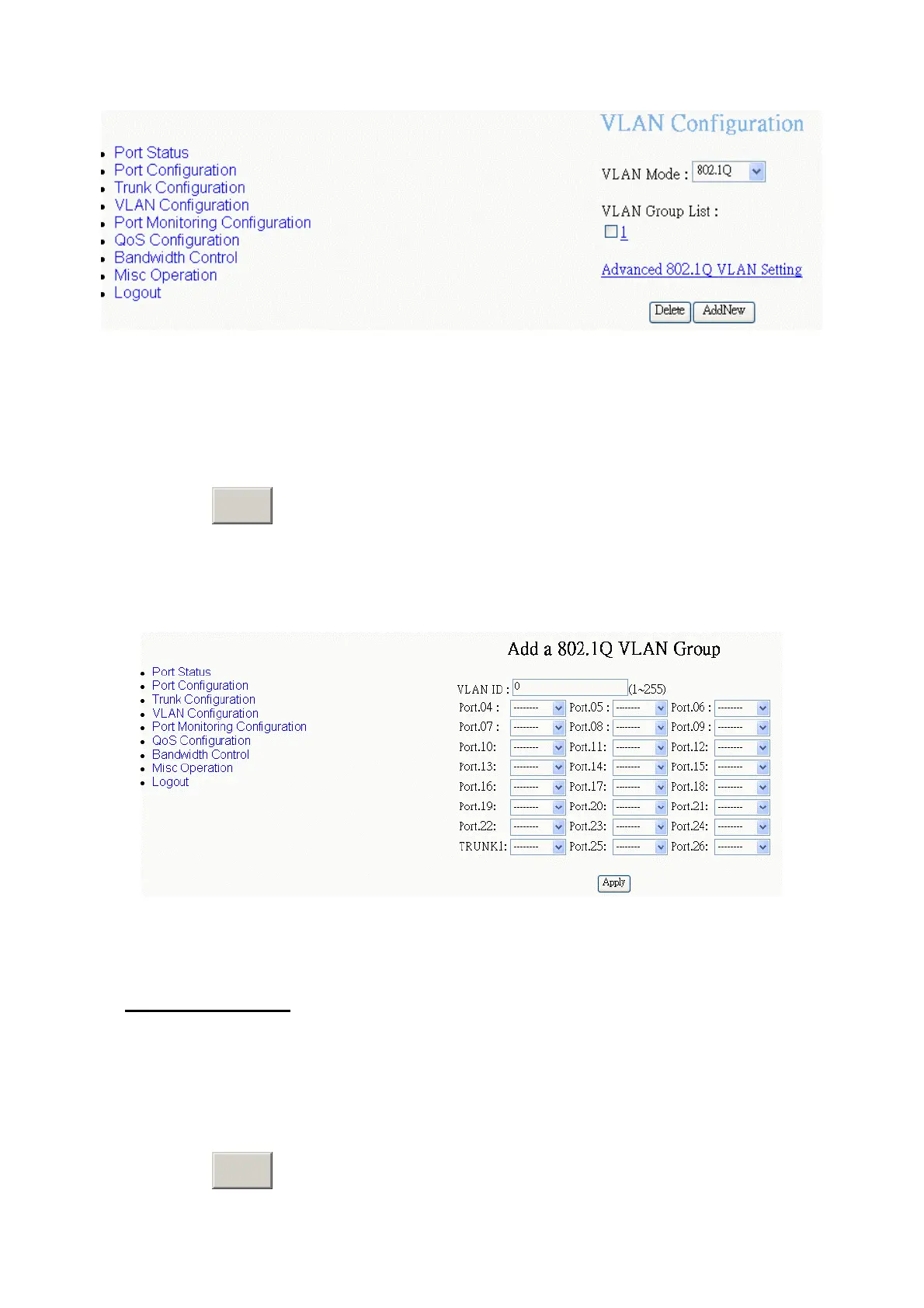
802.1Q VLAN Group – Add New VLAN interface
2.
VLAN ID:
Type the VLAN group ID. The group ID rang is from1 to 255. There is a
default VLAN group, the ID is 1. So, you must start VLAN group ID from 2.
3. Drop down the list and select the “
Member
” to add the port into this VLAN group.
4. Click
A
button.
pply
[Note]
Before adding new VLAN group, you must go to default VLAN group to remove
the port members.
802.1Q VLAN Group – Add New VLAN interface
Edit VLAN Group
User can edit VLAN group. Edit VLAN group is same for two VLAN modes.
1. Click the hyper link of VLAN group ID, ex: 1.
2. You can modify the VLAN group members.
3. Click
A
button.
pply
37















 To Next Page