WDS Wireless Settings
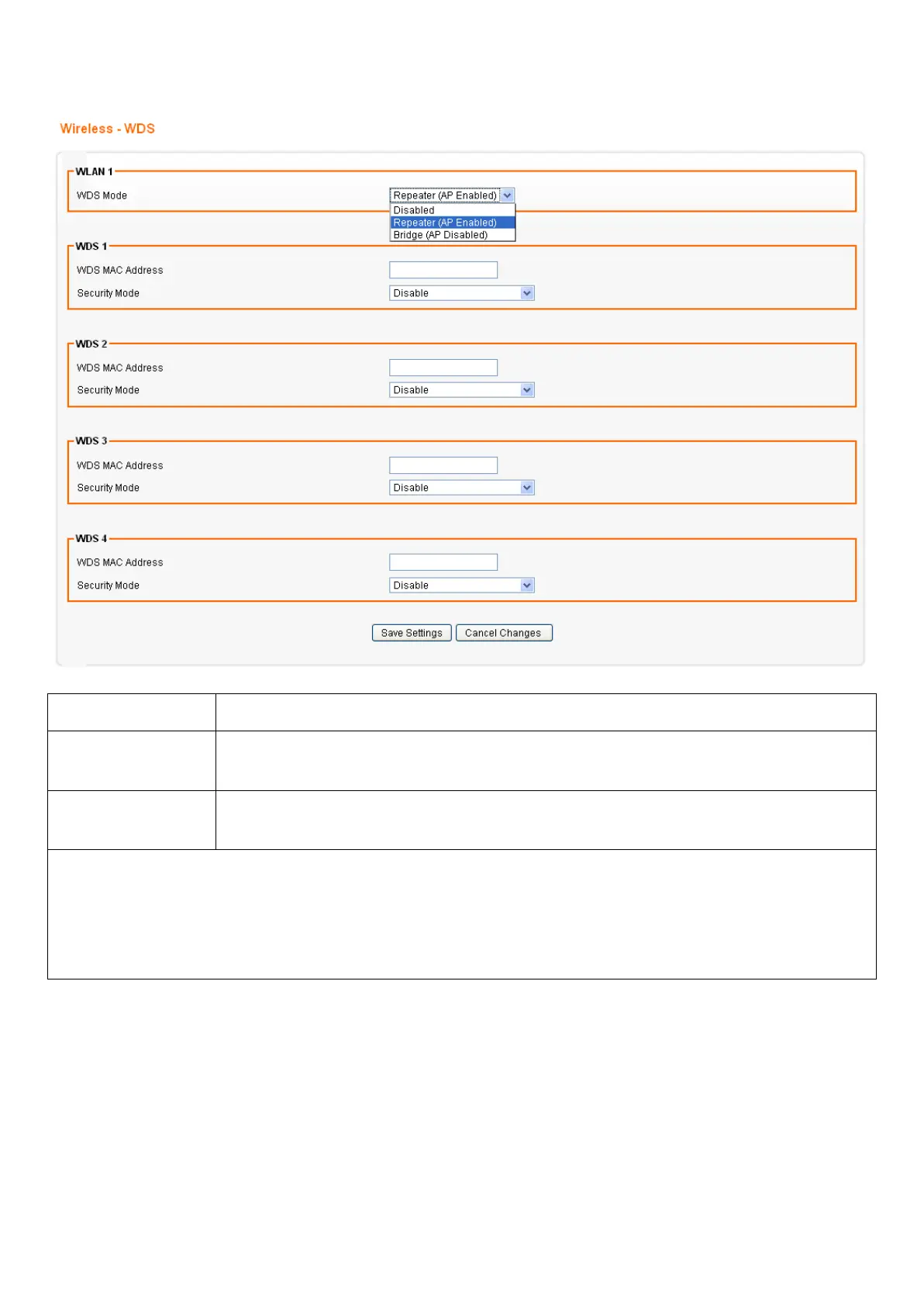
From the Wireless menu, click on WDS. The following page is displayed:
Field Description
WDS Select Enable to enable WDS function. Select Disable to disable WDS
function.
MAC Address
[1~4]
Enter the MAC addresses of the other bridged wireless devices. Maximum
of 4 devices are allowed to be bridged together.
*Please make sure of the following settings in order to allow WDS to work effectively:
(1) WDS bridged devices must use the same radio channel.
(2) WDS bridged devices must use the same encryption mode and encryption keys.
Please Note: If one of the above fails, WDS devices cannot communication with each other.














 To Next Page