3.2 Network Settings
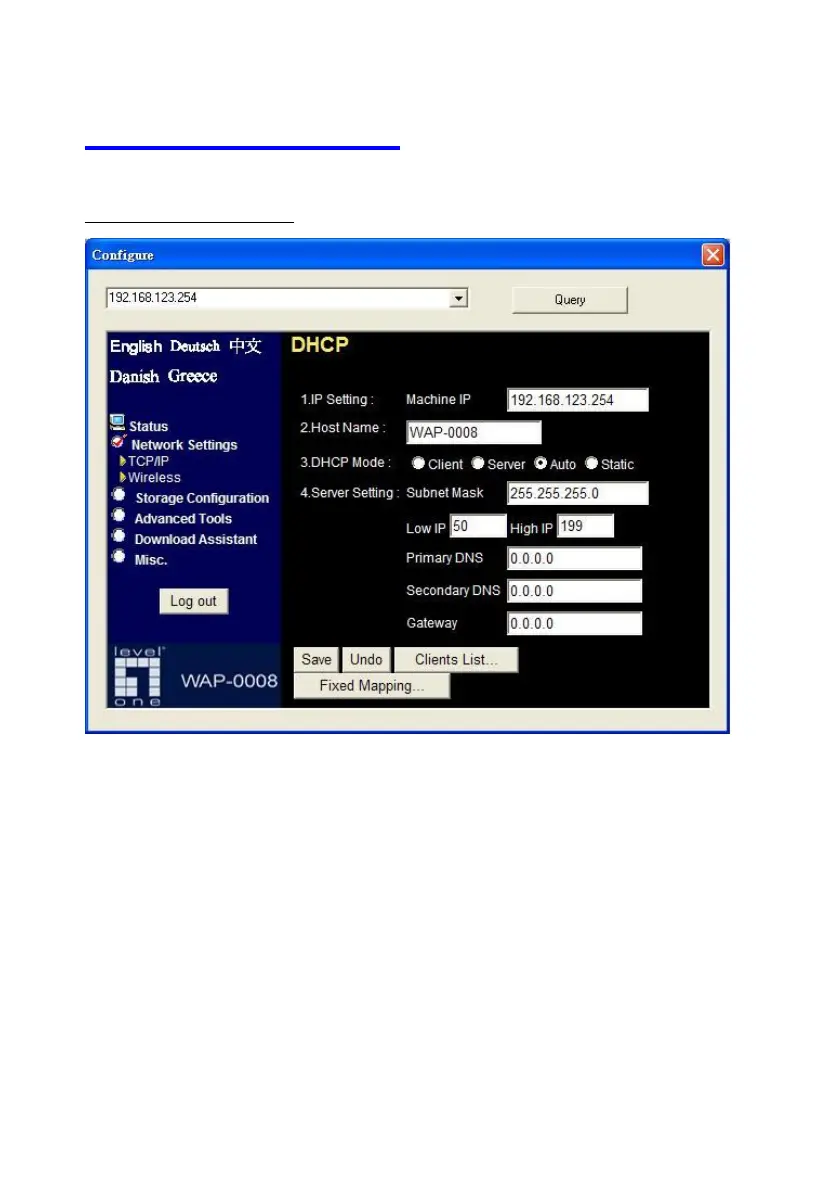
3.2.1 DHCP Setting
Following sections describe the various DHCP settings.
General Settings: default machine IP is 192.168.123.254. This IP
address must be unique on your network. You can change it if
necessary. This setting is only used for DHCP server mode, and
Static IP mode. Host name is the identification of Network
Storage when you browse it in Microsoft My Network Places.
DCHP Mode: The default mode is “Auto”
Client: If you have a DHCP server on the network, set this















 To Next Page