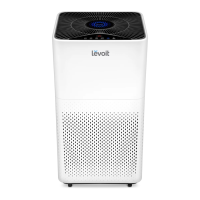
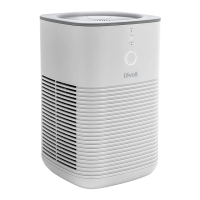
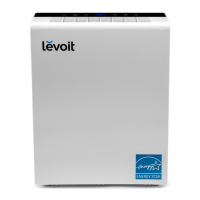
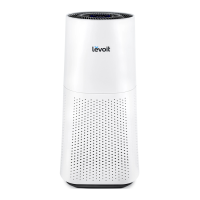
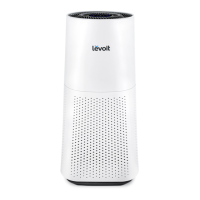
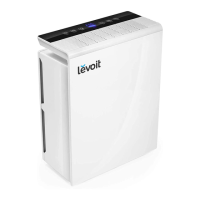
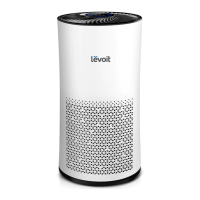
The Levoit Tower True HEPA Air Purifier, available in models LV-H133 and LV-H133-RBK, is designed to improve indoor air quality through a comprehensive 3-stage filtration system. This user-friendly device is intended for household use, offering various modes and settings to suit different purification needs.
Function Description
The core function of the Levoit Tower True HEPA Air Purifier is to remove airborne particles and odors from the surrounding environment. It achieves this through a multi-stage filtration process:
-
Nylon Pre-Filter: This initial layer captures larger particles such as dust, lint, fibers, hair, and pet fur. Its primary role is to protect and extend the lifespan of the subsequent True HEPA Filter by preventing it from becoming clogged with larger debris.
-
H13 True HEPA Filter: This is the critical stage for fine particle removal. It is designed to capture at least 99.97% of airborne particles as small as 0.3 micrometers (µm) in diameter. This includes fine dust, smoke particles, allergens like pollen, and pet dander, significantly contributing to cleaner air.
-
Custom High-Efficiency Activated Carbon Filter: This final stage is specialized for adsorbing smoke, odors, and fumes. It features Levoit's exclusive ARC Formula™, which is particularly effective against cooking smells and pet odors, making it ideal for multi-pet households. The ARC Formula™ also chemically decomposes molecules trapped within the filter, preventing oversaturation and secondary pollution, thereby extending the filter's life. This filter also targets compounds such as formaldehyde, benzene, ammonia, hydrogen sulfide, and various volatile organic compounds (VOCs).
The air purifier continuously monitors air quality using an automatic sensor that detects airborne particles with an infrared light. This sensor takes about 30 seconds to initialize after the device is turned on, after which it displays the current air quality via an indicator light that changes color (Blue for Very Good, Green for Good, Orange for Moderate, Red for Bad).
Usage Features
The Levoit air purifier is designed for ease of use with an intuitive LED display and control panel located on the top of the unit.
- On/Off Button: Simply press to turn the air purifier on or off. When turned on, the fan will start automatically.
- Fan Speed Button: Allows users to cycle through different fan speeds: low, medium, and high. For best results or to address specific air quality issues like smoke, it's recommended to run the purifier at high speed for 15-20 minutes initially.
- Auto Mode Button: Engages Auto Mode, where the air purifier automatically adjusts the fan speed based on the detected air quality. For instance, if the air quality is poor, the fan will operate at a higher speed. Tapping the fan speed or sleep mode buttons will exit Auto Mode.
- Sleep Mode Button: Activates Sleep Mode, which operates the fan at the lowest possible speed to ensure quiet operation, ideal for use during sleep. Tapping the fan speed or auto mode buttons will exit Sleep Mode.
- Display Off Button: Turns off the LED display lights. Pressing any button (except the On/Off button) will turn the display back on.
- Timer Button: Allows users to set an operational timer for 1 to 12 hours. The timer display will flash five times to confirm the selected time and then begin counting down. The air purifier will automatically power off once the timer concludes. To cancel the timer, repeatedly press the timer button until the display shows "----", which will also flash five times to confirm cancellation. The fan speed can be adjusted while the timer is active, and the timer functions with any mode. Unplugging the air purifier or pressing the On/Off button will cancel the timer.
- Memory Function: The air purifier remembers its last programmed settings (fan speed, mode) when turned off and resumes them when turned back on, provided it remains plugged in. Timers are not remembered.
- Placement: For optimal performance, the air purifier should be placed on a level surface with at least 15 inches (38 cm) of clearance on all sides. Keeping windows and doors closed while the purifier is on enhances its effectiveness.
Maintenance Features
Regular maintenance is crucial for the optimal performance and longevity of the Levoit air purifier.
- Cleaning the Air Purifier:
- The exterior of the air purifier should be wiped with a dry cloth. Avoid using water or any other liquids to prevent electric shock.
- The exterior of the filter should be cleaned monthly with a brush or vacuum hose to remove accumulated hair and dust. Do not clean the filter with water or other liquids.
- To prevent moisture buildup, keep the inside of the air purifier dry and avoid placing it in rooms with significant temperature changes.
- Cleaning the Air Quality Sensor: If the air quality indicator malfunctions, it may be due to dust blocking the sensor.
- Unplug the air purifier.
- Open the sensor cover.
- Gently clean the sensor lens with a damp cotton swab, then dry it with a dry cotton swab.
- Close the sensor cover.
- Check Filter Indicator: The air purifier features a "Check Filter" indicator that lights up red to remind users to inspect the filter. This indicator is automatic, and while it signals a check is due, it doesn't always mean an immediate replacement is necessary.
- Replacing the Filter:
- The filter should generally be replaced every 6–8 months, though this can vary based on usage frequency and environmental pollution levels. Signs that a filter needs replacement include increased noise, decreased airflow, unusual odors, or a visibly clogged filter.
- To replace the filter:
- Unplug the air purifier and remove the filter cover.
- Take out the old filter.
- Clean any dust or dirt from inside the housing.
- Unwrap the new filter and place it into the housing, ensuring the pull tabs are facing outwards.
- Replace the filter cover by aligning its feet with the slots at the bottom of the housing and pushing it securely closed.
- Plug in and turn on the air purifier.
- Resetting the Check Filter Indicator:
- If the indicator is lit after replacing the filter: Press and hold the "Check Filter" button for 3 seconds until the light turns off.
- If the filter was changed before the indicator lit up: Press and hold the "Check Filter" button for 3 seconds until the light turns up, then press and hold it again for 3 seconds until the light turns off.
- Storage: If the air purifier will not be used for an extended period, wrap the filter in its plastic packaging and store it in a dry place to prevent moisture damage.
- Filter Authenticity: To maintain performance, only official Levoit filters should be used.
The Levoit Tower True HEPA Air Purifier is a robust solution for maintaining clean and healthy indoor air, designed with user convenience and effective air purification in mind.


 To Next Page

 General
 Weight and Dimensions