EasyManua.ls Logo

Levoit LV-H133 - User Manual

Levoit LV-H133
20 pages
Print Icon
To Next Page IconTo Next Page
Loading...
Tower True HEPA Air Purifier
Models: LV-H133, LV-H133-RBK
Questions or Concerns?
Please contact us Mon–Fri, 9:00 am–5:00 pm PST/PDT
at support@levoit.com or at (888) 726-8520.
USER MANUAL

Other manuals for Levoit LV-H133

Questions and Answers

  • D
    David AllenAug 25, 2025
    What to do if Levoit Air Cleaner will not turn on?
    • A
      Alex DavisAug 26, 2025
      If your Levoit Air Cleaner isn't turning on, here are a few things to try: * First, make sure the air purifier is plugged in. * Check the power cord for any damage. If damaged, stop using the air purifier. * Ensure the filter cover is securely closed so the safety switch is activated. * Try plugging the air purifier into a different outlet. * If none of these steps work, the air purifier may be malfunctioning.
  • J
    Jill BoyleAug 26, 2025
    What to do if my Levoit LV-H133 will not turn on?
    • M
      Michael RobertsAug 26, 2025
      If your Levoit Air Cleaner isn't turning on, try these steps: First, ensure the air purifier is plugged in. Check the power cord for damage; if damaged, discontinue use and contact Customer Support. Make sure the filter cover is securely closed to activate the safety switch. Try plugging the air purifier into a different outlet. If none of these steps work, the air purifier may be malfunctioning, and you should contact Customer Support.
  • B
    Brittney ZunigaAug 27, 2025
    What to do if my Levoit Air Cleaner won't turn on?
    • S
      smithkellyAug 27, 2025
      First, ensure the air purifier is plugged in. If it still doesn't turn on, check the power cord for any damage. If damaged, discontinue use. Try plugging the air purifier into a different outlet. If the issue persists, the air purifier may be malfunctioning.
  • M
    Megan HeathAug 27, 2025
    How to fix a Levoit Air Cleaner that makes unusual noises?
    • D
      Danielle StevensonAug 28, 2025
      Unusual noises from your Levoit Air Cleaner can stem from several causes. Start by checking if the air filter needs replacing. Ensure the filter is properly placed inside the unit. Remove the filter from its packaging before use. Check if there is a foreign object inside the unit. Also, adjust the fan speed.
  • J
    jason20Aug 28, 2025
    Why does my Levoit Air Cleaner make unusual noises?
    • B
      Barry PetersonAug 28, 2025
      If your Levoit Air Cleaner emits an unusual noise, the air filter may need replacing. Alternatively, the filter might not be properly placed. Make sure you place the filter correctly. In rare cases, a foreign object might be inside the unit.
  • R
    Regina MccoyAug 29, 2025
    Why does my Levoit LV-H133 smell bad?
    • Z
      zachary35Aug 29, 2025
      If your Levoit Air Cleaner is producing an unpleasant odor, the air filter may be dirty and needs replacing. Another possible cause is high humidity levels leading to mildew growth on the filters. In this case, replace the air filter and move the air purifier to a room with less than 85% relative humidity.
  • A
    Andrew FranklinAug 30, 2025
    What to do if the light is still illuminated after replacing the air filter in my Levoit Air Cleaner?
    • J
      Jerry JenkinsAug 30, 2025
      To address this, reset the Levoit Air Cleaner.
  • R
    Roberto BrownAug 23, 2025
    Why my Levoit Air Cleaner doesn't turn on?
    • A
      Anne FitzgeraldAug 23, 2025
      If your Levoit Air Cleaner isn't powering on, there are several possible reasons. First, make sure the unit is plugged into a working electrical outlet. If it is, try a different outlet to rule out an outlet issue. Also, ensure that the filter cover is correctly placed on the unit. If the power cord is damaged, stop using the air purifier immediately.
  • K
    Kristi JacksonSep 1, 2025
    Why is my Levoit LV-H133 Air Cleaner producing an unpleasant odour?
    • B
      bowmankaraSep 1, 2025
      If your Levoit Air Cleaner is producing an unpleasant odor: * Make sure that the air purifier is in a room where the relative humidity is less than 85% RH. Higher humidity levels may cause mildew to grow on the filter.
  • L
    lopezdebbieSep 2, 2025
    What to do if Levoit LV-H133 Air Cleaner has poor air purification quality?
    • B
      brockanthonySep 2, 2025
      If your Levoit Air Cleaner isn't purifying the air well, try the following: * Increase the fan speed. * Ensure nothing is blocking the top or sides of the air purifier. * Close doors and windows while running the air purifier. * Make sure the filter's plastic packaging is removed and the filter is properly in place. * Ensure the room size is smaller than ? 50 m² / 538 ft².

Summary

Safety Information

General Safety

General safety guidelines for operating the air purifier.

Power & Cord Safety

Safety precautions related to the power cord and plug.

Electromagnetic Fields (EMF)

Information about electromagnetic field compliance.

Getting to Know Your Air Purifier

Function Diagram

Visual representation of the air purifier's parts.

LED Display

Explanation of the control panel's display and indicators.

Controls

On;Off Button

Turns the air purifier on/off.

Fan Speed Button

Cycles through fan speeds: low, medium, and high.

Auto Mode Button

Turns Auto Mode on/off.

Sleep Mode Button

Turns Sleep Mode on/off.

Display Off Button

Turns the display off.

Check Filter Indicator

Lights up red to remind you to check the filter.

Timer Button

Sets the timer.

Getting Started

Filter Installation

Steps for removing and reinstalling the air purifier filter.

Using Your Air Purifier

General Operation

Instructions for placing and operating the air purifier.

Auto Mode

How Auto Mode adjusts fan speed based on air quality.

Air Quality Indicator

Explanation of the air quality sensor and its indicator.

Sleep Mode and Timer

Sleep Mode

Using Sleep Mode for quiet operation.

Timer Function

How to set and cancel the timer for automatic shut-off.

Memory Function

Air purifier remembers settings when turned off.

About the Filter

Nylon Pre-Filter

Captures large particles and protects the HEPA filter.

H13 True HEPA Filter

Removes 99.97% of airborne particles 0.3 microns in size.

Custom High-Efficiency Activated Carbon Filter

Adsorbs odors, fumes, and VOCs using ARC Formula™.

Care & Maintenance

Cleaning the Air Purifier

Instructions for cleaning the exterior and filter of the unit.

Cleaning the Air Quality Sensor

How to clean the sensor lens for accurate readings.

Check Filter Indicator Reset

How to reset the indicator after replacing the filter.

Storage

Proper storage procedures for the air purifier.

Replacing the Filter

When Should I Replace the Filter?

Guidance on determining when the filter needs replacement.

Filter Replacement Steps

Step-by-step instructions for replacing the air purifier filter.

Troubleshooting

Air Purifier Not Turning On

Solutions for issues with the air purifier not responding.

Unusual Noise

Possible causes and solutions for abnormal noises.

Reduced Airflow

Troubleshooting steps for significantly reduced airflow.

Poor Air Purification Quality

Tips to improve air purification quality.

Unpleasant Odor

Solutions for when the air purifier produces an unpleasant odor.

Check Filter Indicator Issues

Troubleshooting the check filter indicator status.

Warranty Information

Product Details

Details about the product name and models covered.

Terms & Policy

Explanation of warranty terms, conditions, and limitations.

Warranty Exclusions

Conditions under which the warranty does not apply.

Contacting Customer Support for Warranty

Instructions for product defects and warranty claims.

Customer Support

Contact Information

How to contact customer support via email or phone.

Support Hours

Operating hours for customer support services.

Overview

The Levoit Tower True HEPA Air Purifier, available in models LV-H133 and LV-H133-RBK, is designed to improve indoor air quality through a comprehensive 3-stage filtration system. This user-friendly device is intended for household use, offering various modes and settings to suit different purification needs.

Function Description

The core function of the Levoit Tower True HEPA Air Purifier is to remove airborne particles and odors from the surrounding environment. It achieves this through a multi-stage filtration process:

  1. Nylon Pre-Filter: This initial layer captures larger particles such as dust, lint, fibers, hair, and pet fur. Its primary role is to protect and extend the lifespan of the subsequent True HEPA Filter by preventing it from becoming clogged with larger debris.

  2. H13 True HEPA Filter: This is the critical stage for fine particle removal. It is designed to capture at least 99.97% of airborne particles as small as 0.3 micrometers (µm) in diameter. This includes fine dust, smoke particles, allergens like pollen, and pet dander, significantly contributing to cleaner air.

  3. Custom High-Efficiency Activated Carbon Filter: This final stage is specialized for adsorbing smoke, odors, and fumes. It features Levoit's exclusive ARC Formula™, which is particularly effective against cooking smells and pet odors, making it ideal for multi-pet households. The ARC Formula™ also chemically decomposes molecules trapped within the filter, preventing oversaturation and secondary pollution, thereby extending the filter's life. This filter also targets compounds such as formaldehyde, benzene, ammonia, hydrogen sulfide, and various volatile organic compounds (VOCs).

The air purifier continuously monitors air quality using an automatic sensor that detects airborne particles with an infrared light. This sensor takes about 30 seconds to initialize after the device is turned on, after which it displays the current air quality via an indicator light that changes color (Blue for Very Good, Green for Good, Orange for Moderate, Red for Bad).

Usage Features

The Levoit air purifier is designed for ease of use with an intuitive LED display and control panel located on the top of the unit.

  • On/Off Button: Simply press to turn the air purifier on or off. When turned on, the fan will start automatically.
  • Fan Speed Button: Allows users to cycle through different fan speeds: low, medium, and high. For best results or to address specific air quality issues like smoke, it's recommended to run the purifier at high speed for 15-20 minutes initially.
  • Auto Mode Button: Engages Auto Mode, where the air purifier automatically adjusts the fan speed based on the detected air quality. For instance, if the air quality is poor, the fan will operate at a higher speed. Tapping the fan speed or sleep mode buttons will exit Auto Mode.
  • Sleep Mode Button: Activates Sleep Mode, which operates the fan at the lowest possible speed to ensure quiet operation, ideal for use during sleep. Tapping the fan speed or auto mode buttons will exit Sleep Mode.
  • Display Off Button: Turns off the LED display lights. Pressing any button (except the On/Off button) will turn the display back on.
  • Timer Button: Allows users to set an operational timer for 1 to 12 hours. The timer display will flash five times to confirm the selected time and then begin counting down. The air purifier will automatically power off once the timer concludes. To cancel the timer, repeatedly press the timer button until the display shows "----", which will also flash five times to confirm cancellation. The fan speed can be adjusted while the timer is active, and the timer functions with any mode. Unplugging the air purifier or pressing the On/Off button will cancel the timer.
  • Memory Function: The air purifier remembers its last programmed settings (fan speed, mode) when turned off and resumes them when turned back on, provided it remains plugged in. Timers are not remembered.
  • Placement: For optimal performance, the air purifier should be placed on a level surface with at least 15 inches (38 cm) of clearance on all sides. Keeping windows and doors closed while the purifier is on enhances its effectiveness.

Maintenance Features

Regular maintenance is crucial for the optimal performance and longevity of the Levoit air purifier.

  • Cleaning the Air Purifier:
    • The exterior of the air purifier should be wiped with a dry cloth. Avoid using water or any other liquids to prevent electric shock.
    • The exterior of the filter should be cleaned monthly with a brush or vacuum hose to remove accumulated hair and dust. Do not clean the filter with water or other liquids.
    • To prevent moisture buildup, keep the inside of the air purifier dry and avoid placing it in rooms with significant temperature changes.
  • Cleaning the Air Quality Sensor: If the air quality indicator malfunctions, it may be due to dust blocking the sensor.
    • Unplug the air purifier.
    • Open the sensor cover.
    • Gently clean the sensor lens with a damp cotton swab, then dry it with a dry cotton swab.
    • Close the sensor cover.
  • Check Filter Indicator: The air purifier features a "Check Filter" indicator that lights up red to remind users to inspect the filter. This indicator is automatic, and while it signals a check is due, it doesn't always mean an immediate replacement is necessary.
  • Replacing the Filter:
    • The filter should generally be replaced every 6–8 months, though this can vary based on usage frequency and environmental pollution levels. Signs that a filter needs replacement include increased noise, decreased airflow, unusual odors, or a visibly clogged filter.
    • To replace the filter:
      1. Unplug the air purifier and remove the filter cover.
      2. Take out the old filter.
      3. Clean any dust or dirt from inside the housing.
      4. Unwrap the new filter and place it into the housing, ensuring the pull tabs are facing outwards.
      5. Replace the filter cover by aligning its feet with the slots at the bottom of the housing and pushing it securely closed.
      6. Plug in and turn on the air purifier.
    • Resetting the Check Filter Indicator:
      • If the indicator is lit after replacing the filter: Press and hold the "Check Filter" button for 3 seconds until the light turns off.
      • If the filter was changed before the indicator lit up: Press and hold the "Check Filter" button for 3 seconds until the light turns up, then press and hold it again for 3 seconds until the light turns off.
    • Storage: If the air purifier will not be used for an extended period, wrap the filter in its plastic packaging and store it in a dry place to prevent moisture damage.
    • Filter Authenticity: To maintain performance, only official Levoit filters should be used.

The Levoit Tower True HEPA Air Purifier is a robust solution for maintaining clean and healthy indoor air, designed with user convenience and effective air purification in mind.

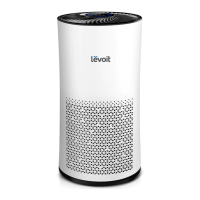
Levoit LV-H133 Specifications

General IconGeneral
TimerYes
Efficiency99.97 %
Noise level54 dB
CertificationCARB, FCC, ETL
Air purify rate466 m³/h
Number of speeds-
Noise level (low speed)25 dB
Operating temperature (T-T)-10 - 40 °C
Suitable for room area up to41 m²
Operating relative humidity (H-H)0 - 85 %
Particle filtration0.3 µm
Filtering capabilityCigarette smoke, Fine dust, Pollen
Number of filter stages3
AC input voltage120 V
AC input frequency60 Hz
Power consumption (max)45 W
Power consumption (standby)0.8 W
Control typeTouch
Display typeLED
Product colorBlack
Weight and Dimensions IconWeight and Dimensions
Width318 mm
Height600 mm
Weight9500 g

Related product manuals