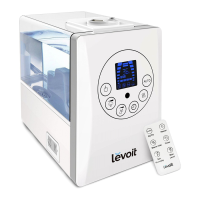
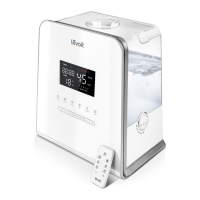
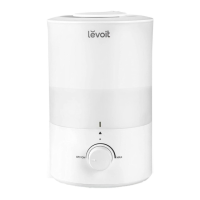
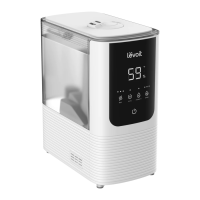
This document describes the Levoit LV600S Smart Hybrid Ultrasonic Humidifier, a device designed to improve air quality and comfort in your home. The humidifier offers both cool and warm mist options, along with smart features accessible via the VeSync app.
Function Description
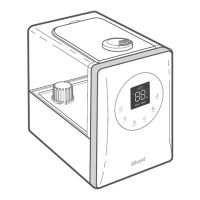
The Levoit LV600S is a smart hybrid ultrasonic humidifier that uses ultrasonic vibration to create a fine mist, which is then dispersed into the air to increase humidity levels. It features a hybrid design, meaning it can produce both cool mist and warm mist, catering to different preferences and environmental needs. The device includes a water tank for holding water, a base chamber where the mist is generated, and nozzles to direct the mist. A key component is the heating element, which is utilized for warm mist production. The humidifier also incorporates a humidity sensor to detect the current relative humidity (RH) in the room, allowing for automatic adjustments to maintain a desired humidity level. For aromatherapy, an aroma box with an aroma pad is integrated, allowing users to diffuse essential oils into the air. Mineral absorption pads are also included to help reduce mineral buildup (scale) within the humidifier, particularly on the heating element.
Usage Features
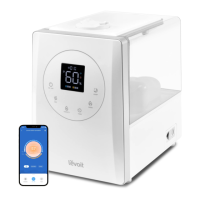
The humidifier offers a range of features for user convenience and control. It can be operated directly using its control panel or remotely via the free VeSync app, which unlocks additional smart functions.
Basic Operation:
- On/Off: The humidifier is turned on or off with a dedicated button. When first plugged in, it lights up briefly before turning off.
- Mist Level: Users can cycle through low, medium, and high mist settings by repeatedly pressing the Mist Level button.
- Mist Direction: The nozzles can be rotated to adjust the direction of the mist, allowing users to direct it away from furniture, walls, or appliances.
- Water Tank: The water tank is filled with room-temperature water. It's recommended to use purified water to minimize white dust from minerals. The humidifier will indicate when the water tank is empty by flashing a "no water" indicator and will automatically turn off after 10 blinks.
- No Water Indicator: This indicator blinks when the tank is empty and lights up when the tank is removed from the base.
Advanced Features:
- Warm Mist: The Warm Mist button cycles through different heat settings: low heat, medium heat, high heat, and heat off. It's important to note that the mist can be hot, and direct inhalation or exposure of bare skin to the nozzles should be avoided during warm mist operation. The humidifier may take up to 15 minutes to warm up and produce warm mist.
- Humidity Level Setting: Users can set a target relative humidity (RH) percentage between 40% and 80%. Once the room reaches this level, the humidifier will automatically stop misting. It will resume misting when the humidity drops 5% below the set level. This setting can be canceled by pressing and holding the Humidity Level button for 2 seconds.
- Timer: An auto-shutoff timer can be set for 1 to 12 hours in 1-hour increments. The humidifier will automatically power off once the timer concludes.
- Sleep Mode: This mode changes the humidifier's mist setting to an automatic mode and turns off the display lights to reduce noise. In Sleep Mode, the humidifier automatically adjusts the mist level to maintain 50–60% relative humidity based on the humidity sensor. Warm mist is automatically turned off in Sleep Mode but can be reactivated.
- Display Control: The LED display automatically dims after 30 seconds of inactivity. It can be turned off completely by pressing and holding the Mist Level button for 3 seconds, and turned back on by pressing any button.
- Aromatherapy: Essential oils can be added to the aroma pad located in the aroma box at the back of the base. The humidifier will automatically diffuse the aroma when in use. It's crucial to only add essential oils to the aroma pad and not directly into the water tank or base chamber.
- Memory Function: The humidifier remembers its settings for Mist Level, Humidity Level, Warm Mist, and Wi-Fi settings when turned off or unplugged, and will resume these settings when powered back on. Sleep and Timer settings are not remembered.
- Automatic Shutoff: The humidifier automatically turns off when the water tank is empty or removed from the base.
VeSync App Integration:
The VeSync app provides remote control and additional smart functions:
- Remote Control: Turn the humidifier on/off, cycle through mist and heat levels, and turn Sleep Mode on/off.
- Display Lights: Control the display lights on/off.
- Humidity Monitoring: Check current humidity levels in the humidifier's environment.
- Timers & Schedules: Program individual timers or create schedules for automated operation.
- Third-Party Voice Control: Compatible with Amazon Alexa and Google Assistant for voice commands.
- Wi-Fi Connection: The humidifier can be paired with the VeSync app. The Wi-Fi indicator shows pairing status. The humidifier can be reset to disconnect from Wi-Fi and the app.
Maintenance Features
Regular cleaning and maintenance are essential for optimal performance and longevity of the humidifier.
- Weekly Cleaning: The humidifier should be cleaned weekly and before storage.
- Unplugging: Always unplug the humidifier before cleaning. If warm mist was used, allow it to cool completely.
- Water Tank and Cover: Remove and rinse the water tank cover. Remove the water tank from the base, and empty any remaining water from both the tank and the base chamber.
- Mist Channel and Mist Tube: Detach and clean the mist channel and mist tube.
- Water Filter: Remove the water filter from the tank by rotating it counterclockwise. The water filter sponge can also be removed for cleaning.
- Base Components: Remove the float, noise silencer, absorption pad, and aroma box from the base.
- Descaling (Mineral Buildup Removal):
- Remove the water filter, water outlet valve, noise silencer, and absorption pad.
- Fill the tank with distilled white vinegar (3 US cups / 710 mL), replace the cover, and swish the vinegar around.
- Place the tank on the base and let it soak for 15-20 minutes to allow vinegar to drain into the base chamber and loosen scale from the transducer and float.
- Remove the tank, pour out the vinegar, and then remove the float from the base chamber.
- Place the float, water filter, water outlet valve, aroma box, and noise silencer in a container filled with enough vinegar to cover them, and soak for 15-20 minutes.
- Use a soft cloth and the included cleaning brush to remove scale from all parts.
- Rinse all parts thoroughly until no vinegar smell remains.
- Drying: Dry all parts completely with a cloth before reassembling or storing.
- Aroma Pad & Absorption Pad Cleaning:
- Pull out the aroma box and remove the aroma pad.
- Remove the noise silencer and then the absorption pad from the heating element.
- Rinse both pads under warm, running water and dry with a clean cloth.
- Place them back into their respective positions.
- Note: Do not use liquid cleaners or detergents on the pads or any other part of the humidifier.
- Pad Replacement: If the aroma pad or absorption pad becomes stiff even after cleaning, it needs to be replaced. Extra pads are included, and official Levoit replacement pads are recommended.
- Reassembly: Follow specific instructions for reassembling the float, absorption pad, noise silencer, mist tube, water outlet valve, and water filter, ensuring all parts are securely in place.
- Storage: After cleaning and drying, store the humidifier in a cool, dry location.
- General Care: Change the water daily to prevent bacteria growth. Clean the nozzles regularly with a tissue or cloth. If not using the humidifier for a week or longer, empty and dry it completely.
- Important Restrictions: Never immerse the base in water or liquid. Do not place any part of the humidifier in a dishwasher. Do not use detergents to clean the humidifier. Do not allow liquid into the air outlet.


 To Next Page

 General