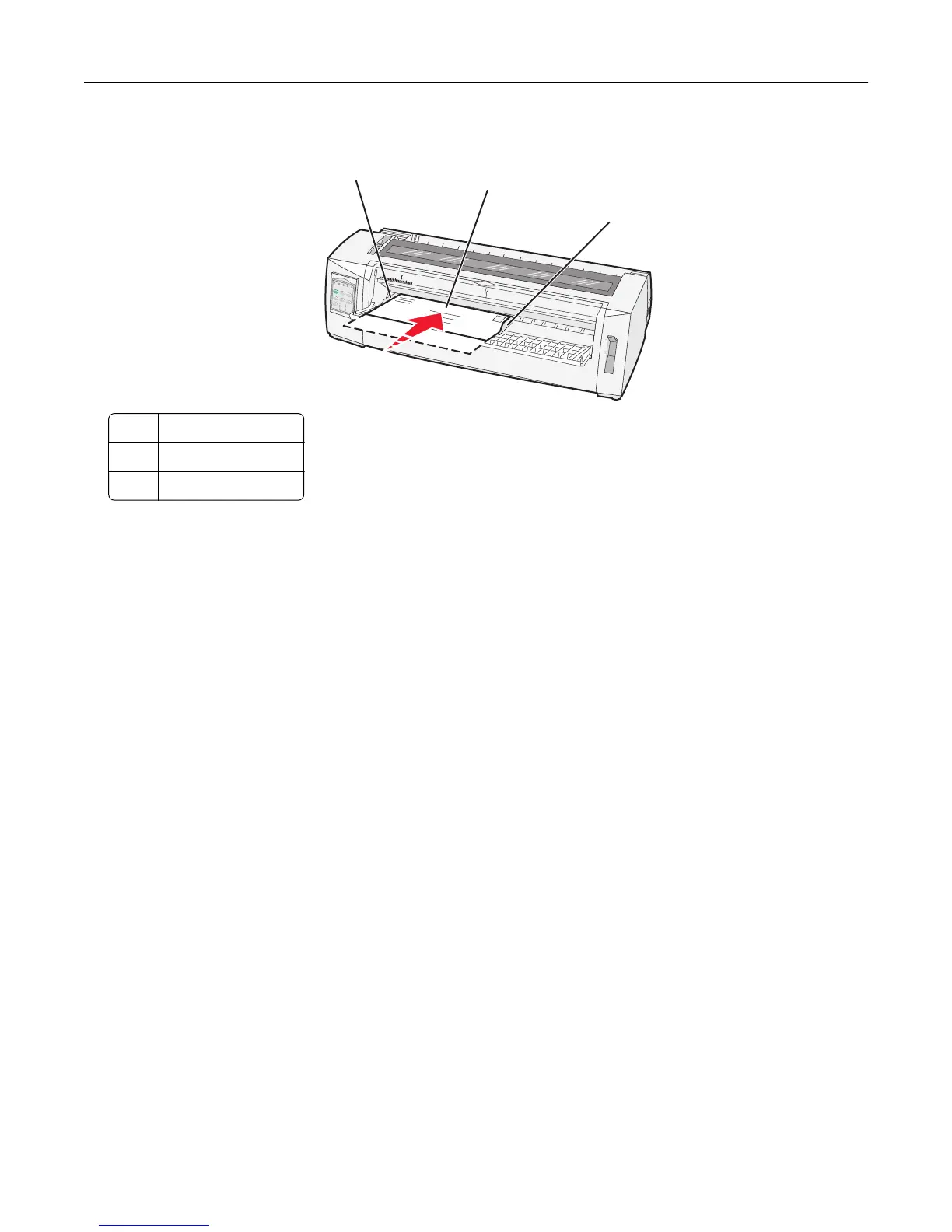
9 Move the right paper guide so that the guide aligns with the right edge of the cut form or envelope.
1
3
2
1 Left paper guide
2 Cut form or envelope
3 Right paper guide
10 Insert the cut form or envelope into the printer until the Paper Out light stops blinking.
Notes:
• If Auto Cut Sheet Load is set to On, then the paper feeds automatically to the Top‑Of‑Form.
• If Auto Cut Sheet Load is set to Off, then press FormFeed.
11 Make sure the printer is online and the Ready light is on and solid green.
Note: If the Ready light is not on and solid green, then press Start/Stop.
Loading paper 37



 To Next Page