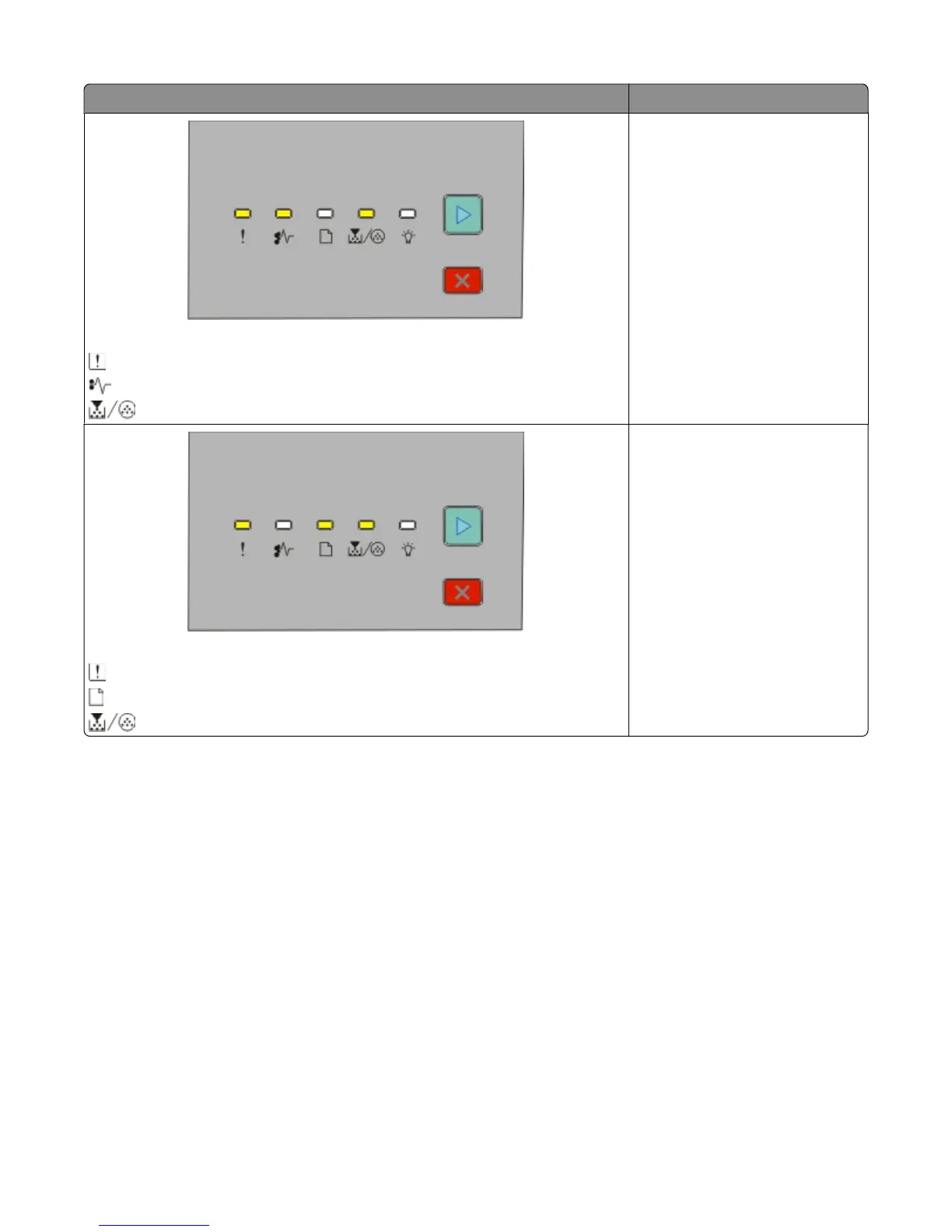
Light sequences What you can do
Replace missing or defective cartridge
- On
- Blinking
- On
Replace the toner cartridge. For
more information, see “Replacing
the toner cartridge” on page 102.
Cartridge part number unsupported by device
- On
- On
- On
Remove the unsupported toner
cartridge, and then replace it with a
supported toner cartridge.
Interpreting the printer control panel lights
33





 To Next Page