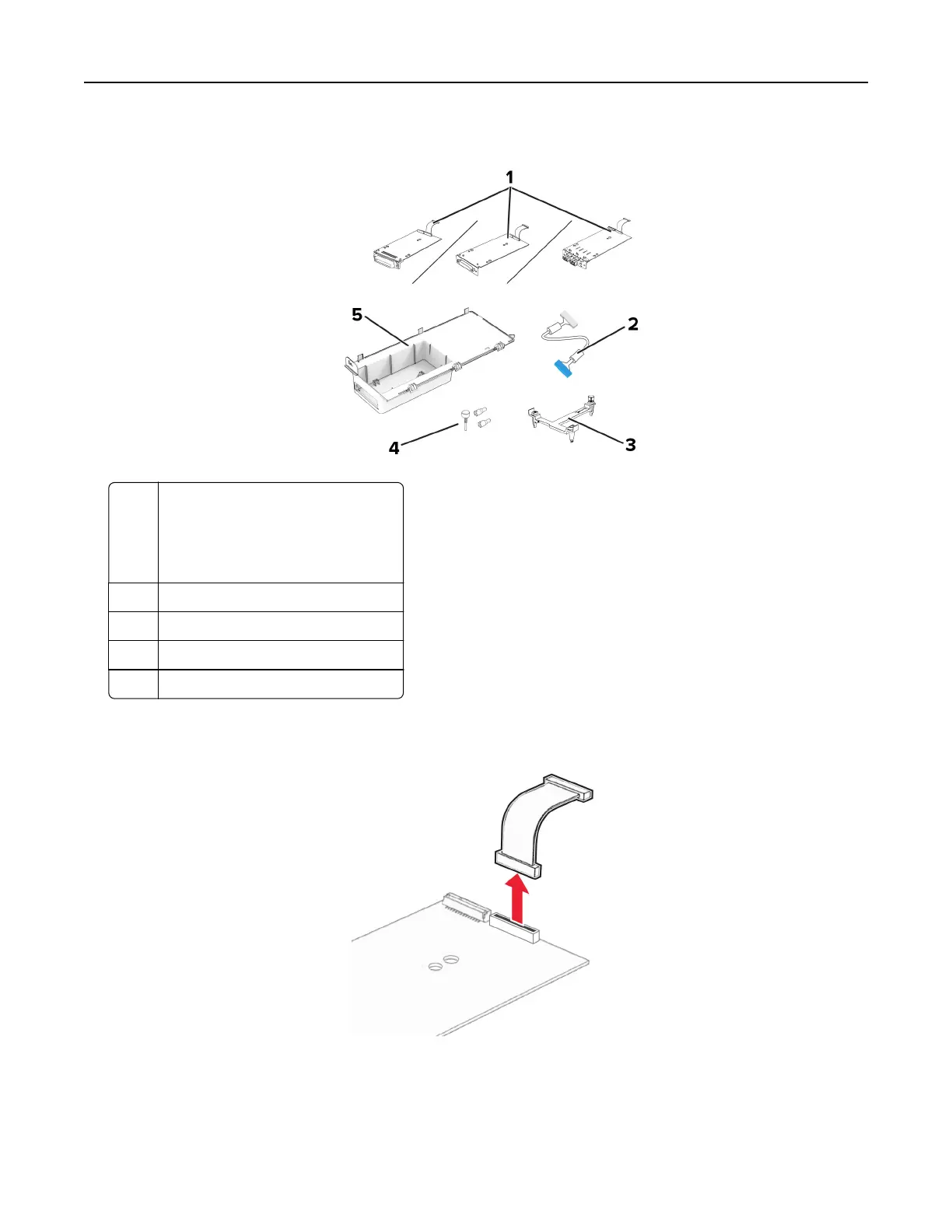
3 Unpack the internal solutions port (ISP) kit.
1 ISP
• RS-232C Serial Interface Card
• Parallel 1284-B Interface Card
• MarkNet N8230 Fiber Ethernet
2 ISP extended cable
3 Mounting bracket
4 Thumbscrews
5 Housing
4 Remove the preinstalled interface cable from the ISP.
Set up, install, and configure 41



 To Next Page