EasyManua.ls Logo

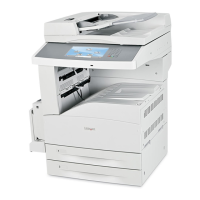
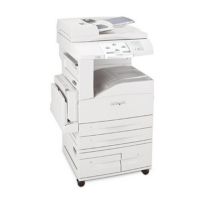
Lexmark X860DE 3 - User Manual

Lexmark X860DE 3
309 pages
Print Icon
To Next Page IconTo Next Page
Loading...
X860de, X862de , X864de
User's Guide
April 2009 www.lexmark.com
Machine type(s):
7500
Model(s):
432, 632, 832

Table of Contents

Other manuals for Lexmark X860DE 3

Questions and Answers

  • G
    Gregory BrownSep 9, 2025
    What to do if Lexmark X860DE 3 control panel is blank?
    • J
      Jennifer EllisSep 9, 2025
      If the Lexmark All in One Printer control panel display is blank or showing only diamonds, try turning the printer off, waiting for about 10 seconds, and then turning it back on. If the clock graphic and Ready do not appear after restarting, turn the printer off and contact Customer Support.
  • J
    Janice CarlsonSep 12, 2025
    What to do if Lexmark X860DE 3 shows error message about Flash Drive?
    • Z
      zfloresSep 12, 2025
      If you see the message 'An error has occurred with the Flash Drive' on your Lexmark All in One Printer, remove and reinsert the flash drive. If the error message persists, the flash memory may be defective and require replacement.
  • A
    angelacraigSep 14, 2025
    What to do if Lexmark All in One Printer shows error message about reading USB drive?
    • S
      Savannah SwansonSep 14, 2025
      If you receive an error message about reading a USB drive on your Lexmark All in One Printer, make sure the USB drive is supported.
  • S
    Sheila BarnesSep 16, 2025
    Why caller ID is not shown on Lexmark X860DE 3?
    • M
      matanancySep 16, 2025
      If the caller ID is not shown on your Lexmark All in One Printer, contact your telecommunications company to verify that your telephone line is subscribed to the caller ID service.

Summary

Safety information

Learning about the printer

Additional printer setup

Installing internal options

Instructions for customizing printer connectivity and memory with optional cards.

Setting up the printer software

Guidance on installing printer drivers for Windows and Macintosh systems.

Setting up wireless printing

Information required and steps to connect the printer to a wireless network.

Loading paper and specialty media

Printing

Printing a document

Steps for printing documents on Windows and Macintosh systems.

Copying

Making copies

Basic steps for making copies using the ADF or scanner glass.

E-mailing

Faxing

Getting printer ready to fax

Initial setup for fax functionality, including station name and number.

Scanning to a computer or flash drive

Maintaining the printer

Cleaning the scanner glass

Procedure for cleaning the scanner glass to ensure image quality.

Replacing supplies

Step-by-step instructions for replacing consumables like toner cartridges.

Troubleshooting

Solving basic problems

Initial steps to resolve common printer issues like unresponsiveness or blank displays.

Solving printing problems

Solutions for issues like jobs not printing, incorrect characters, or unexpected page breaks.

Solving copy problems

Troubleshooting steps for copier issues like unresponsiveness or poor quality.

Solving scanner problems

Guidance for resolving scanner issues like unresponsiveness or poor scanned image quality.

Lexmark X860DE 3 Specifications

General IconGeneral
Duplex printingYes
Print technologyLaser
Maximum resolution1200 x 1200 DPI
Time to first page (black, normal)6 s
Print speed (black, normal quality, A4/US Letter)35 ppm
Copy speed (black, normal quality, A4)35 cpm
Total input capacity1100 sheets
Total output capacity500 sheets
Maximum input capacity5100 sheets
Total number of input trays3
Sound power level (standby)30 dB
Sound pressure level (copying)53 dB
Control typeTouch
Display diagonal9 \
Market positioningBusiness
Dimensions (WxDxH)641 x 705 x 803 mm
Networking featuresGigabit Ethernet
All-in-one functionsCopy, Scan
Maximum internal memory1.28 GB
Color all-in-one functionsscan, n
Compatible operating systemsMac OS 9.2, Win XP, Vista, 7, Server 2000, Server 2003, Server 2008, Linux, Novell, UNIX
Envelopes sizes7 3/4, 10, C5, DL
Paper tray media typesCard stock, Envelopes, Glossy paper, Plain paper, Transparencies
Non-ISO print media sizesExecutive (184 x 267mm), Folio (media size), Legal (media size), Letter (media size), Statement (140 x 216mm)
ISO A-series sizes (A0...A9)A3, A4, A5
JIS B-series sizes (B0...B9)B4, B5
Maximum ISO A-series paper sizeA3
Security algorithmsLEAP, PEAP
Supported network protocols (IPv4)TCP/IP, IPv4, IPX/SPX, AppleTalk, LexLink (DLC), TCP/IP IPv6, TCP, UDP
Standard interfacesUSB 2.0
USB 2.0 ports quantity2
Maximum duty cycle150000 pages per month
Page description languagesPCL 5e, PCL 6, PDF 1.6, PostScript 3, PPDS, xHTML
Operating altitude0 - 3048 m
Operating temperature (T-T)16 - 32 °C
Operating relative humidity (H-H)8 - 80 %
Sustainability certificatesENERGY STAR
CertificationCSA, ICES Class A, BSMI Class A, VCCI Class A, FCC Class A, UL 60950-1, IEC 320-1, ECMA-74, CE Class A, CB IEC 60950 1, IEC 61000-3-2, -3-3, EN 55022, EN 55024, CISPIR 22 Class A, GS (TÜV)-EN 60950-1, SEMKO, UL AR, CS, TÜV Rh, N Mark, C-tick Class A, CCC Class A, RPC, PSB, MIC, EK - K60950.

Related product manuals