EasyManua.ls Logo

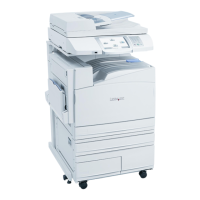
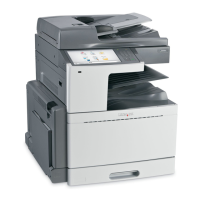
Lexmark X945 - User Manual

Lexmark X945
272 pages
Print Icon
To Next Page IconTo Next Page
Loading...
X940e, X945e
User's Guide
April 2007 www.lexmark.com
Lexmark and Lexmark with diamond design are trademarks of Lexmark International, Inc., registered in the United States and/or other countries.
All other trademarks are the property of their respective owners.
© 2007 Lexmark International, Inc.
All rights reserved.
740 West New Circle Road
Lexington, Kentucky 40550

Table of Contents

Other manuals for Lexmark X945

Questions and Answers

  • D
    David DavisAug 16, 2025
    What to do if my Lexmark All in One Printer jobs do not print?
    • R
      Russell BryanAug 16, 2025
      To resolve print job issues with your Lexmark All in One Printer, ensure 'Ready' or 'Power Saver' is displayed before printing. Also, remove paper from the standard exit bin, load paper into the tray, and verify you're using the correct printer software. Confirm that the internal print server is properly installed and the printer is connected to the network. Finally, check the cable connections to the printer and print server to ensure they are secure.
  • R
    rebekahmorenoAug 19, 2025
    What to do if confidential jobs do not print on Lexmark All in One Printer?
    • D
      Diana OwensAug 19, 2025
      If confidential or held jobs are not printing on your Lexmark All in One Printer, delete the job and try printing it again, as only part of the job may print. Also, free up printer memory by deleting held or invalid jobs.
  • Q
    qhamptonAug 22, 2025
    How to fix an unresponsive Lexmark All in One Printer?
    • S
      Scott GouldAug 23, 2025
      If your Lexmark All in One Printer is unresponsive, try turning it off and then back on. This often resolves the issue.
  • M
    Matthew BergAug 26, 2025
    Why does my Lexmark X945 take so long to print?
    • G
      gcopelandAug 26, 2025
      To speed up print times on your Lexmark All in One Printer, reduce the number and size of fonts, the complexity and number of images, and the number of pages in the job. Alternatively, you can try turning the page protect setting off.
  • R
    Rhonda HarrisAug 28, 2025
    Why is my Lexmark X945 printing incorrect characters?
    • J
      Jose ParksAug 28, 2025
      If your Lexmark All in One Printer is printing incorrect characters and 'Ready Hex' appears on the display, the printer is in Hex Trace mode. Turn the printer off and back on to exit this mode and print your job correctly.
  • A
    Andrew PerkinsAug 31, 2025
    Why is my Lexmark X945 printing from the wrong tray?
    • L
      luis79Aug 31, 2025
      If your Lexmark All in One Printer prints from the wrong tray or on the wrong paper, ensure the 'Paper Type' setting matches the paper loaded in the tray.
  • T
    Tyler JohnsonSep 3, 2025
    How to fix large jobs not collating on Lexmark All in One Printer?
    • F
      Francisco DunnSep 3, 2025
      To ensure large jobs collate properly on your Lexmark All in One Printer: 1. Set 'Collate' to 'On' from the Finishing menu or Print Properties. 2. Reduce the complexity of the print job by minimizing the number and size of fonts, the number and complexity of images, and the number of pages. 3. Consider adding printer memory or an optional hard disk.
  • R
    Randy CohenSep 6, 2025
    Why is tray linking not working on my Lexmark All in One Printer?
    • R
      Roger GuerraSep 6, 2025
      To resolve tray linking issues on your Lexmark All in One Printer, load the same size and type of paper in each tray. Additionally, print a menu settings page and compare the settings for each tray.
  • S
    Sara WardSep 9, 2025
    What to do if Lexmark All in One Printer has unexpected page breaks?
    • A
      Amber Beasley MDSep 9, 2025
      If you are experiencing unexpected page breaks with your Lexmark All in One Printer, increase the Print Timeout value.
  • N
    nkellySep 12, 2025
    What to do if Door A will not shut properly on Lexmark X945 All in One Printer?
    • J
      jmathisSep 13, 2025
      If Door A on your Lexmark All in One Printer will not shut properly, make sure the green paper jam clearance lever behind Door A is in place.

Lexmark X945 Specifications

General IconGeneral
Maximum Print Resolution1200 x 1200 dpi
Copy Resolution600 x 600 dpi
Max Copying Resolution600 x 600 dpi
Scan TypeFlatbed, ADF
Fax Speed33.6 Kbps
Fax Resolution300 x 300 dpi
Max Fax Transmission Speed33.6 Kbps
AirPrint EnabledNo
Touch ScreenYes
Standard Memory512 MB
Hard Drive80 GB
FunctionsCopier, Fax, Printer, Scanner
Print TechnologyLaser
Data Compression SystemMH, MR, MMR, JBIG
Paper HandlingMulti-purpose tray
ConnectivityEthernet, USB
Connectivity TechnologyEthernet, USB
InterfaceEthernet 10/100Base-TX, USB 2.0
Operating Systems SupportedLinux
Dimensions25.2 inches

Related product manuals