
EasyManua.ls Logo

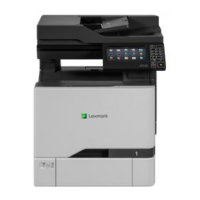
Lexmark XC4100 Series - User Manual

Lexmark XC4100 Series
158 pages
Print Icon
To Next Page IconTo Next Page
Loading...
XC4100 Series
User's Guide
January 2016 www.lexmark.com
Machine type(s):
7528
Model(s):
598, 196

Table of Contents

Questions and Answers

  • T
    Timothy RobbinsAug 9, 2025
    How to fix network connection problems on a Lexmark XC4100 Laser printer?
    • J
      Jessica EdwardsAug 10, 2025
      To troubleshoot network connection problems with your Lexmark Laser printer, try the following: * Install a supported browser. * Type the correct printer IP address in the address field. * Turn on the printer. * Tighten the cable connections. If the problem persists, it is recommended to contact your administrator or customer support.
  • H
    Hannah PerezAug 26, 2025
    What to do if Lexmark Laser printer is not responding?
    • K
      Kristen CastroAug 27, 2025
      If your Lexmark Laser printer is not responding, try the following: * Make sure the switch is on or reset the breaker. * Turn on the printer. * Press the power button to wake the printer. * Ensure the USB cable is connected to the USB port and the Ethernet cable is connected to the Ethernet port.

Lexmark XC4100 Series Specifications

General IconGeneral
Print Resolution1200 x 1200 dpi
Operating System CompatibilityWindows, Mac, Linux
ConnectivityUSB, Ethernet
Duplex PrintingYes
Standard Memory1024 MB