231
4-5. Using the driving support systems
4
Driving
● Guardrails, walls, signs, parked vehicles
and similar stationary objects
*
● Small motorcycles, bicycles, pedestrians,
etc.
*
● Vehicles moving away from your vehicle
● Vehicles approaching from the parking
spaces next to your vehicle
*
*
: Depending on the conditions, detection
of a vehicle and/or object may occur.
■ Conditions under which the RCTA
function may not function correctly
● The RCTA function may not detect vehi-
cles correctly in the following situations:
• When a sensor is misaligned due to a
strong impact to the sensor or its sur-
rounding area
• When mud, snow, ice, a sticker, etc. is
covering a sensor or its surrounding area
on the rear bumper
• When driving on a road surface that is
wet with standing water during bad
weather, such as heavy rain, snow, or fog
• When multiple vehicles are approaching
with only a small gap between each vehi-
cle
• If a vehicle is approaching the rear of
your vehicle rapidly
• When a towing eyelet is installed to the
rear of the vehicle.
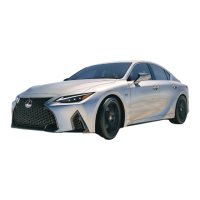
• When backing up on a slope with a sharp
change in grade
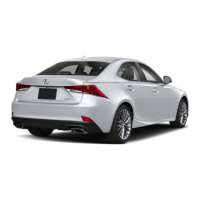
• When backing out of a shallow angle
parking spot
• Immediately after the RCTA function is
turned on
• Immediately after the engine is started
with the RCTA function on
• When the sensors cannot detect a vehi-
cle due to obstructions
● Instances of the RCTA function unneces-
sarily detecting a vehicle and/or object
may increase in the following situations:
• When a vehicle passes by the side of your
vehicle
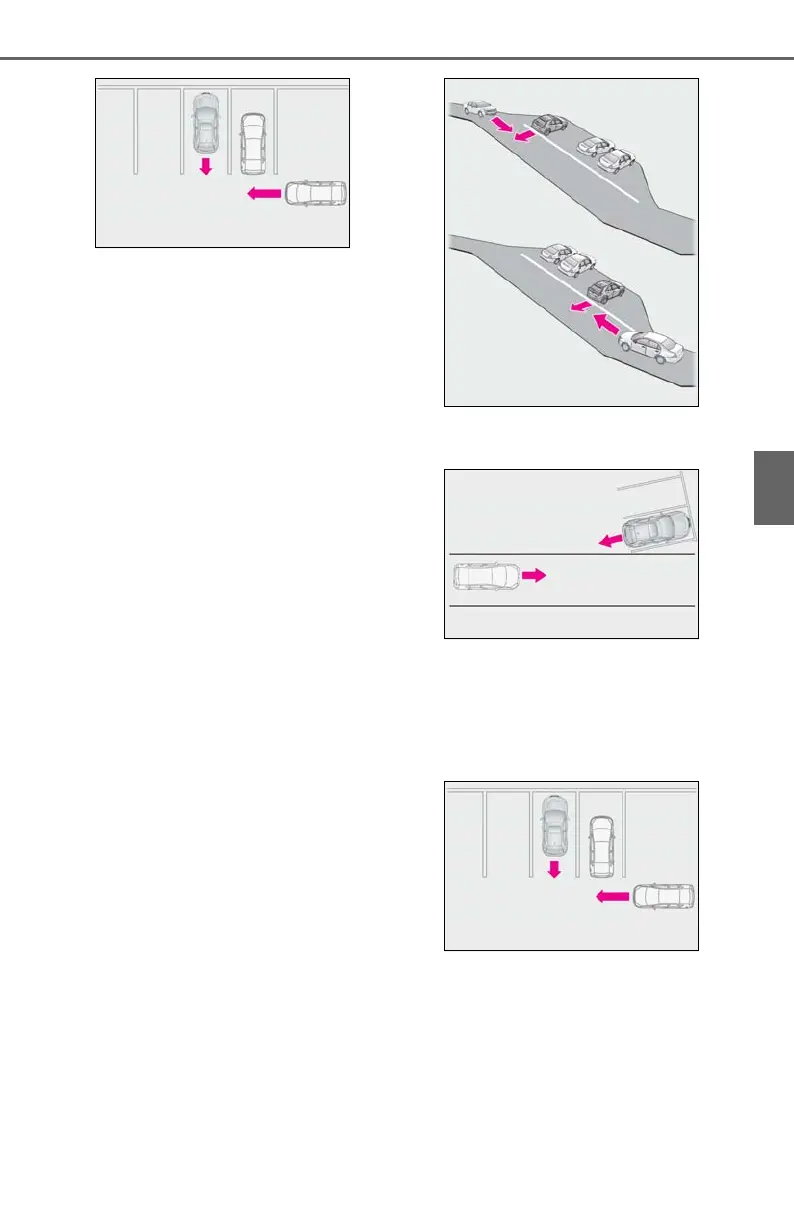
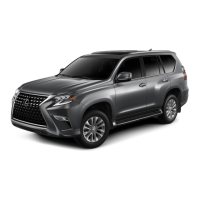
• When the parking space faces a street
and vehicles are being driven on the
street


 To Next Page