89
2-1. Instrument cluster
2
Vehicle status information and indicators
message or the operating state of a rel-
evant system.
PCS (Pre-Collision System)
(P.187)
Intuitive parking assist (if equipped)
(P.221)
Parking Support Brake function (for
static objects) (if equipped)
(P.237)
Brake Override System (P.143)
Drive-Start Control (P.143)
Details of content displayed on the head-
up display may differ from that displayed
on the multi-information display. For
details, refer to the explanation of each sys-
tem.
■ / icons
These icons are linked to the multi-
information display
: Master warning icon
Displayed when a warning message is dis-
played on the multi-information display.
(P.371)
: Information icon
Displayed when a suggestion pop-up dis-
play (P.85) or advice pop-up display is
displayed on the multi-information display.
■ Warning message
Some warning messages are displayed
when necessary, according to certain
conditions.
Details of content displayed on the head-
up display may differ from that displayed
on the multi-information display.
■ Audio system operation status
Displayed when an audio remote con-
trol switch on the steering wheel is
operated.
■ Hands-free system status
Displayed when the hands-free system
is operated.
■ When a pop-up display is displayed
When a pop-up display is displayed, a cur-
rent display may no longer be displayed. In
this case, the display will return after the
pop-up display disappears.
■ Tachometer
Displays the engine speed in revolu-
tions per minute.
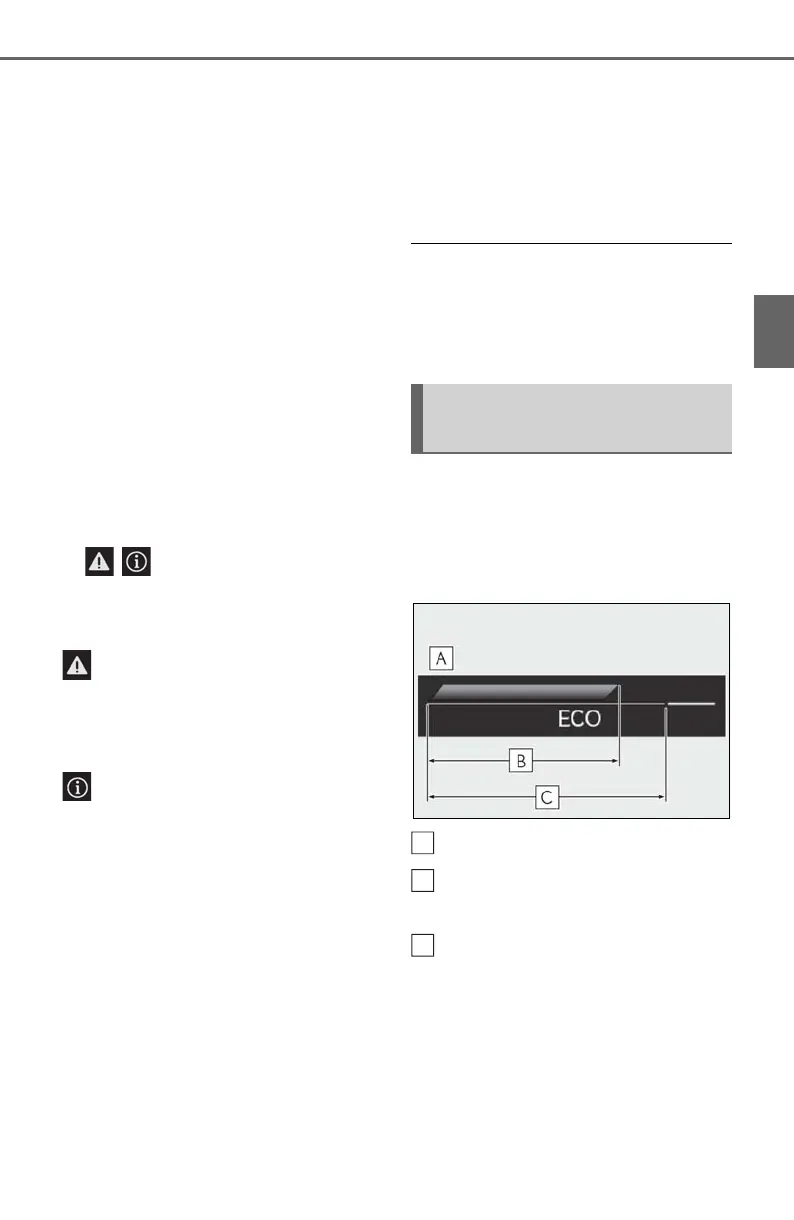
■ Eco Driving Indicator
Eco Driving Indicator Zone Display
Eco driving ratio based on acceler-
ation
Zone of Eco driving
Displayed content is the same as that dis-
played on the multi-information display
(Eco Driving Indicator). For details, refer to
P.82.
Tachometer/Eco Driving Indica-
tor display area



 To Next Page