303
5-6. Using the other interior features
5
Interior features
garage door opener motor will
blink twice, indicating that 2-way
communication is enabled.
If the indicators do not flash, perform 2 and
3 within the first 10 presses of the
HomeLink
®
button after programming
has been completed.
2 Press a programmed HomeLink
®
button to operate a garage door.
3 Within 1 minute of pressing the
HomeLink
®
button, after the
garage door operation has
stopped, press the “Learn” or
“Smart” button on the garage door
opener motor. Within 5 seconds of
the establishment of 2-way com-
munication with the garage door
opener, both garage door opera-
tion indicators in the vehicle will
flash rapidly (green) and the light
on the garage door opener motor
will blink twice, indicating that 2-
way communication is enabled.
■ Reprogramming a single
HomeLink
®
button
When the following procedure is per-
formed, buttons which already have
devices registered to them can be
overwritten:
1 With one hand, press and hold the
desired HomeLink
®
button.
2 When the HomeLink
®
indicator
starts flashing (orange), continue to
hold the HomeLink
®
button and
perform “Programming
HomeLink
®
” 1 (it takes 20 sec-
onds for the HomeLink
®
indicator
to start flashing).
■ Before programming
● Install a new battery in the transmitter.
● The battery side of the transmitter must
be pointed away from the HomeLink
®
.
Press the appropriate HomeLink
®
button. The HomeLink
®
indicator light
should turn on.
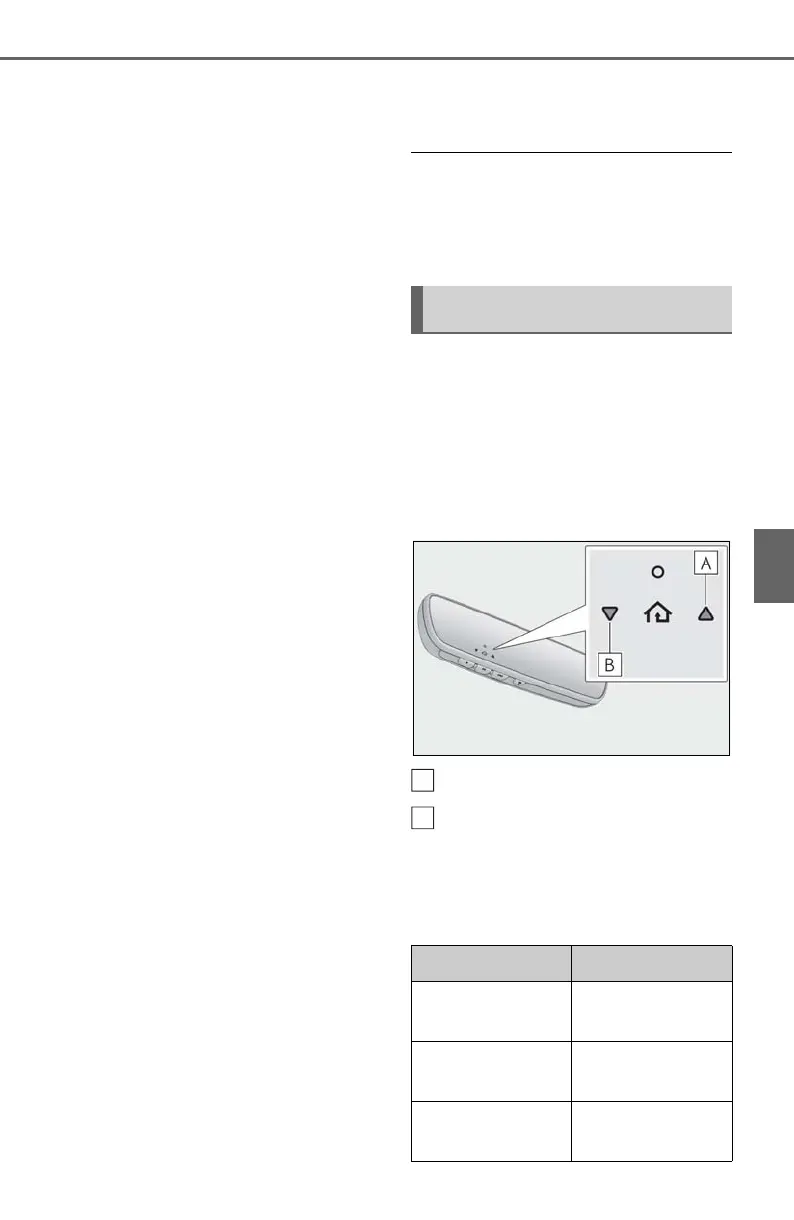
The status of the opening and closing
of a garage door is shown by the indi-
cators.
Opening
Closing
This function is only available if the garage
door opener motor used is a compatible
device. (To check device compatibility,
refer to www.homelink.com.)
Operating HomeLink
®
Color Status
Orange (flashing)
Currently open-
ing/closing
Green
Opening/closing
has completed
Red (flashing)
Feedback signals
cannot be received



 To Next Page