260
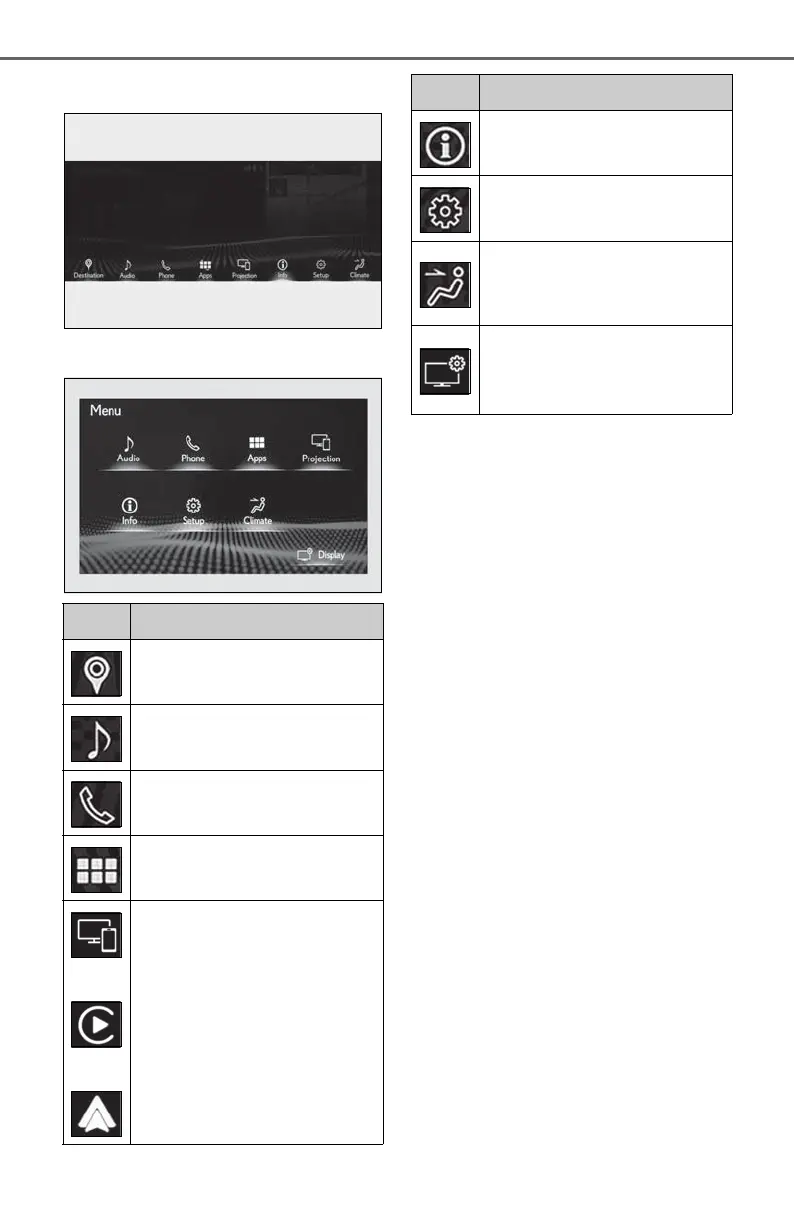
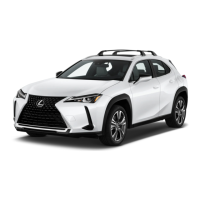
5-1. Remote Touch
10.3-inch display model
7-inch display model
*1
: Refer to the “NAVIGATION AND
MULTIMEDIA SYSTEM OWNER’S
MANUAL”.
*2
: If equipped
*3
: This function is not made available in
some countries or areas.
Switch Function
Select to display the destination
screen.
*1, 2
Select to display the audio con-
trol screen.
*1
Select to display the hands-free
operation screen.
*1
Select to display the “Apps”
screen.
*1, 3
/
/
When an Apple Car-
Play/Android Auto connection is
established and this button dis-
plays “Apple CarPlay”/“Android
Auto”, select to display the home
screen of Apple Car-
Play/Android Auto.
*1, 3
Select to display the information
screen.
*1
(P.90)
Select to display the setup
screen.
*1
Select to display the air condi-
tioning control screen.
(P.268)
Select to adjust the contrast and
brightness of the screens, turn
the screen off, etc.
*1, 2
Switch Function



 To Next Page