16
Bolting the TDP 6s
®
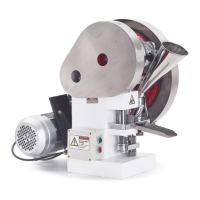
The TDP 6s
®
Base comes with four bolts and four bolt holes. Because the machine’s movement
could cause it to fall off the workspace surface during operation, which creates potential for
injury to self and to the machine, it is important to ensure that it will not move by bolting down the
TDP 6s
®
. There are other options as well that can prevent the TDP 6s
®
from moving, which are
described below:
Non-Slip Pad
Placing a pad or mat that grips the surface underneath the TDP 6s
®
will stabilize any movement.
What works well is anything similar to a yoga mat. Simply cut the pad to a size that is slightly
bigger than the TDP 6s
®
’s base, and then bolt the base through the mat and into the workspace
surface.
Anti-Vibration Pads
Anti-vibration pads underneath the TDP 6s
®
’s base not only absorb noises and vibrations, but also
reduce the machine’s movement. Similar to using a non-slip pad, the anti-vibration pads also need
to be bolted through into the workplace surface.
WARNING: Anti-vibration pads with feet indentations, such as those used
for washing machines, are not suitable for the TDP 6s
®
. They may cause the
machine to lose its balance and fall off the workspace surface, potentially
resulting in personal injury.
Note: Before bolting the machine to the workspace surface, ensure that an appropriate electrical
outlet (240 v/110 v) is nearby.
Once you have determined where the bolts will be, drill four holes into the workspace surface.
Then, insert the bolts through the TDP 6s
®
’s base and the workspace surface and tighten them as
necessary.


 To Next Page