38
Boot
Due to its constant movement, the Boot can wear down and prevent granular material from flowing
smoothly. Replacing this part is a simple process. To watch a video of Boot removal, go to https://
www.lfatabletpresses.com/videos/how-to-remove-the-boot-timing-bar-on-a-tdp-5
Tools and Materials Needed
• Set of metric Allen keys with ball ends
• Crosshead screwdriver
• New Boot part
• Disposable latex/rubber gloves (for food grade products and to protect hands from grease)
• Hairnet and/or beard net (food grade products only)
• Sterile shoe covers (food grade products only)
WARNING: To prevent any potential personal injury, ALWAYS unplug the TDP
6s
®
from the electrical outlet when replacing parts.
Remove the Boot
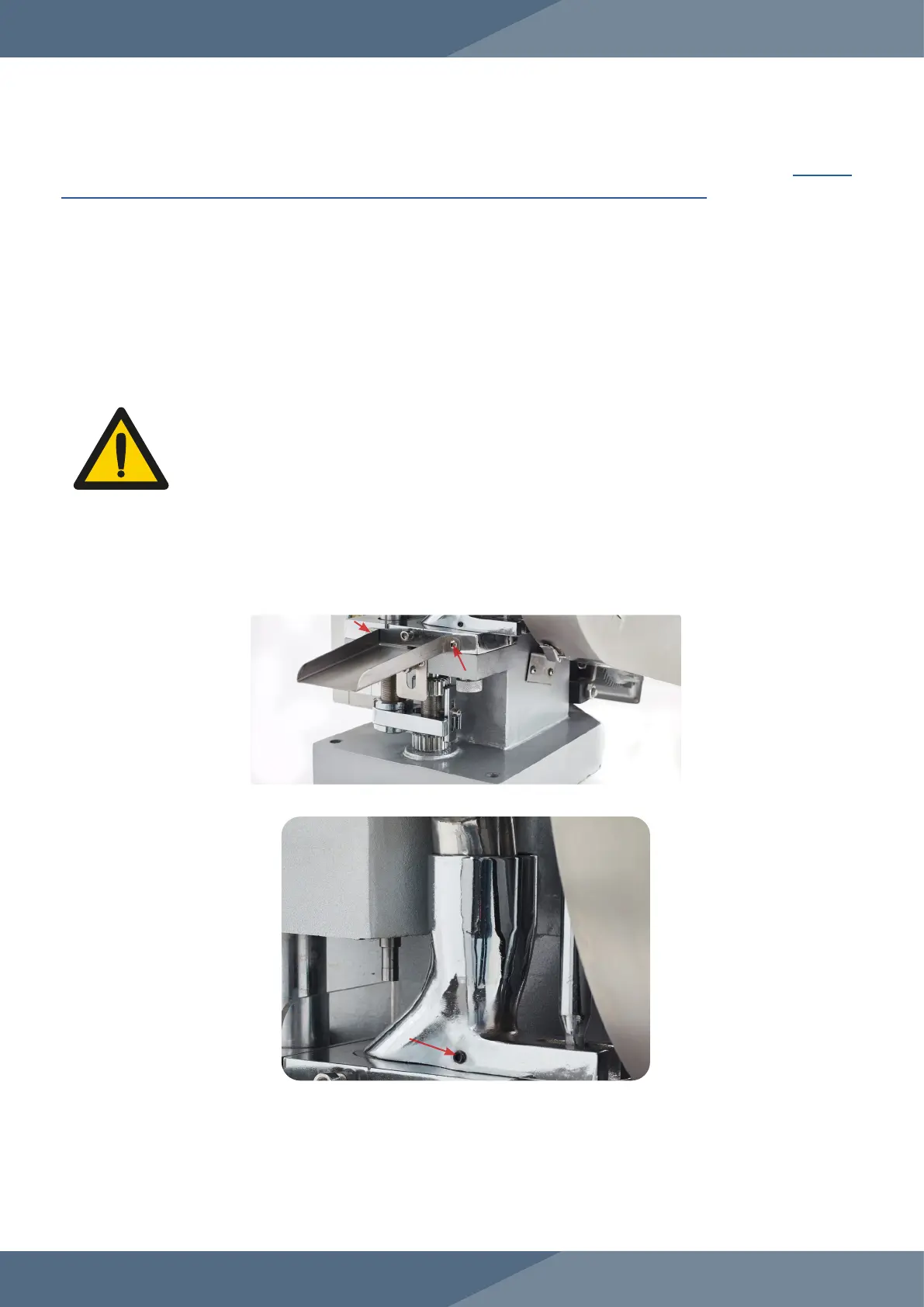
1. Remove the Hopper carefully and catch any powder still inside of it.
2. Remove the Ejection Tray with an crosshead screwdriver.
3. Loosen the Boot’s set screw with an Allen key.
Instructions
Note: Wear latex/rubber gloves (and appropriate food grade attire if applicable) during this process.


 To Next Page