20
Tools and Materials Needed
• Set of metric Allen keys with ball ends
• Crosshead screwdriver
• Disposable latex/rubber gloves (for food grade products and to protect hands from grease)
• Hairnet and/or beard net (food grade products only)
• Sterile shoe covers (food grade products only)
Settings and Adjustment
The TDP 6s
®
’s settings can be adjusted. Tuning the Tooling can help with changing the tablets’
characteristics and how they are ejected from the machine.
Ejection Height
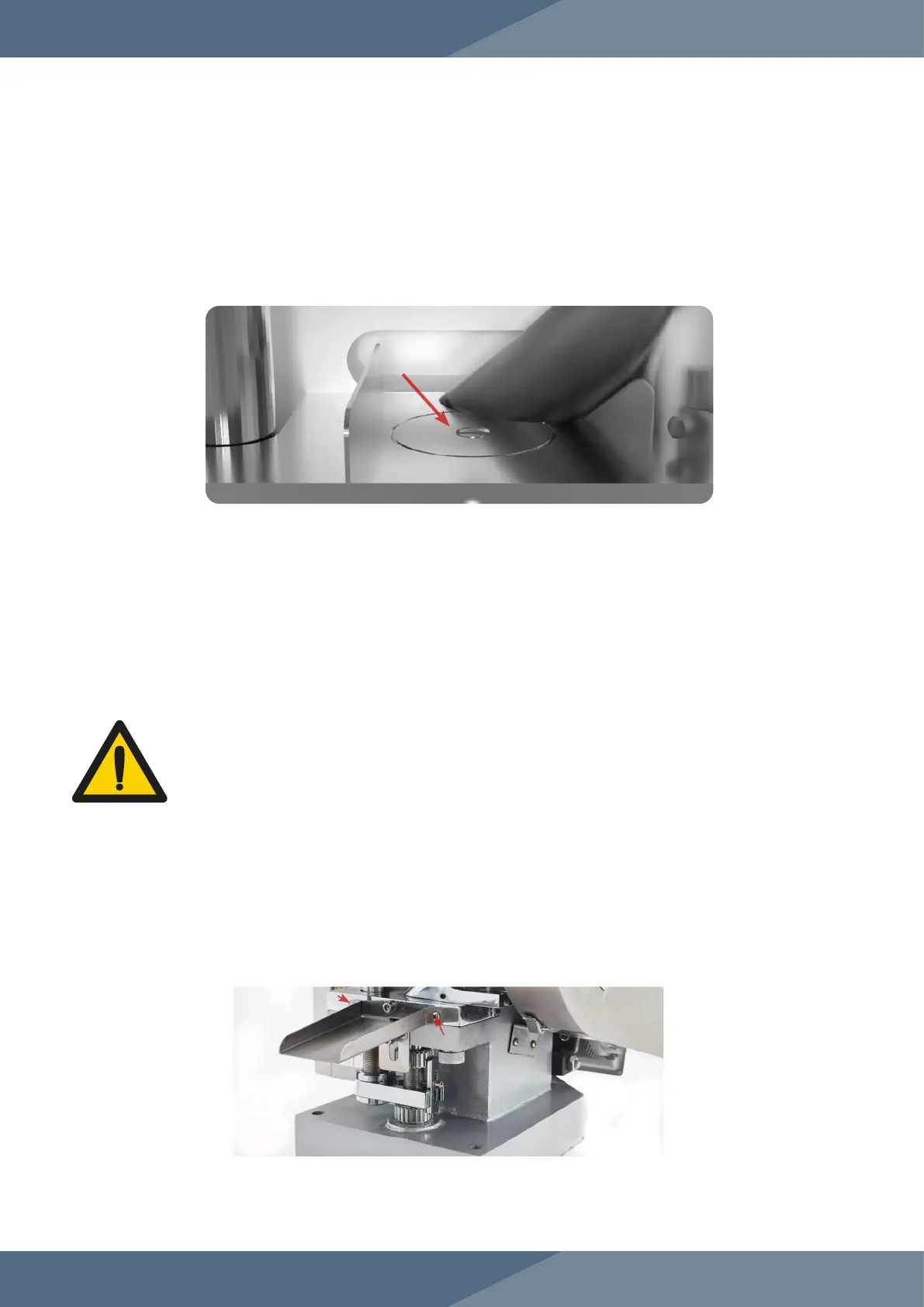
When the Upper Punch is fully lifted, the Lower Punch in its highest position should be flush with
the Die:
If the Lower Punch is above or below the Die’s face, it will affect how smoothly the tablet is ejected.
Adjusting the ejection height will help with this and can vary with different forms of Tooling.
WARNING: To prevent any potential personal injury, unplug the TDP 6s
®
from
the electrical outlet
Instructions
Note: Wear latex/rubber gloves (and appropriate food grade attire if applicable) during this
process.
1. Produce a test tablet to determine how the Tooling should be adjusted.
2. Rotate the machine until the Lower Drift Pin Assembly is at its highest position and the Boot is at
the position to eject the tablet.
3. Remove the Ejection Tray with a crosshead screwdriver.


 To Next Page