19
How to Create Tablets with the TDP 6s
®
Tools and Materials Needed
• Raw material formulation
• TDP 6s
®
• Safety goggles
• Disposable latex/rubber gloves (for food grade products and to protect hands from grease)
• Hairnet and/or beard net (food grade products only)
• Sterile shoe covers (food grade products only)
WARNING: For personal protection while operating the TDP 6s
®
, contain long
hair and do not wear loose jewelry.
Instructions
Note: Wear latex/rubber gloves (and appropriate food grade attire if applicable) during this
process.
1. Pour the dry materials into the Hopper.
1.1 Note: Ensure that the TDP 6s
®
is unplugged from the electrical outlet.
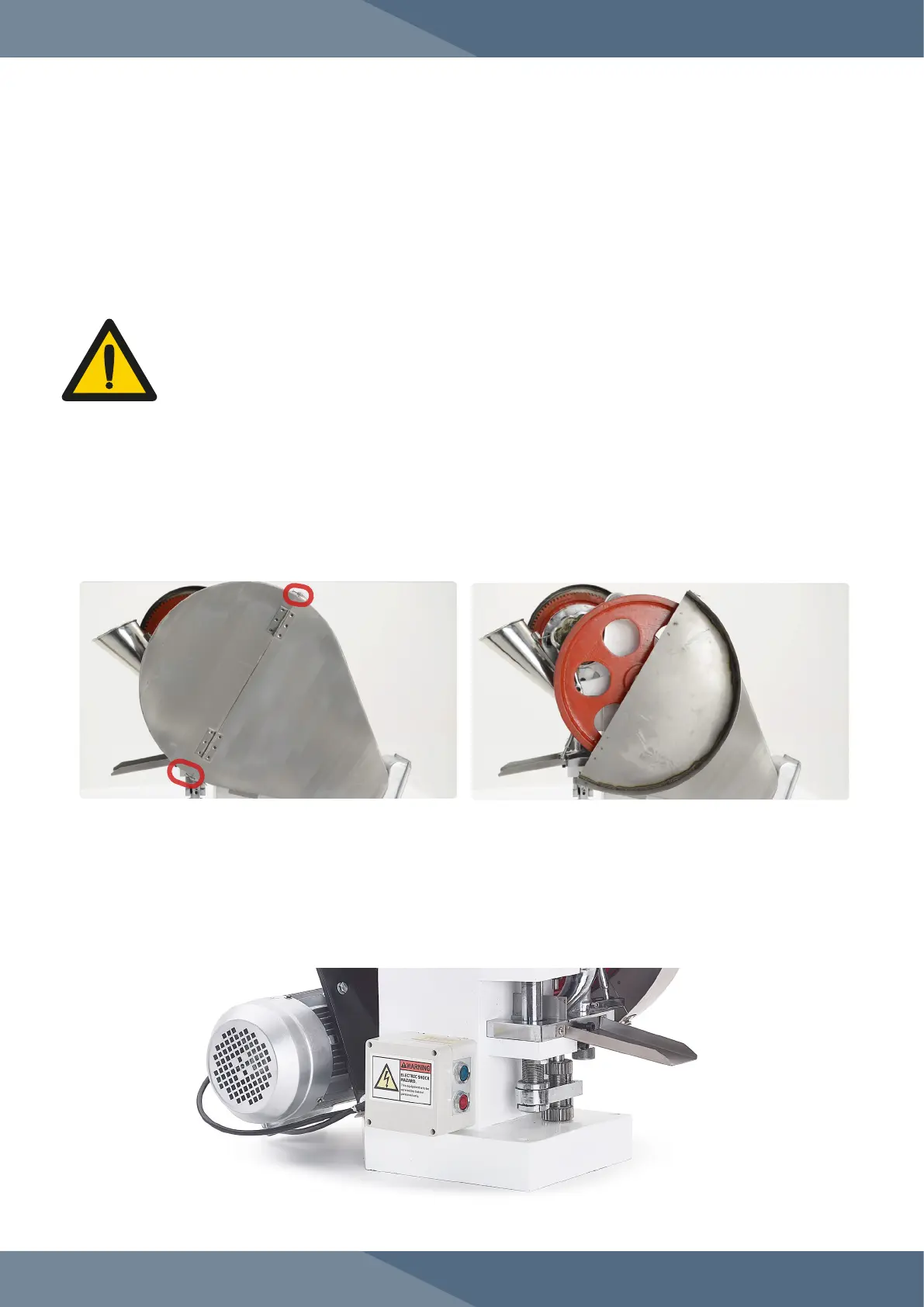
2. Loosen the locks on the upper section of the Hand Wheel cover and pull down the cover.
3. Rotate the Hand Wheel in the direction indicated by the arrow located on the Cam Drive Cog
Safety Cover.
3.1 Note: Always manually operate the TDP 6s
®
for one rotation to ensure that it is operating
correctly.
4. Plug in the TDP 6s
®
to an electrical outlet.
5. Press the green button (ON) to start to start the machine, and the red button (OFF) to turn off
the machine.


 To Next Page