16
ENG
ENGLISH
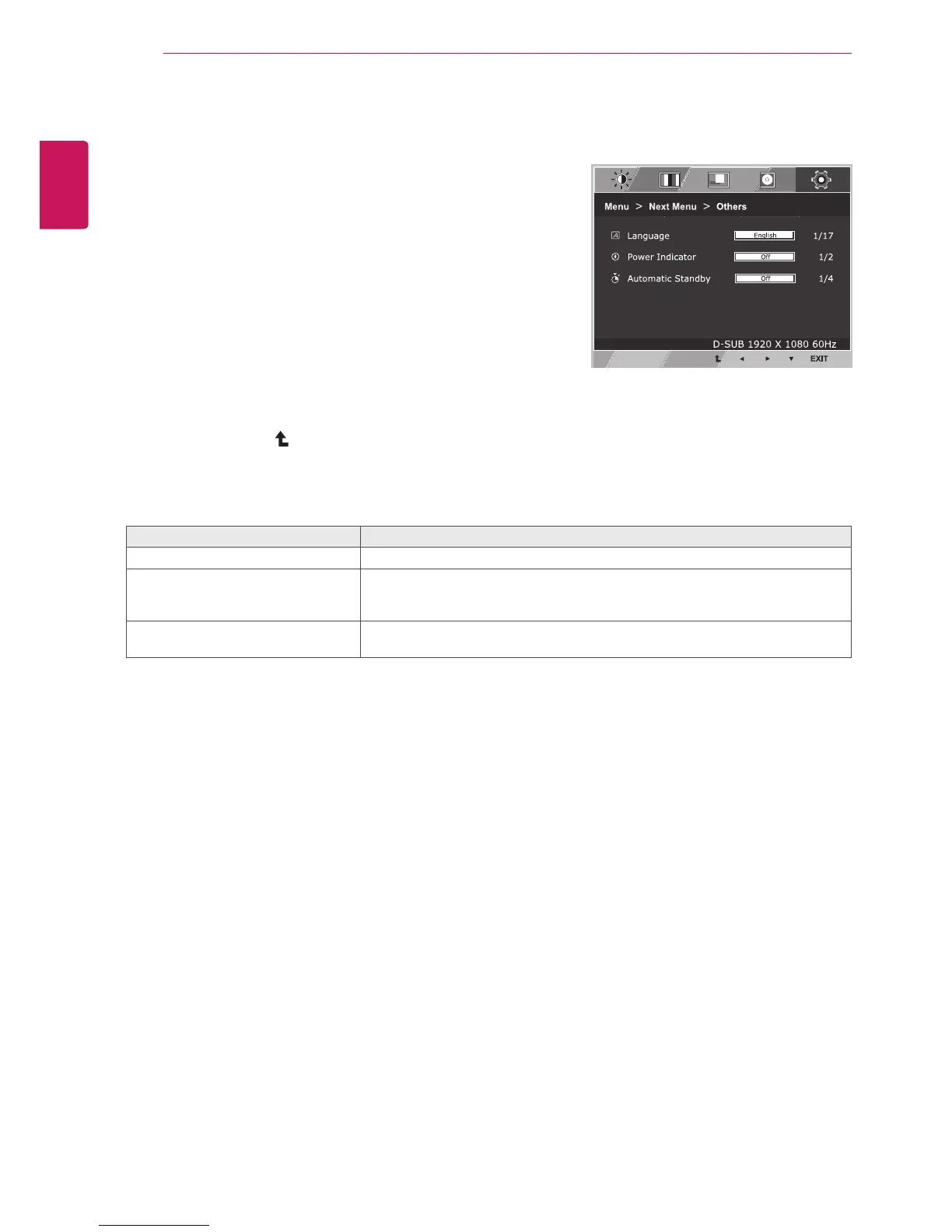
CUSTOMIZING SETTINGS
Others
1
Press
MENU
buttonontherearoftheMonitorsetto
displaythe
Menu
OSD.
2
Selectthe"
NextMenu
"buttontoenterthemore
optionsettings.
3
Select
Others
bypressingthe►button.
4
Enterto
Others
bypressingthe▼button.
5
Settheoptionsbypressingthe◄or►or▼
buttons.
6
Select
EXIT
toleavetheOSDmenu.
Toreturntotheuppermenuorsetothermenuitems,
usetheuparrow( )button.
Eachoptionisexplainedbelow.
Menu>NextMenu>Others Description
Language
Tochoosethelanguageinwhichthecontrolnamesaredisplayed.
PowerIndicator
Usethisfunctiontosetthepowerindicatoronthebottomsideofthemonitorto
OnorOff.IfyousetOff,itwillgooff.
IfyousetOnatanytime,thepowerindicatorwillautomaticallybeturnedon.
AutomaticStandby
Ifyoudonotpressanybuttononthemonitorsetforacertainperiod,themonitor
setwillautomaticallyswitchtostandbymode.


 To Next Page
 Loading...