SettinguptheMonitorset
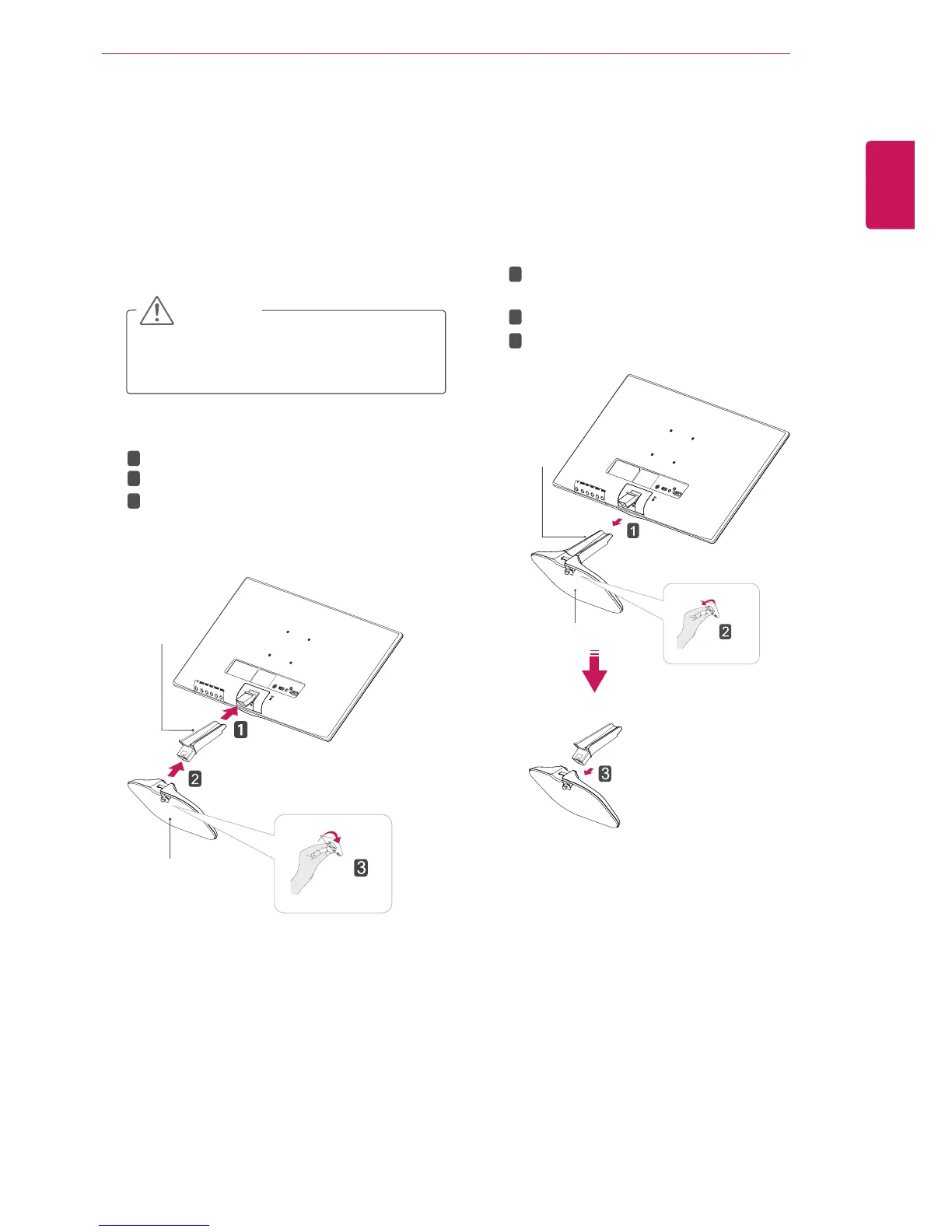
AttachingtheStandBase
1
PlacetheMonitorsetwiththescreenside
downonaflatandcushionedsurface.
Layafoammatorsoftprotectivecloth
onthesurfacetoprotectthescreenfrom
damage.
CAUTION
2
StandBase
StandBody
1
2
3
DetachingtheStandBase
1
PlacetheMonitorsetwiththescreenside
downonaflatandcushionedsurface.
StandBase
StandBody
Pulloutthe
StandBody
and
StandBase
fromthemonitorset.
Turnthescrewtotheleft.
Pulloutthe
StandBase
.
1
2
3
2


 To Next Page
 Loading...