10
ENG
ENGLISH
ASSEMBLING AND PREPARING
Stand Base
Stand Body
Stand Body
Toprotectthescreenfromscratches,cover
thesurfacewithasoftcloth.
CAUTION
1
Placethescreenfacedown.
29EB93
Thecomponentsintheillustrationsmaydif-
ferfromtheactualproduct.
Donotcarrythemonitorupsidedown,asthis
maycauseittofalloffitsstandandresultin
damageorinjury.
Toavoiddamagingthescreenwhenlifting
ormovingthemonitor,onlyholdthestandor
theplasticcover.Thisavoidsputtingunnec-
essarypressureonthescreen.
CAUTION
2
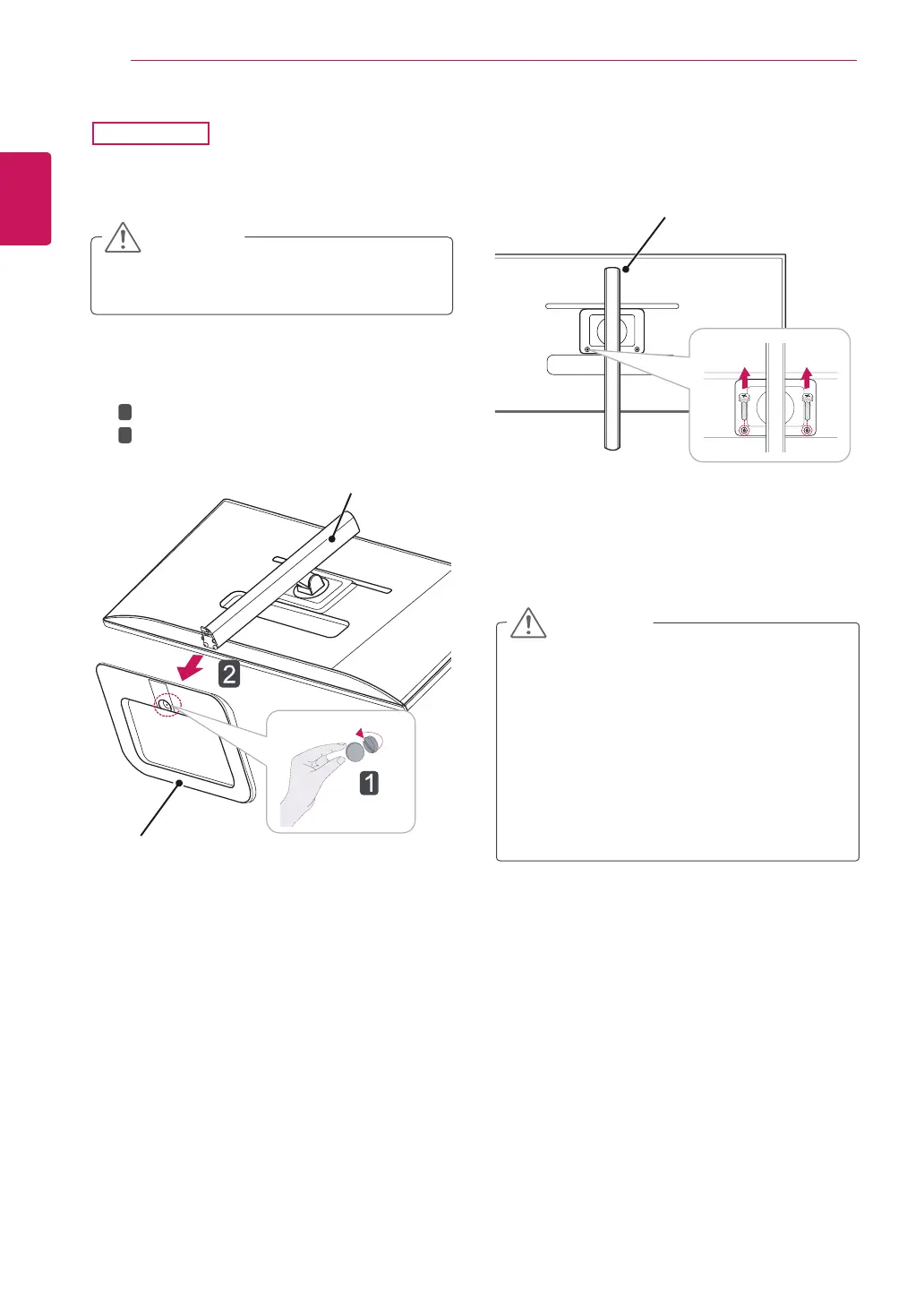
Turnthescrewtotheleftusingacoin.
Detachthestand base.
1
2
3
Removethetwoscrewsfromthestandbody.



 To Next Page