26
ENG
ENGLISH
INSTALLING LG Monitor Software
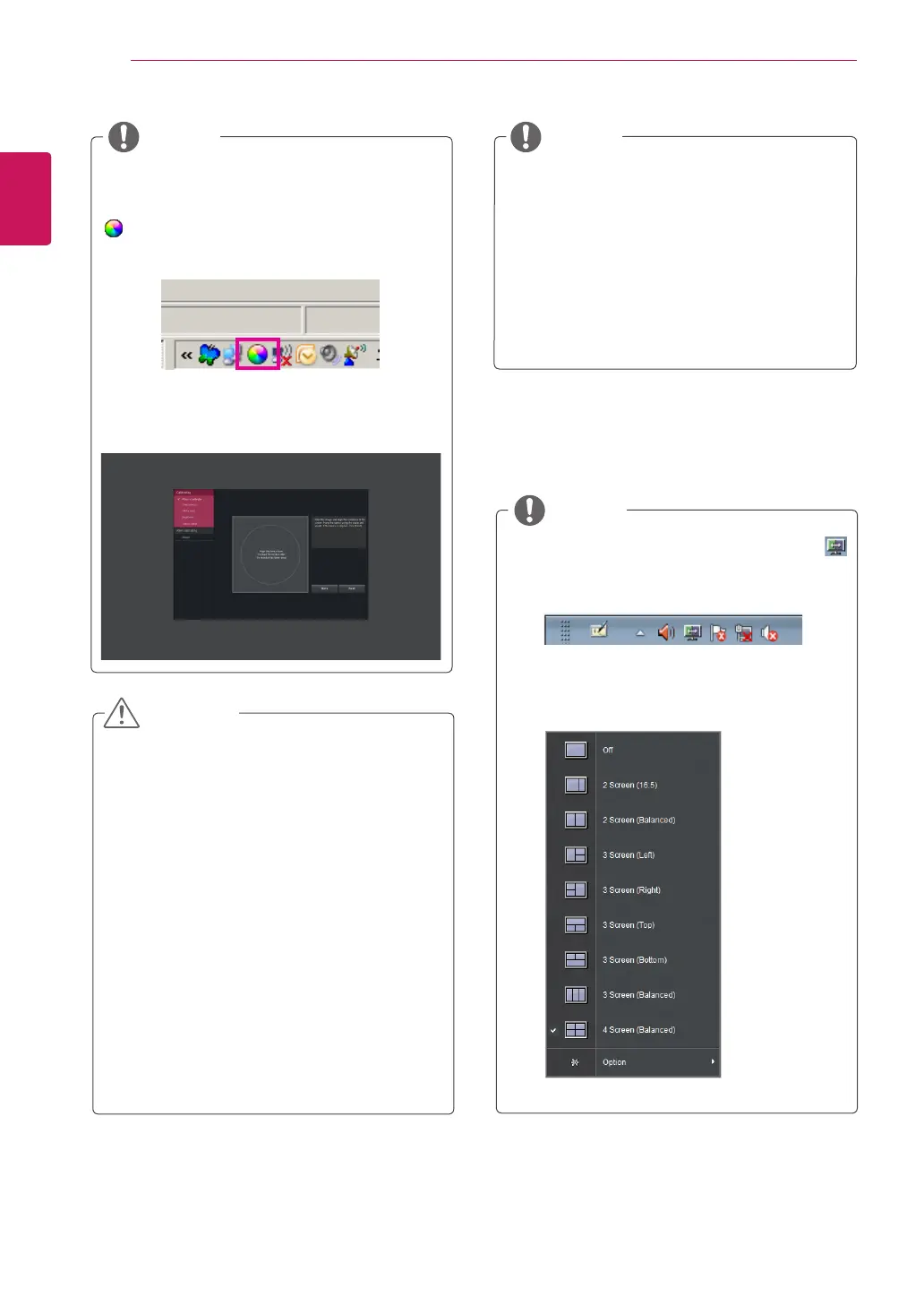
WhenyouruntheTrueColorFindersoftware,
theTrueColorFindericon
[ ]appearsinthesystemtrayattherightbot-
tomofthePCscreen.
Right-clicktheTrueColorFindericonandse-
lect"StartProgram"tostarttheprogram.
Onceyouhavecompletedthemonitorcali-
brationwiththeTrueColorFindersoftware,
removethecalibratorfromthemonitorand
storeitatroomtemperatureawayfromdirect
sunlightorputitinthebox.
-Ifthecalibrator'smeasuringpartisexposed
todirectsunlightforalongtime,thismay
causedamagetothecalibrator.
-Donotstoreitinanenvironmentwithtoo
low/hightemperatureandhighhumidity.
Ifanythird-partycalibrationapplicationis
alreadyinstalledonyourPC,theimagequal-
itymaybeaffectedbyaconflictbetweenthe
twoapplications.Forthebestperformance,it
isrecommendedtouninstalltheothercali-
brationapplication.
TousetheTrueColorFinderfunction,you
mustpurchasethesupportedcalibrator.
Fordetailsonsupportedcalibratorsand
graphiccards,seetheTrueColorFinder
userguide.
Ifyouhavechangedtheinputport,itis
recommendthatyoucalibratethemonitor's
picturequalityagain.
NOTE
NOTE
NOTE
CAUTION
IfyourunScreenSplit,theScreenSpliticon[
]appearsinthesystemtrayattherightbottom
ofthePCscreen.
Right-clicktheScreenSpliticonandselecta
layoutyouwant.



 To Next Page