9
PREPARATION
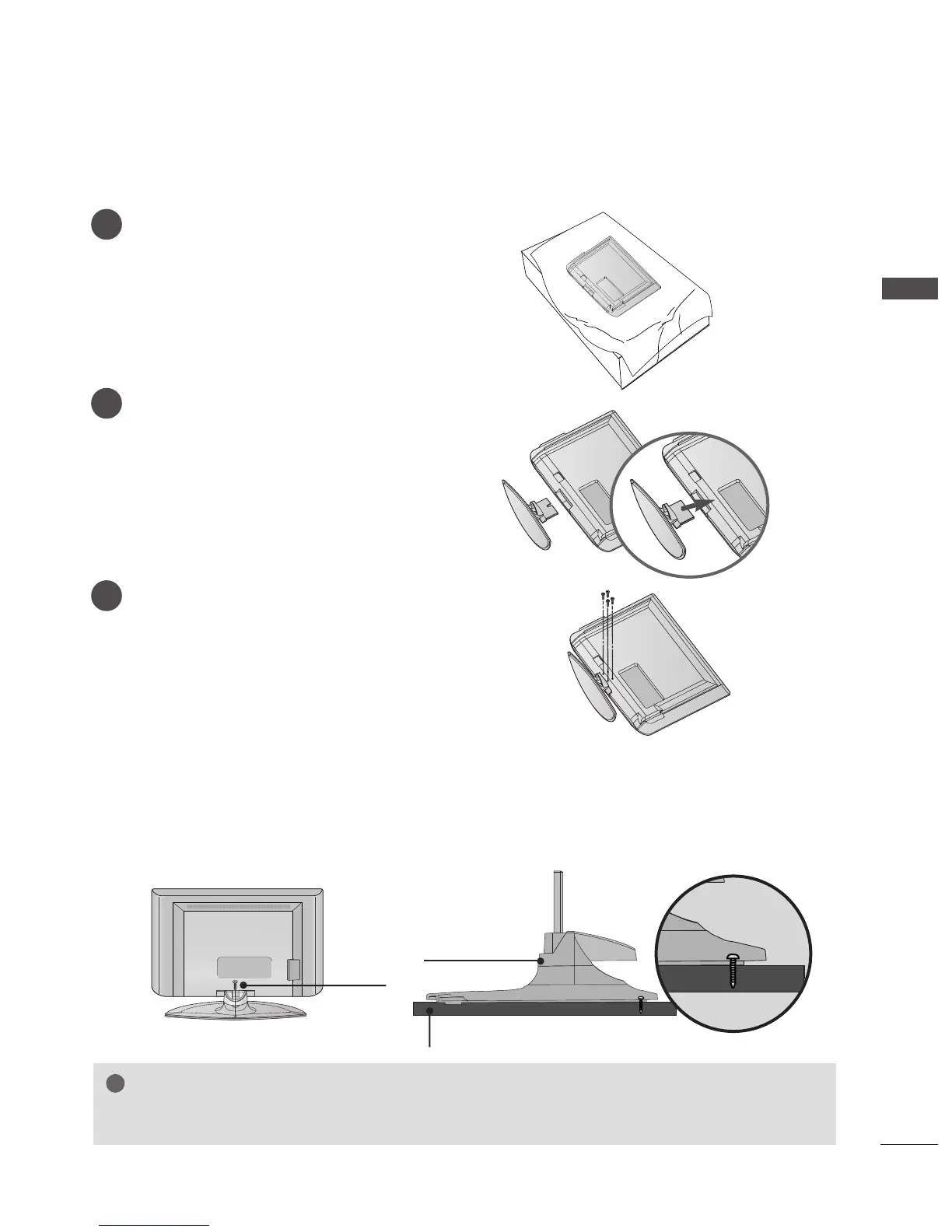
STAND INSTALLATION (Only 32, 37 inch LCD TV Models)
1
2
3
Carefully place the TV screen side down on a
cushioned surface to protect the screen from
damage.
Assemble the TV as shown.
Fix the 4 bolts securely using the holes in the
back of the TV.
ATTACHING THE TV TO A DESK (Only 32/37LT7
*
model)
The TV must be attached to desk so it cannot be pulled in a forward/backward direction, potentially causing
injury or damaging the product. Use only an attached screw.
1-Screw
Stand
Desk
WARNING
GG
To prevent TV from falling over, the TV should be securely attached to the floor/wall per
installation instructions. Tipping, shaking, or rocking the machine may cause injury.



 To Next Page