EasyManua.ls Logo

LG 32LT75 - Low-Power Picture Mode

LG 32LT75
120 pages
Print Icon
To Next Page IconTo Next Page
To Previous Page IconTo Previous Page
Loading...
83
PICTURE CONTROL
This function allows you to reduce the power consumption of
the TV.
It is not possible to use this function with LCD models.
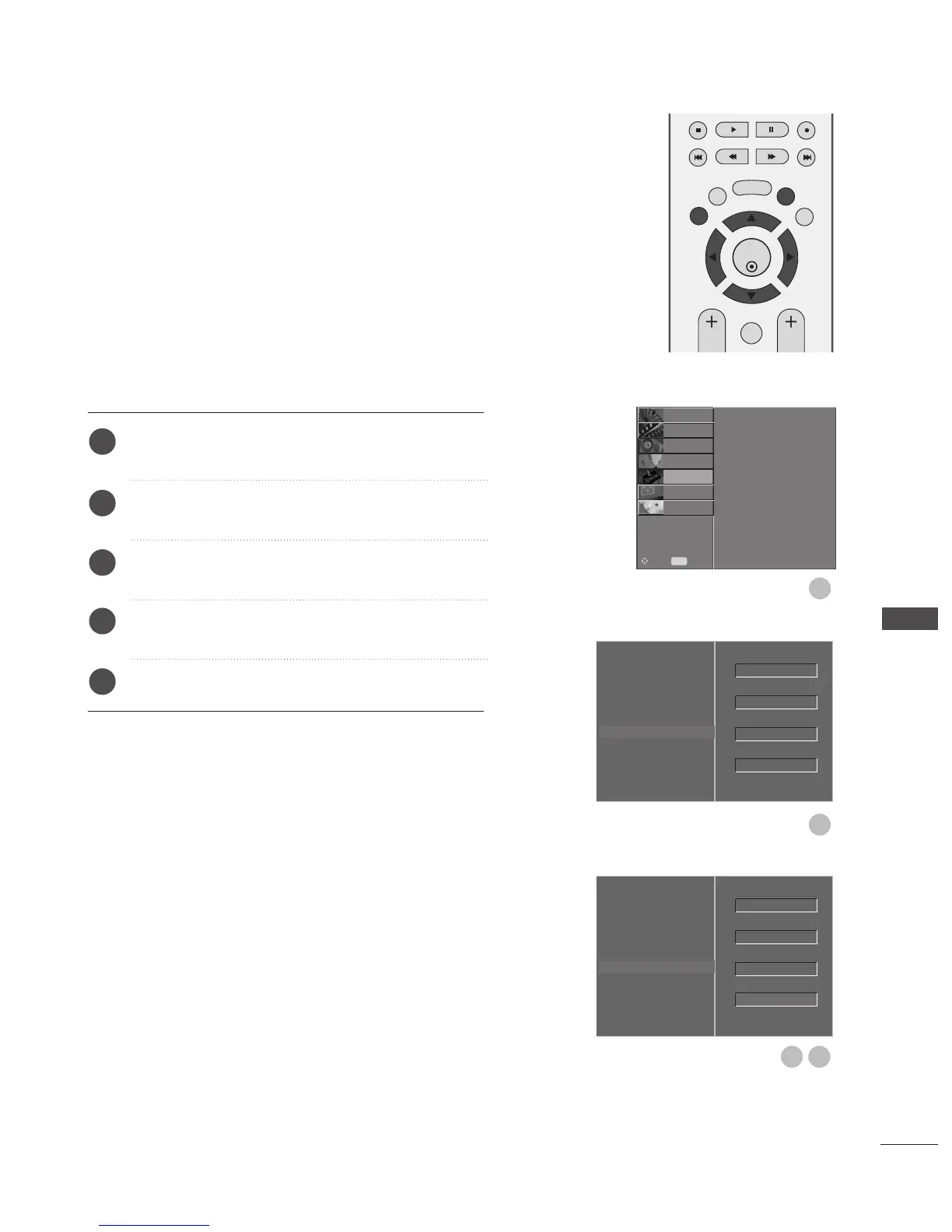
Press the MENU button and then
D
or
E
button to
select the OPTION menu.
Press the
G
button and then
D
or
E
button to select
Factory Mode.
Press the
G
button and then
D
or
E
button to select
Low power.
Press the
G
button and then
F
or
G
button to select
Off or On.
Press the EXIT button to return to normal TV viewing.
LOW-POWER PICTURE MODE
OK
EXIT
TIME
SHIFT
TIME
SHIFT
VOL PR
GUIDE
BACK MENU
DVR
MARK
FAV
1
2
3
4
5
Language
Country
Lock System
Parental Control
Input Label
SIMPLINK
Factory Mode
G
Set ID
Factory Reset
ISM Method
Low Power
1
2
Language
Country
Lock System
Parental Control
Input Label
SIMPLINK
Factory Mode
Set ID
Factory Reset
ISM Method
Low Power
On
GF
43
OK
Normal
Off
1
OK
Normal
1
Language
Country
Lock System
Parental Control
Input Label
SIMPLINK
Factory Mode
SETUP
O
PICTURE
O
SCREEN
O
D V R
O
Prev.
MENU
Move
AUDIO
O
TIME
O
OPTION
G

Table of Contents

Related product manuals