28 Plasma TV
Installation
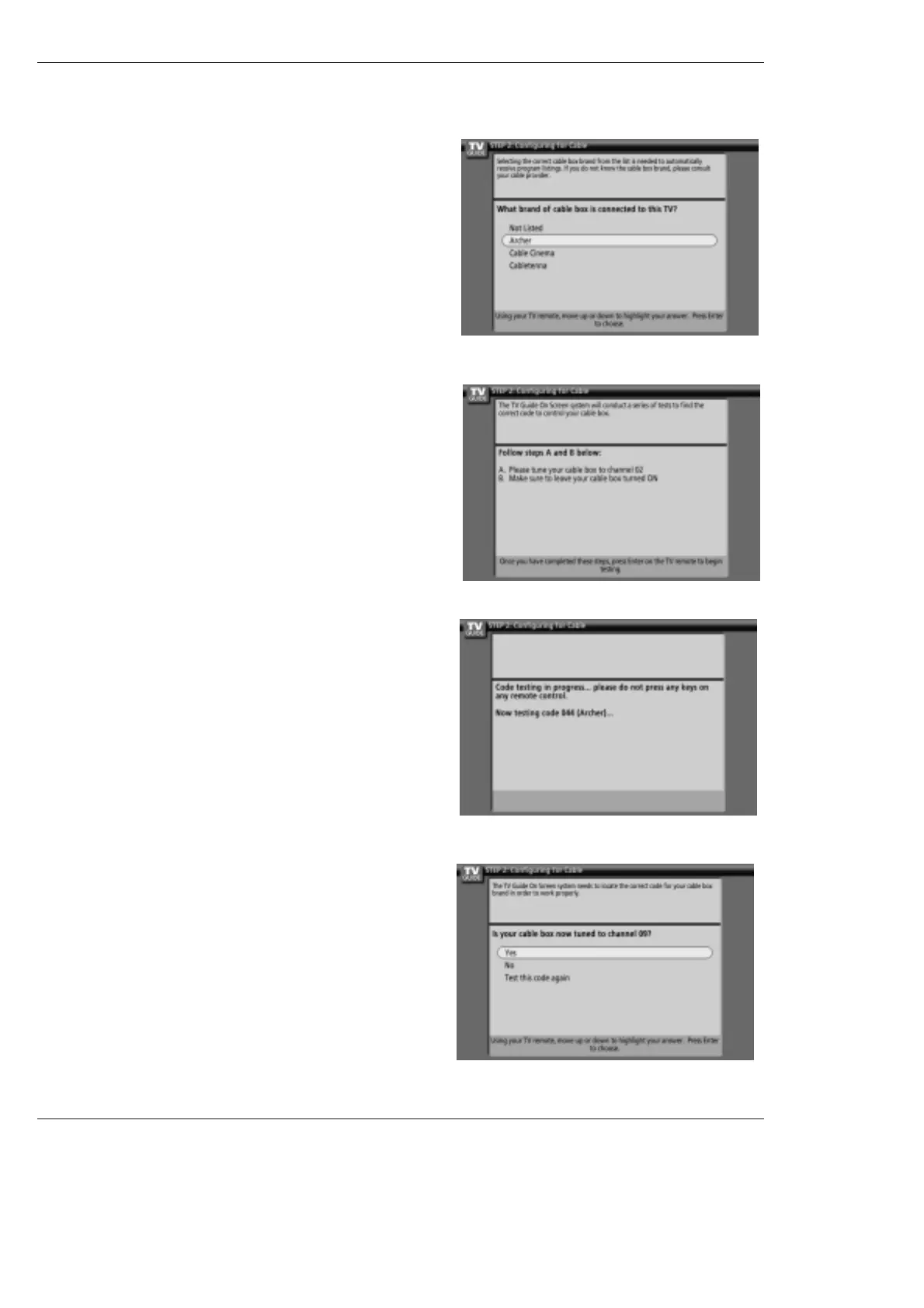
8. Screen 8: Cable Box Brand Name
• Use the
D
/
E
button to select a cable box brand.
• Press ENTER to display Screen 9.
9. Screen 9: Cable Box Preparation
• Follow the on-screen instructions, and press ENTER to display
Screen 10.
10. Screen 10: Cable Box Code Testing
• When testing is done, Screen 11 displays automatically.
11. Screen 11: Cable Box Tuned to Channel 9?
• If you select Yes, you see Screen 12.
• If you select No, a different code is tested in Screen 10.
Note:
• Many Cable Boxes require testing more than one code.
• If you select Test this code again, the same code is tested again
in Screen 10.



 To Next Page