PICTURE Menu
16
Manual Colour Temperature Control
You can adjust red, green, or blue to any colour temperature you
prefer.
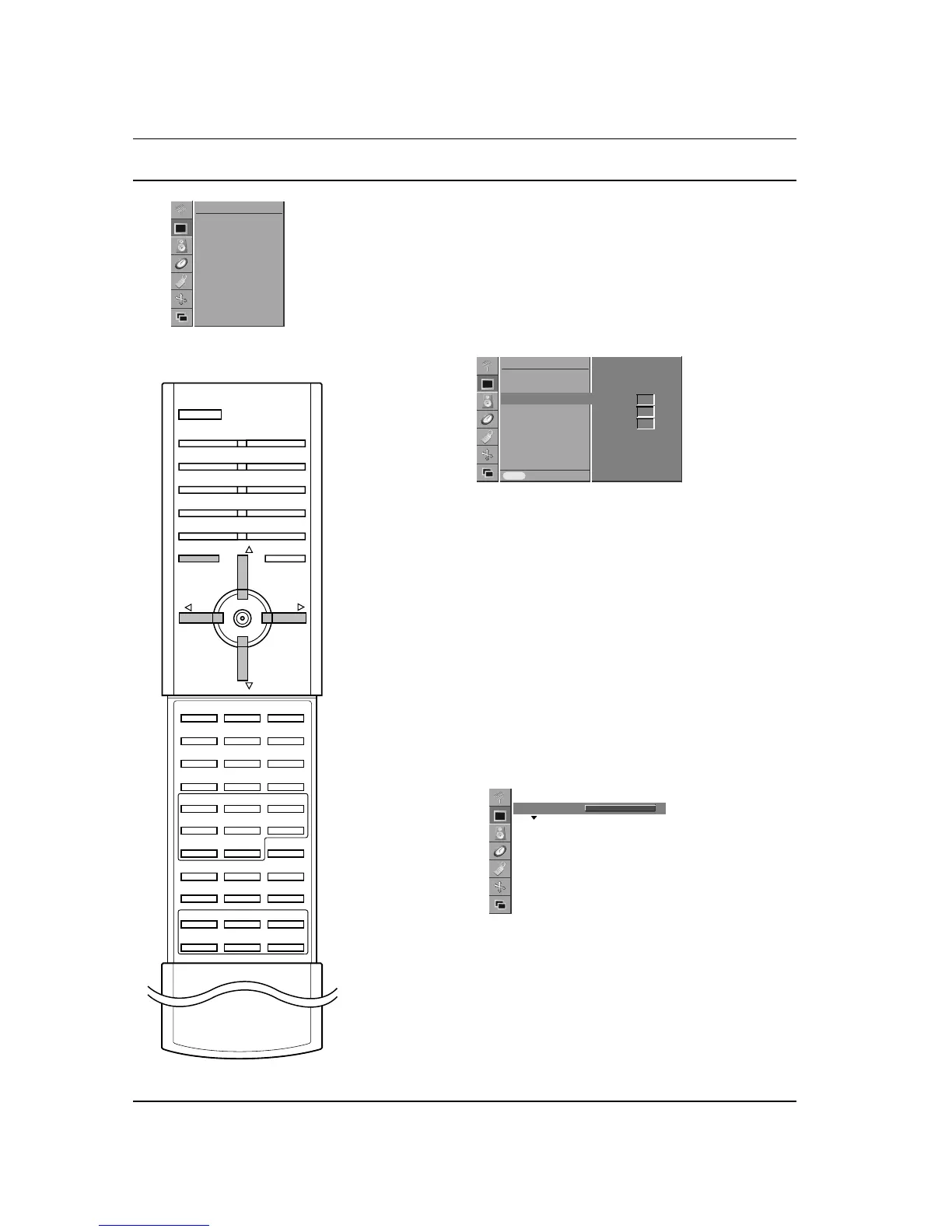
1. Press the MENU button and then
D / E
button to select the
PICTURE menu.
2. Press the G button and then
D / E
button to select Colour
Temp.
.
3. Press the G button and then
D / E
button to select a colour.
4. Use the F / G button to make appropriate adjustments.
5. Press the MENU button to save.
Note : The adjustment range of Red, Green and Blue is 0~100.
Picture adjustment
You can adjust picture contrast, brightness, colour intensity, sharp-
ness and tint (NTSC AV only) to the levels you prefer.
1. Press the MENU button and then
D / E
button to select the
PICTURE menu.
2. Press the G button and then
D / E
button to select the desired
picture option.
3. Press the G button and then F / G button to make appropriate
adjustments.
4. Press the MENU button to save.



 To Next Page