PIP/DW operation
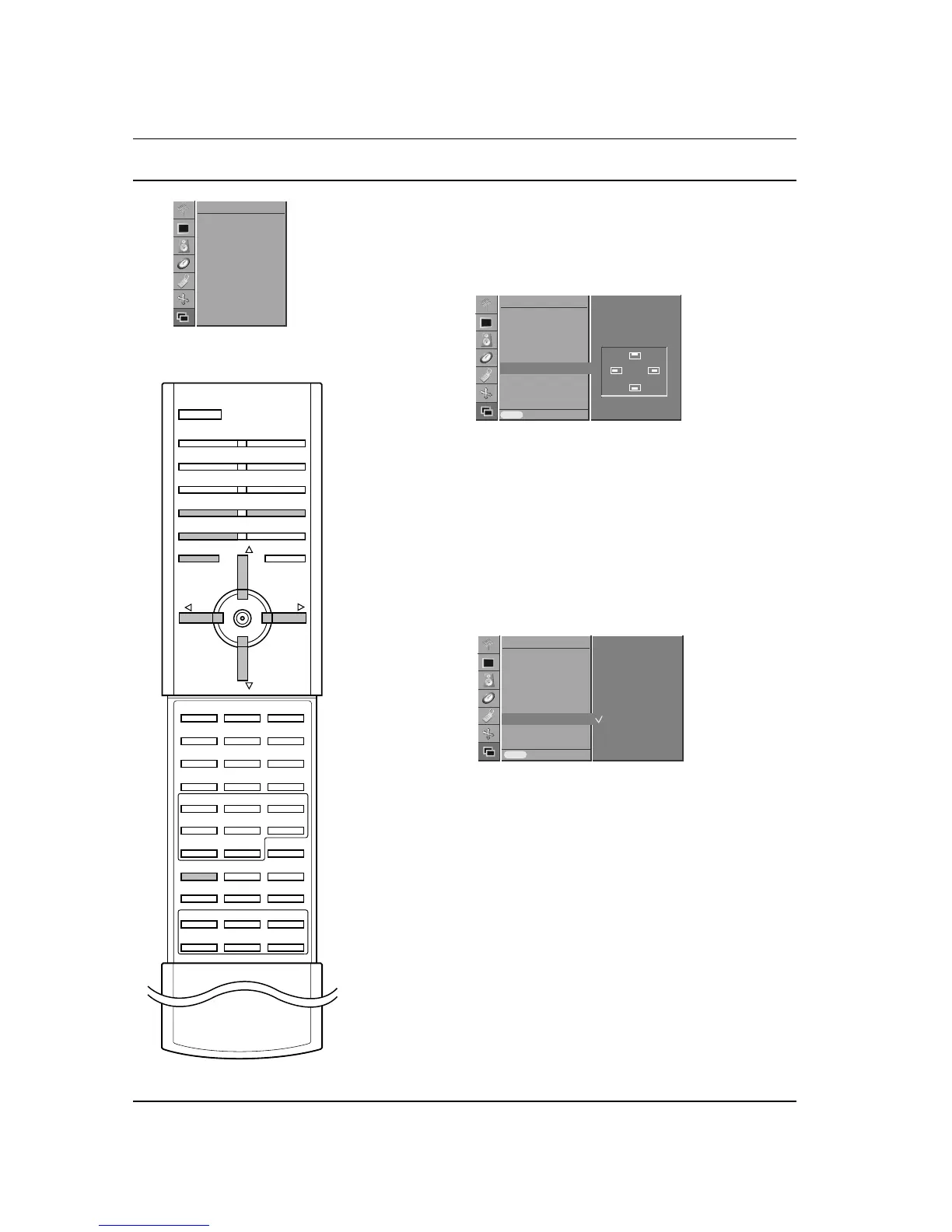
Moving the Sub Picture
1. Press the MENU button and then
D
/
E
button to select the
PIP/DW menu.
2. Press the G button and then
D
/
E
button to select Win.
Position
.
3. Press the G button and then
D
/
E
or F
/
G button until desired
position is achieved.
The sub picture moves up/down or left/right.
4. Press the MENU button to save.
You can also adjust this function with WIN.POSITION button on the
remote control.
PIP Aspect Ratio
1. Press the MENU button and then
D
/
E
button to select the
PIP/DW menu.
2. Press the G button and then
D
/
E
button to select PIP ARC.
3. Press the G button and then
D
/
E
button to select 4:3 or 16:9.
4. Press the MENU button to save.
Swapping between main and sub pictures
Press the SWAP button to exchange the main and sub pictures.
Program selection for sub picture
The sub picture program selection is available when the sub picture
is TV mode. Press the PR +/- buttons to select a program for the
sub picture.
28



 To Next Page