EasyManua.ls Logo

LG BZ03 - On Screen Menus; Menu Selection

LG BZ03
44 pages
Print Icon
To Next Page IconTo Next Page
To Previous Page IconTo Previous Page
Loading...
On Screen Menus
9
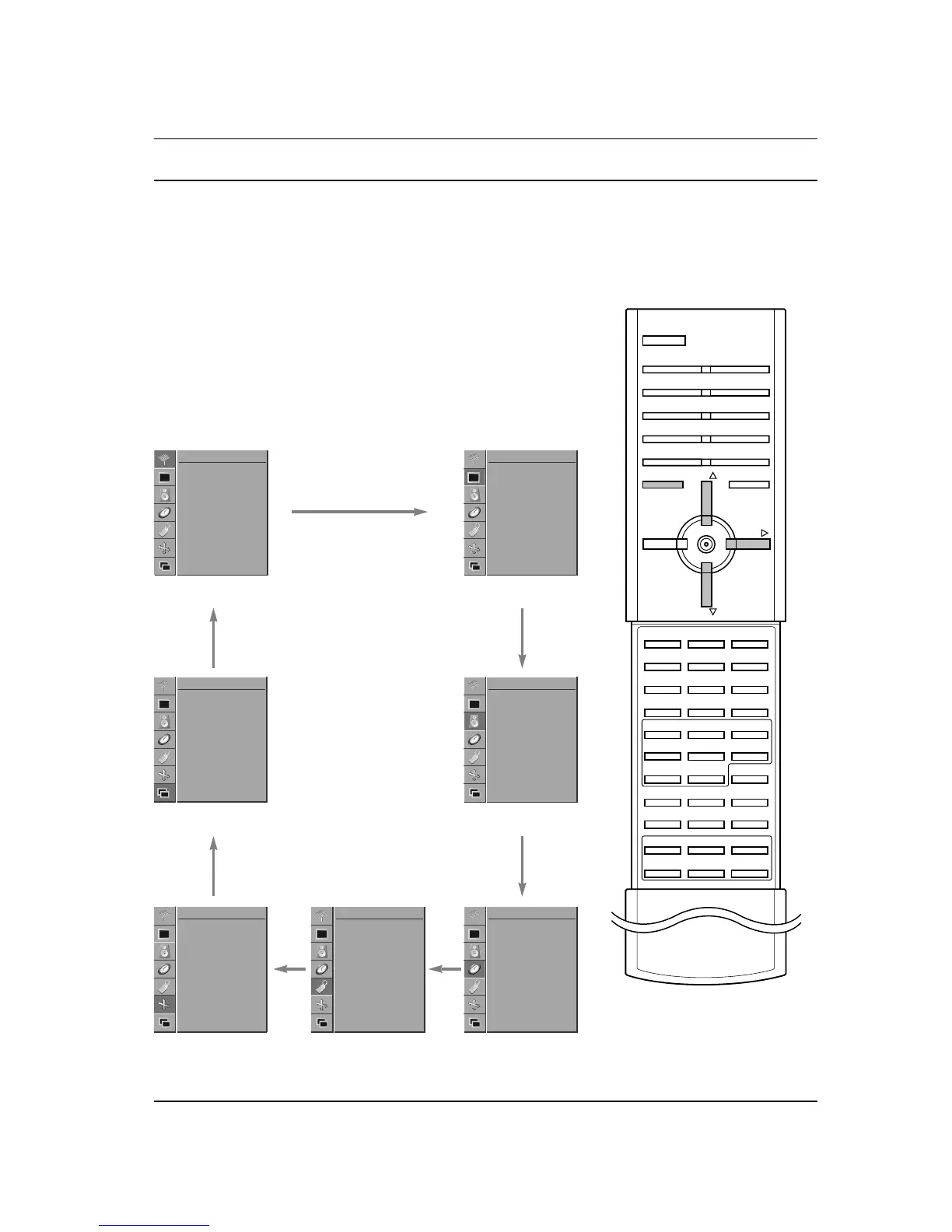
The dialogue between you and your set takes place on screen with
an operator menu.
Menu selection
1. Press the MENU button and then
D
/
E
button to display each
menu.
2. Press the
G button and then the
D
/
E
button to select a menu
item.
3. Repeatedly press the MENU button to return to normal TV
viewing.
Note :
a. In the AV or RGB mode, the CHANNEL menu is not displayed.
b. In the teletext mode, menus are not displayed.
c. On some models, the
Language will not be displayed.
CHANNEL menu PICTURE menu

MENU PR
PR
VOL
Auto Programme
Manual Programme
Programme Edit
CHANNEL
PSM
CSM
Colour Temp.
Contrast 100
Brightness 50
Colour 55
Sharpness 70
PICTURE
PIP/DW menu
SCREEN menu
Input
DW
PIP
PIP Input
Win. Size
Win. Position
PIP ARC
PIP/DW
Auto Configure
ARC
Zoom In/Out
Position
Manual Config.
Screen Adj.
Reset
YNR
SCREEN
SOUND menu
TIME menu
SSM
AVL
Treble 50
Bass 50
Balance 0
SOUND
Clock
Off Time
On Time
Auto Sleep
TIME
SPECIAL menu
Language
Child Lock
Orbiter
Set ID
SPECIAL
GG
GG
GG
GG
GG
GG
GG