49
FM radio reception
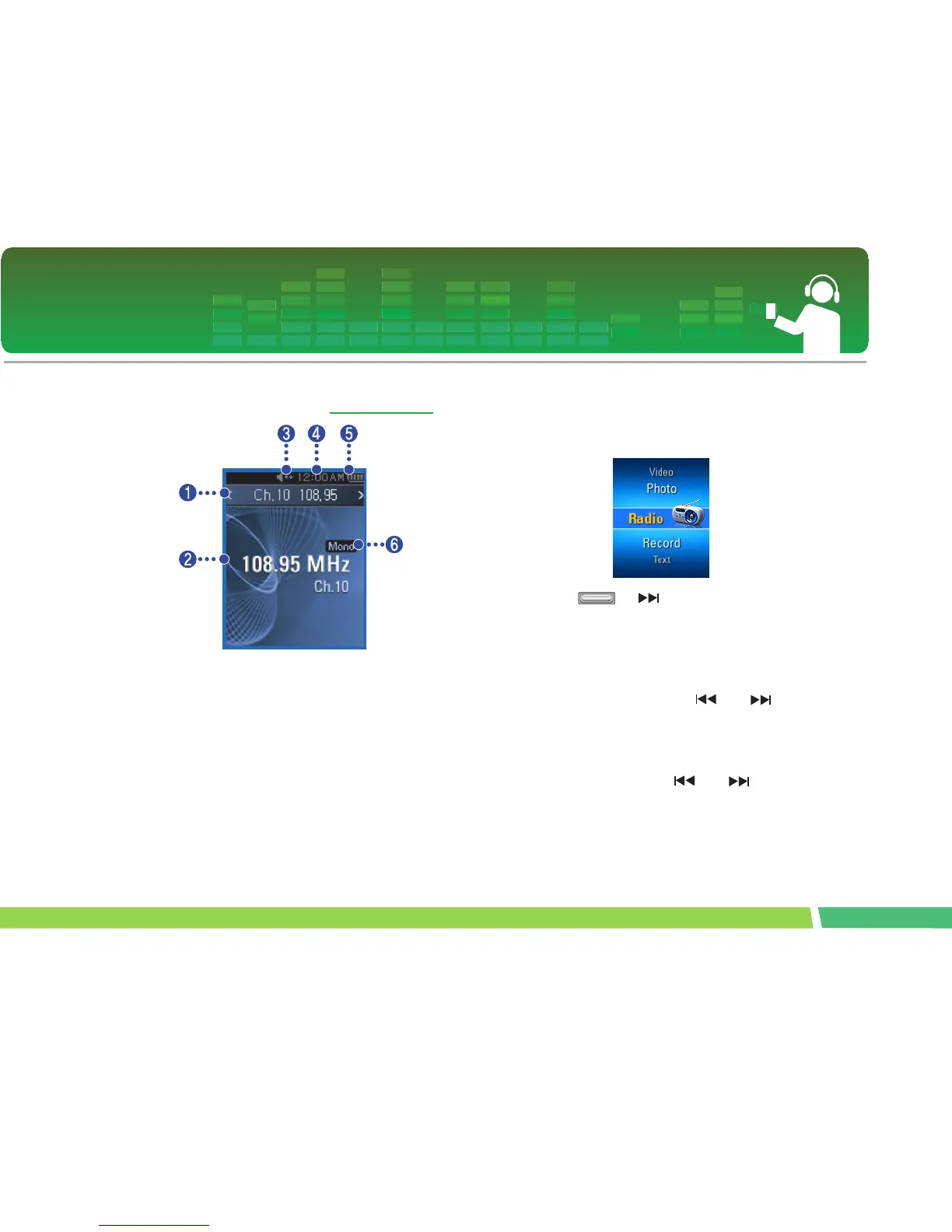
FM broadcasting reception screen
∗ Optional according to model. (See on page 14)
1.
Current channel / FM radio frequency display
2 .
FM radio frequency display
3 .
Mute display
4 .
Current time
5 .
Battery status
6 .
Mono/Stereo display
7 .
Channel no. (Channel mode)
To listen to the FM radio
1.
Move to the Home menu, and adjust the but-
ton in + or - directions to select [Radio] mode.
2 .
Press or button shortly to open the
reception screen.
To search the FM radio stations
Manual Search
1.
In Tuner Mode: Press or button
shortly to gradually increase/decrease the fre-
quency.
Automatic search
1.
In Tuner Mode: Press and buttons for
two seconds or longer to automatically search
the stations.
- Press any button to stop automatic search.



 To Next Page