EasyManua.ls Logo

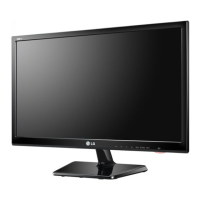
LG M2250D - User Manual

LG M2250D
106 pages
Print Icon
To Next Page IconTo Next Page
Loading...
www.lg.com
OWNER’S MANUAL
LED LCD/CINEMA 3D
MONITOR TV
M1950D
M2250D
M2350D
M2450D
M2550D
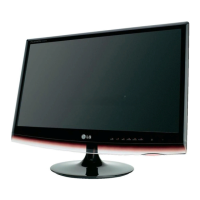
DM2350D
Please read this manual carefully before operating the
your set and retain it for future reference.
LED LCD MONITOR TV
MODELS
CINEMA 3D MONITOR TV
MODEL
ENGLISH
MTV
3D MTV

Table of Contents

Other manuals for LG M2250D

Questions and Answers

  • M
    Mercedes MiddletonSep 1, 2025
    What causes poor reception on some channels on my LG LCD TV?
    • M
      Michael HuntSep 1, 2025
      If you're experiencing poor reception on some channels with your LG LCD TV, try tuning to another station to see if the issue persists. If the station signal is weak, reorient your antenna. Also, check for any sources of interference.
  • S
    sandrarodriguezSep 2, 2025
    Why do I have picture but no sound on my LG M2250D?
    • E
      Earl MoralesSep 2, 2025
      If you have picture but no sound on your LG LCD TV, first press the volume (+, -) or VOL buttons. Check if the sound is muted and press the MUTE button to unmute. Try another channel to rule out broadcast issues. Also, ensure the audio cables are properly installed.
  • J
    Juan StewartSep 3, 2025
    How to fix no sound from one speaker on my LG M2250D?
    • R
      riosnicoleSep 3, 2025
      If there's no output from one of the speakers on your LG LCD TV, adjust the Balance in the menu options.
  • M
    Miss Linda GuerreroSep 3, 2025
    What causes unusual sounds from inside my LG M2250D LCD TV?
    • W
      Wanda LeonardSep 4, 2025
      A change in ambient humidity or temperature may result in an unusual noise when your LG LCD TV is turned on or off. This does not indicate a problem with the product.
  • R
    Raymond JenkinsSep 4, 2025
    Why does my LG M2250D reset picture settings automatically?
    • J
      James SheppardSep 4, 2025
      If your LG LCD TV automatically reverts to initial picture settings, it is likely set to Store Demo mode. To switch to Home use mode, go to the TV Main Menu, choose OPTIONS, then Mode Setting, and select Home use.
  • L
    Lucas WalterSep 5, 2025
    What does 'Check signal cable' mean on my LG M2250D?
    • D
      Dawn WebsterSep 5, 2025
      If the signal cable between your PC and LG LCD TV is not connected, check the signal cable. Also, press the ‘INPUT’ button on the remote control to check the input signal.
  • M
    miguelharrisonSep 6, 2025
    Why do black spots appear on the screen of my LG M2250D LCD TV?
    • E
      Elizabeth MuellerSep 6, 2025
      Several pixels (red, green, white or black color) may appear on the screen of your LG LCD TV. This can be attributable to the unique characteristics of the LCD panel and is not a malfunction.

Summary

Assembling and Preparing the Monitor

Using the Monitor Set Features

Connecting External Devices to PC

Connects a PC to the monitor via HDMI, DVI, or RGB for display.

Adjusting Screen Image Settings

Customizes image quality by selecting preset modes and options.

Adjusting Sound Settings

Customizes sound modes and options for optimal audio output.

Watching TV and Managing Channels

Connecting Antenna or Cable Box

Connects antenna or cable box for TV reception.

Initial TV Setup and Programme Management

Guides first-time setup, language selection, auto-tuning, and manual program management.

Entertainment Features and Media Playback

Customizing Monitor Settings

Picture Settings and Adjustments

Adjusts image quality, size, color, and picture modes.

Audio Settings and Sound Modes

Configures sound modes, volume, and audio output settings.

Making External Device Connections

Troubleshooting Common Issues

General Operation and Picture Problems

Solves issues with remote control, power, sound, and general picture quality.

PC Mode and Image Abnormalities

Addresses PC connection problems and screen image distortions.

External Control Device Setup

LG M2250D Specifications

General IconGeneral
3DNo
Aspect ratio16:9
Display diagonal21.5 \
Viewing angle, vertical160 °
Contrast ratio (dynamic)5000000:1
Display number of colors16.78 million colors
Viewing angle, horizontal170 °
Display brightness (typical)250 cd/m²
Supported graphics resolutions1920 x 1080 (HD 1080)
Audio inputYes
USB hub version2.0
DVI-I ports quantity0
Annual energy consumption89 kWh
Power consumption (standby)0.5 W
Power consumption (typical)61 W
Product colorBlack
Market positioning-
Panel mounting interface100 x 100 mm
Weight and Dimensions IconWeight and Dimensions
Depth (without stand)59.5 mm
Width (without stand)509.1 mm
Height (without stand)403 mm
Weight (without stand)2900 g

Related product manuals