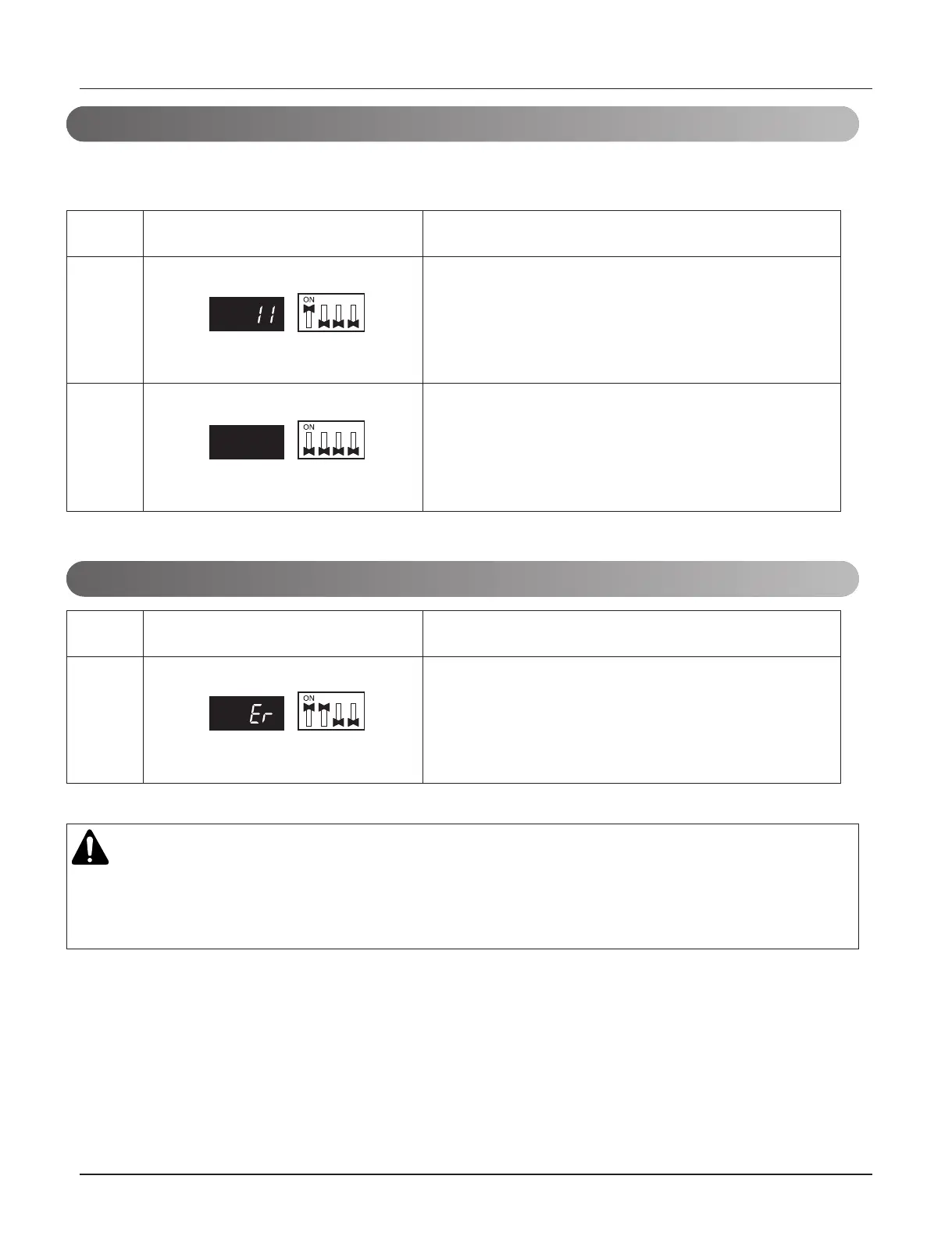
HR Unit PCB
- 82 -
Copyright © 2020 LG Electronics Inc.
All rights reserved. Only training and service purposes.
CAUTION
• Waiting for 80seconds after power on.
• The zoning information and Master IDU information remove from EEPROM after Auto-addressing.
• If there is installed the central control, it is impossible setting of Master IDU in zoning.
(In case that an indoor unit of central control address "11" is connected to a valve #1 of an HR
unit)
• Operation: Turn dip switch No.1 on.
• Display: "11" is displayed in 7-SEG
No.
1
2
Display and setup Setup and contents
• Operation: Turn dip switch No.1 on.
• 7-SEG disappeared
• Operation: more than 2 dip switches turned on.
• Display: "Er" is displayed in 7-SEG
No.
1
Display and setup Setup and contents



 To Next Page