10
Your Phone
To turn on the phone, press and hold the Power/Lock Key for 3 seconds.
To turn off the phone, press the Power/Lock Key for 3 seconds and tap Power off and OK to
confirm.
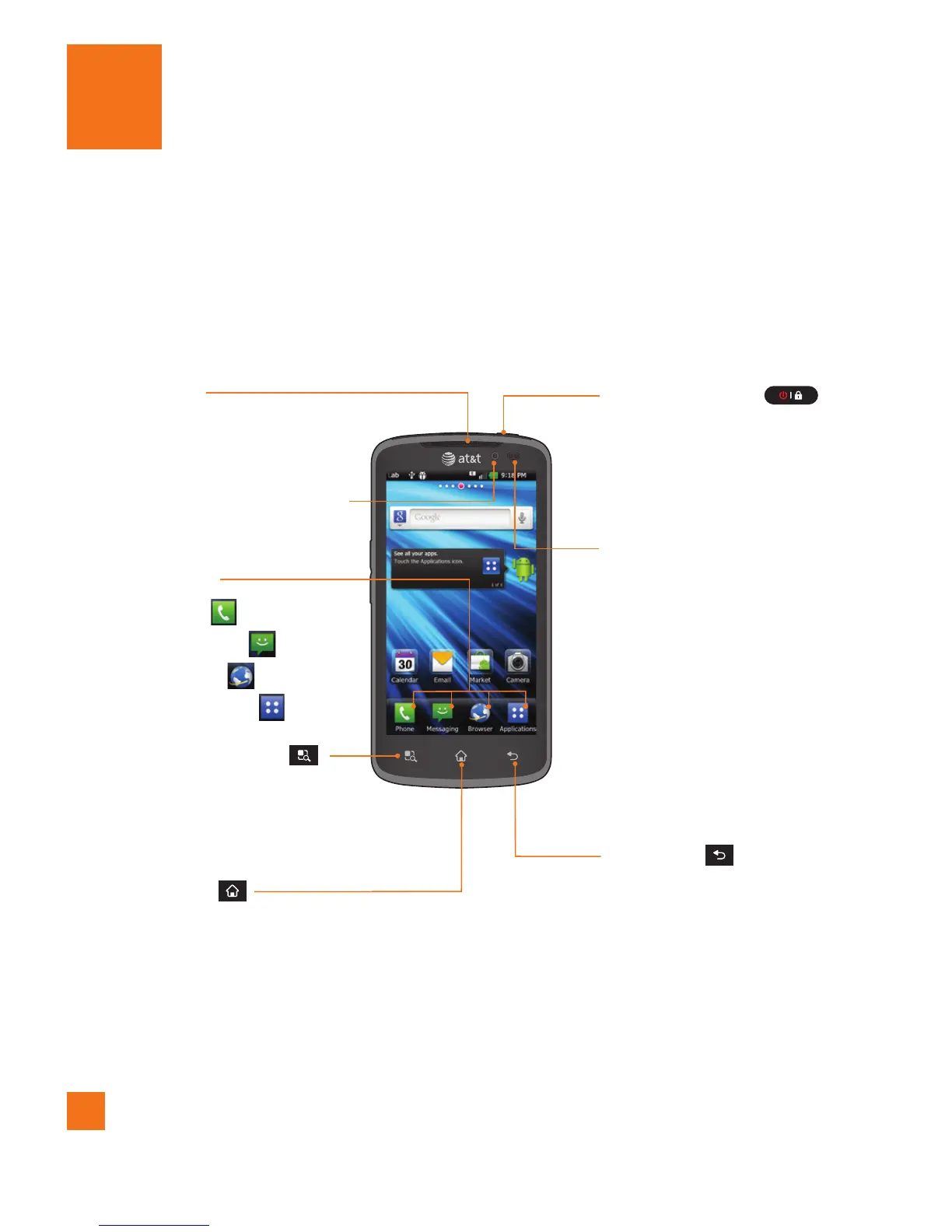
Front view
n
Warning
Placing a heavy object on the phone or sitting on it can damage its LCD and touch screen
functionalities. Do not cover the LCD’s proximity sensor with a protective film.
This can cause the sensor to malfunction.
Menu/Search Key
- Displays available options for
the current screen.
- Touch and hold to activate the
search function.
Home Key
- Returns to the Home screen from any screen.
Earpiece
Back Key
- Returns to the previous screen.
Power/Lock Key
- Powers your phone on/off by
pressing and holding the key.
- Turns your screen on and off
and locks it.
Proximity Sensors
Front-Facing Camera Lens
- Used to take a self-shot.
Quick Keys
- Phone Key
- Messaging Key
- Browser Key
- Applications Key



 To Next Page