13
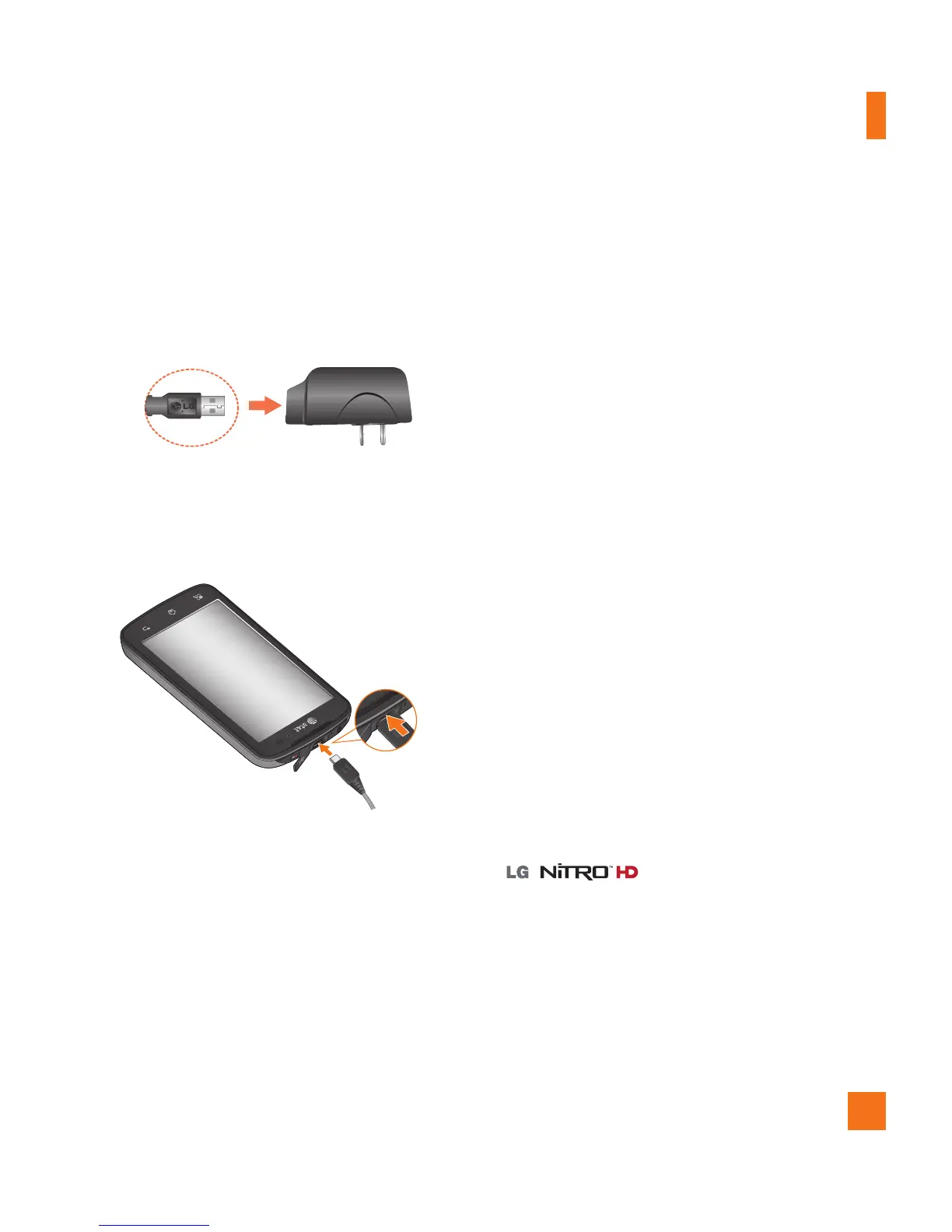
Charging your phone
Connect the cabless wall adapter and USB 1
cable as shown below. The LG logo on the
USB cable should face toward you.
Plug the USB cable (as shown below) into 2
the phone's charger/accessory port. Make
sure the ‘B’ side is facing upwards.
Always unplug the charger from the wall
socket after the phone is fully charged to
save unnecessary power consumption of
the charger.
n
NOTE
The battery must be fully charged initially
to improve battery lifetime.
n
NOTE
Your phone has an internal antenna. Be
careful not to scratch or damage this
rear area, as that will cause loss of
performance.
If the phone is turned off as the battery
is fully discharged, the battery is called a
weak battery. In this case when the phone
connect to the charger(TA or USB) cable,
the keypad LED at the bottom of the phone
will be blinking. This is normal operation
in the weak battery to prevent over-current
flowing because the phone is designed to
provide reasonable protection algorithm for
against damage of battery. And after a few
minutes, the LCD is turned on normally.
Inserting a microSD card
Insert a microSD™ card to use the camera
and other multimedia features. Multimedia
contents can be saved in the microSD card.
has a microSD card pre-
installed.
n
NOTE
This device supports up to a 32GB microSD
card.
Getting Started



 To Next Page