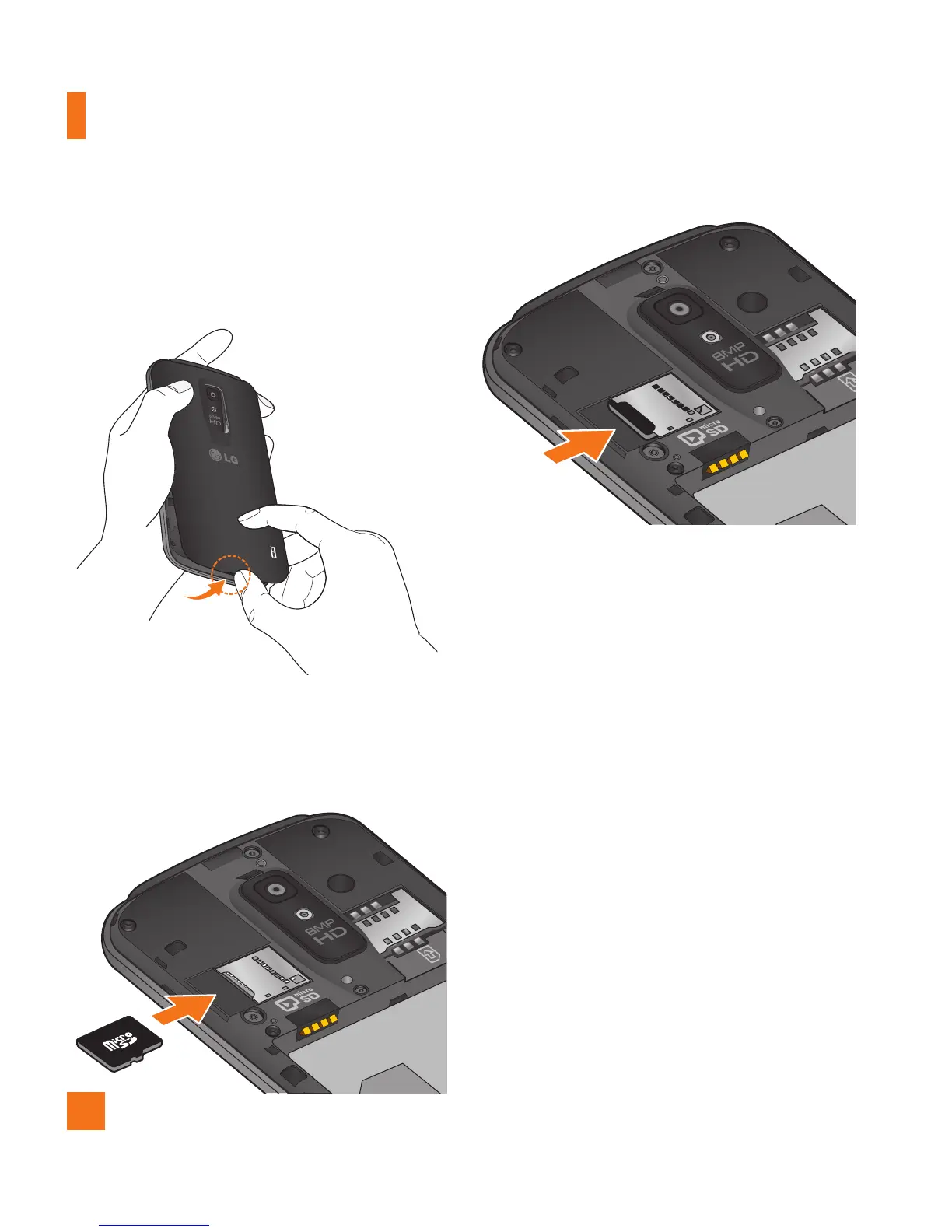
Turn the phone off before inserting or 1
removing the microSD card. Remove the
back cover.
Slide the slot protector to the left to unlock 2
it and flip it open. Then insert the microSD
card into the slot. Make sure the gold
contact area is facing downwards.
Flip the slot protection down to close it. 3
Then slide the slot protection to the right to
lock it and replace the battery cover.
Removing the microSD card
To safely remove the microSD card from your
phone, first you need to unmount it.
n
NOTE
On Android OS 2.3 and above, you can
download applications from Android Market
and store them on a microSD card as well
as on the phone. Due to this feature, if you
skip the unmount procedure, it can cause
an error because information between the
microSD card and the phone is not accorded
properly. In the worst case, the microSD
card can be corrupted or damaged.
Getting Started



 To Next Page