12
Installing the SIM card and
battery
Before you can start exploring your new phone,
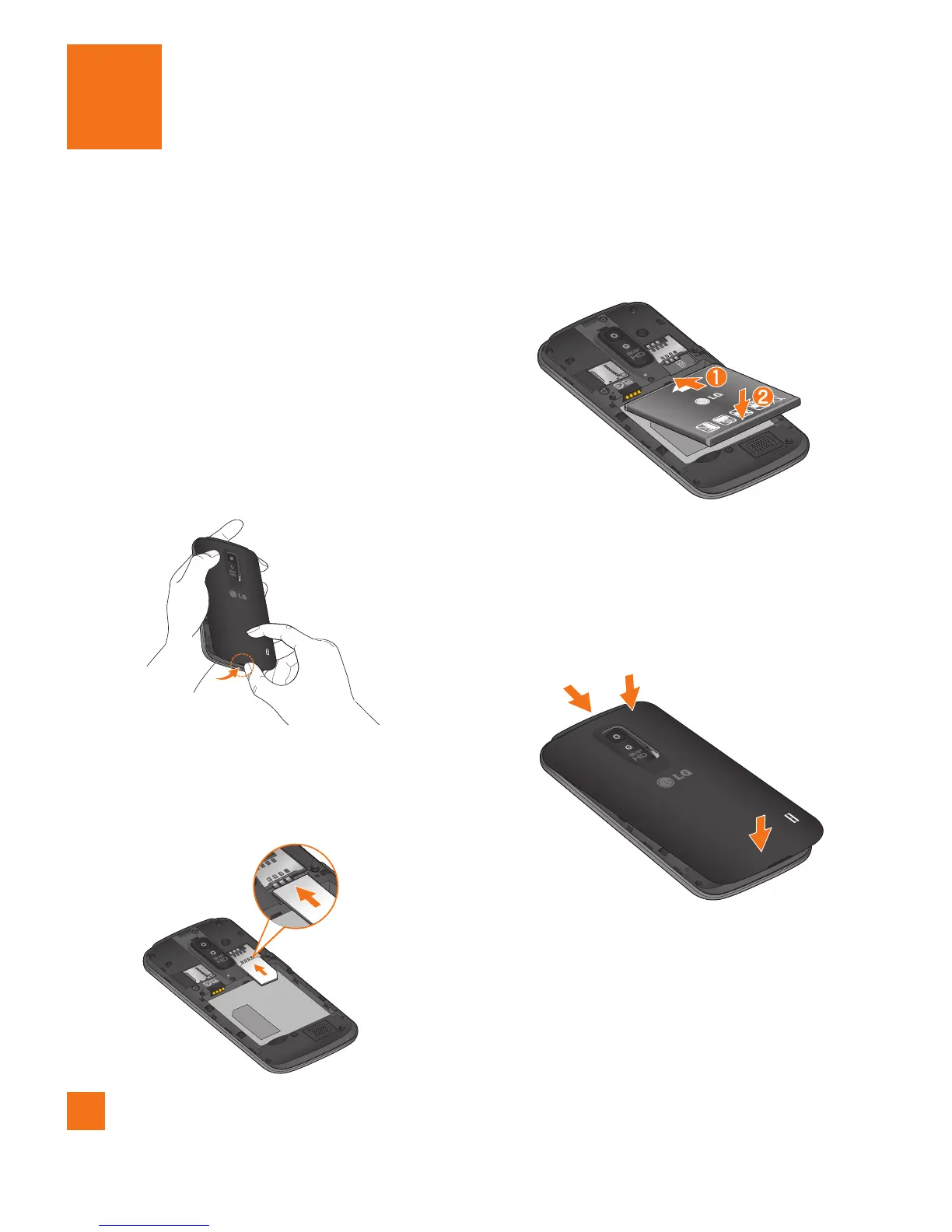
you’ll need to set it up. To insert the SIM card
and battery:
Hold the phone on your hand firmly. With 1
the other hand, lift the back cover using the
fingertip cutout located on the bottom of the
cover and remove it.
Slide the SIM card into the SIM card slot. 2
Make sure the gold contact area on the card
is facing downwards.
Insert the battery into place by aligning the 3
gold contacts on the phone and the battery.
Replace the back cover of the phone (as 4
demonstrated below). Apply a steady
downward pressure until the battery cover
clicks into place.
Getting Started



 To Next Page