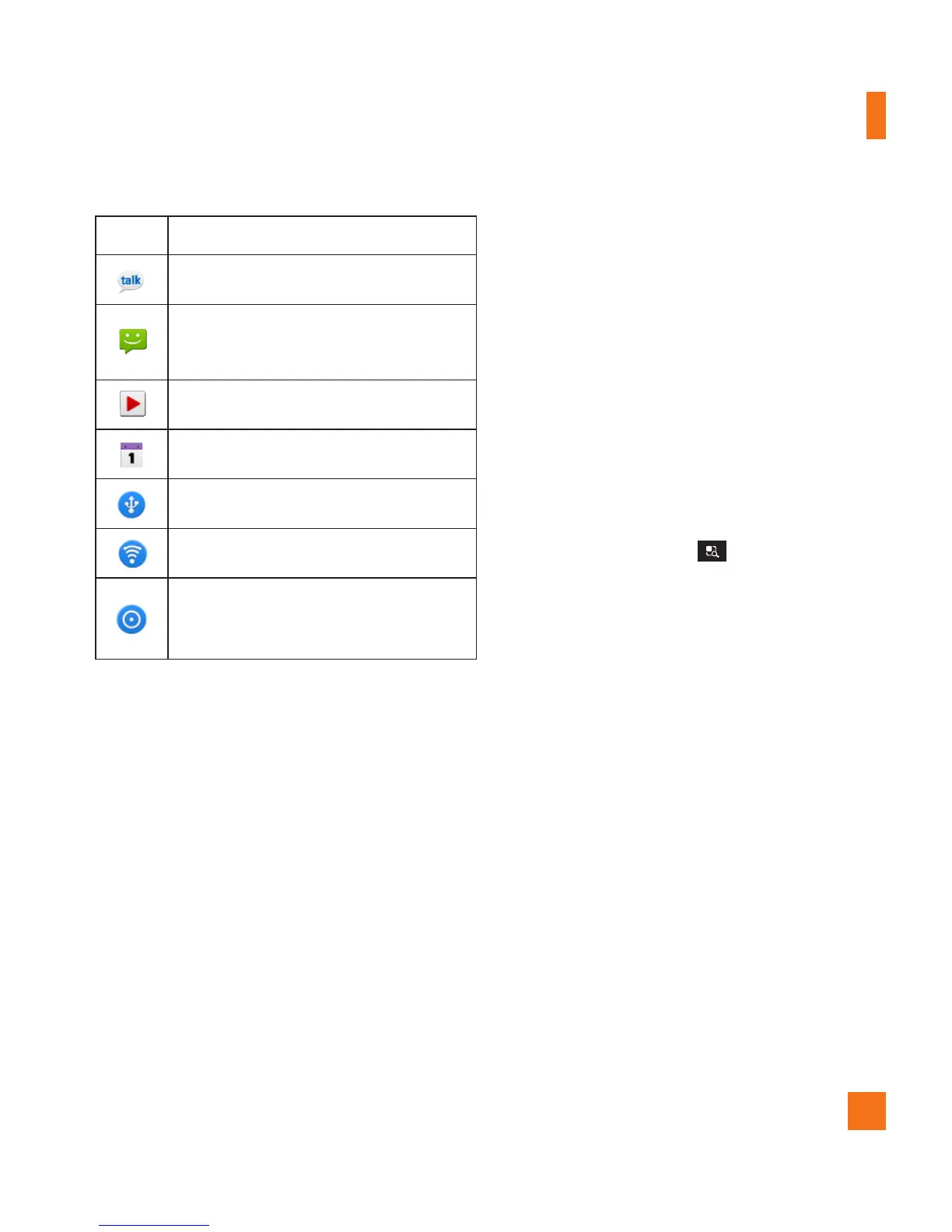
Icon Description
New Google Talk message availableㅁ
New text/multimedia message
available
Song is playing
Upcoming event
USB tethering is active.
Portable Wi-Fi hotspot is active
USB tethering & Portable Wi-Fi
hotspot are active.
On-screen Keyboard
You can enter text using the on-screen
keyboard. The on-screen keyboard displays
automatically on the screen when you need to
enter text. To manually display the keyboard,
simply tap a text field where you want to
enter text.
There are two types of keypads that you can
use:
Android keyboard
and
LG keyboard.
To select the keyboard:
Tap the 1 Menu Key
> Settings >
Language & keyboard > Input method.
- or -
Touch and hold the the text entry field and
tap
Input Method
.
Select the desired keyboard between 2
Android keyboard and LG keyboard.
Your Home screen



 To Next Page