42
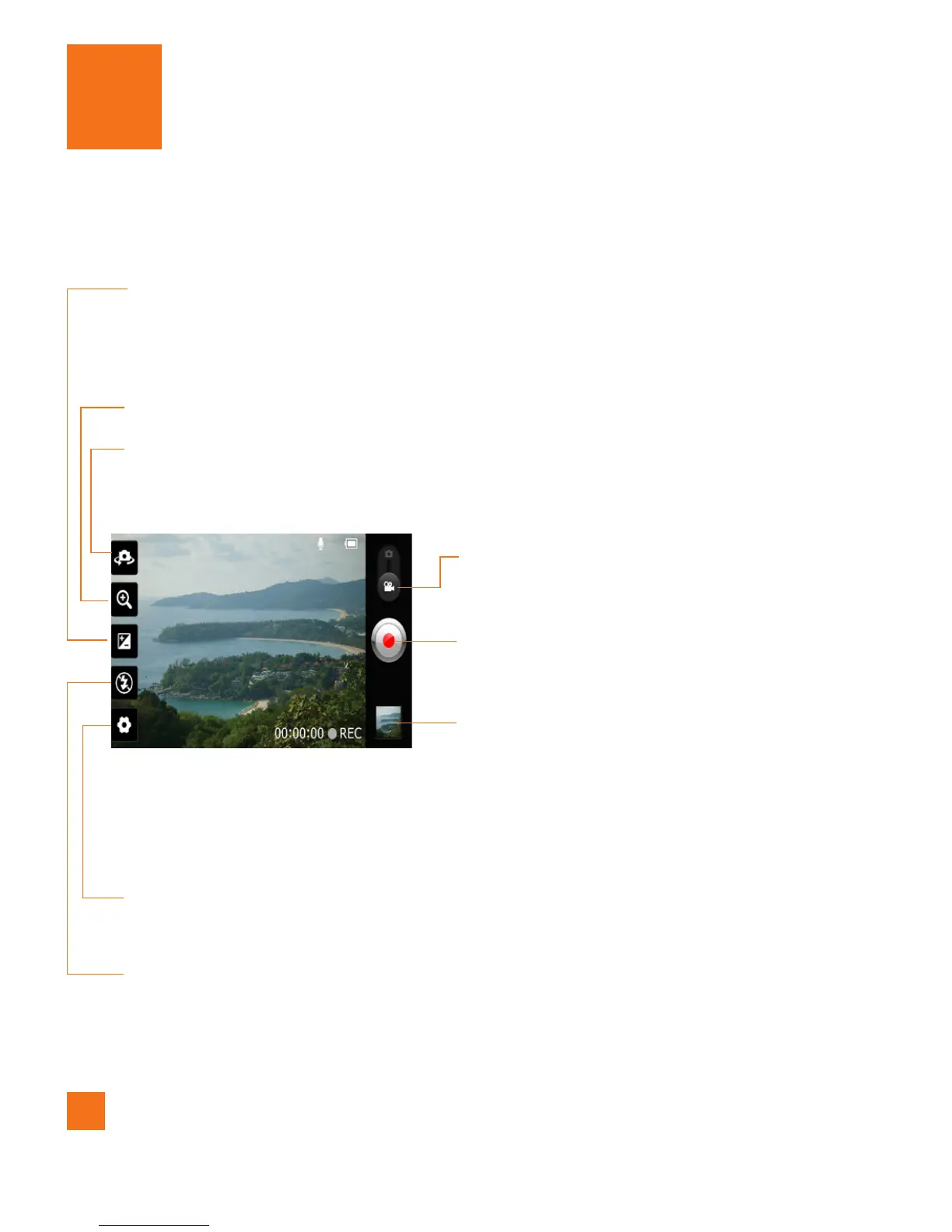
Getting to know the viewfinder
Video Camera
Zoom
– Zoom in or zoom out. Alternatively you can use the Volume Keys.
Brightness
– This defines and controls of the amount of sunlight entering the lens.
Slide the brightness indicator along the bar, towards “-” for a lower
brightness video, or towards “+” for a higher brightness video.
Settings
– Tap this icon to open the settings menu. See
Using the advanced
settings
on page 46.
Camera mode
– Slide this icon up to switch
to camera mode.
Record
– Allows you to start recording.
Gallery
– This enables you to access your
saved photos and videos from
within the video camera mode.
Simply tap and your Gallery will
appear on the screen.
Flash
– Allows you turn on the flash when recording video in a dark place.
Camera Switch
- Allows you to switch between the front-facing and back-
facing cameras.



 To Next Page