Operating10
Operating
2
y
If this unit displays an error message, follow
themessage.Anerrormessage“ERROR”.
- Your iPod/ iPhone is not connected rmly.
- This unit recognizes your iPod/ iPhone as
an unknown device.
- Your iPod/ iPhone is exceptionally low in
power.
/
The battery needs to be charged.
/
If you charge the battery while iPod/
iPhone is extremely low in power, it
may take longer to be charged.
y
iPod/ iPhone does not support recording
function when connected.
y
Depending on your iPod/ iPhone ’s software
version, it may not be possible to control
your iPod/ iPhone from this unit. We
recommed installing the latest software
version.
y
If you use an application, make a call, or
send and receive SMS text message, etc. on
iPod touch or iPhone, disconnect it from
iPod dock of this unit and then use it.
y
If you have a problem with your iPod/
iPhone, please visit www.apple.com/
support/ipod.
,
Note
USB Operation
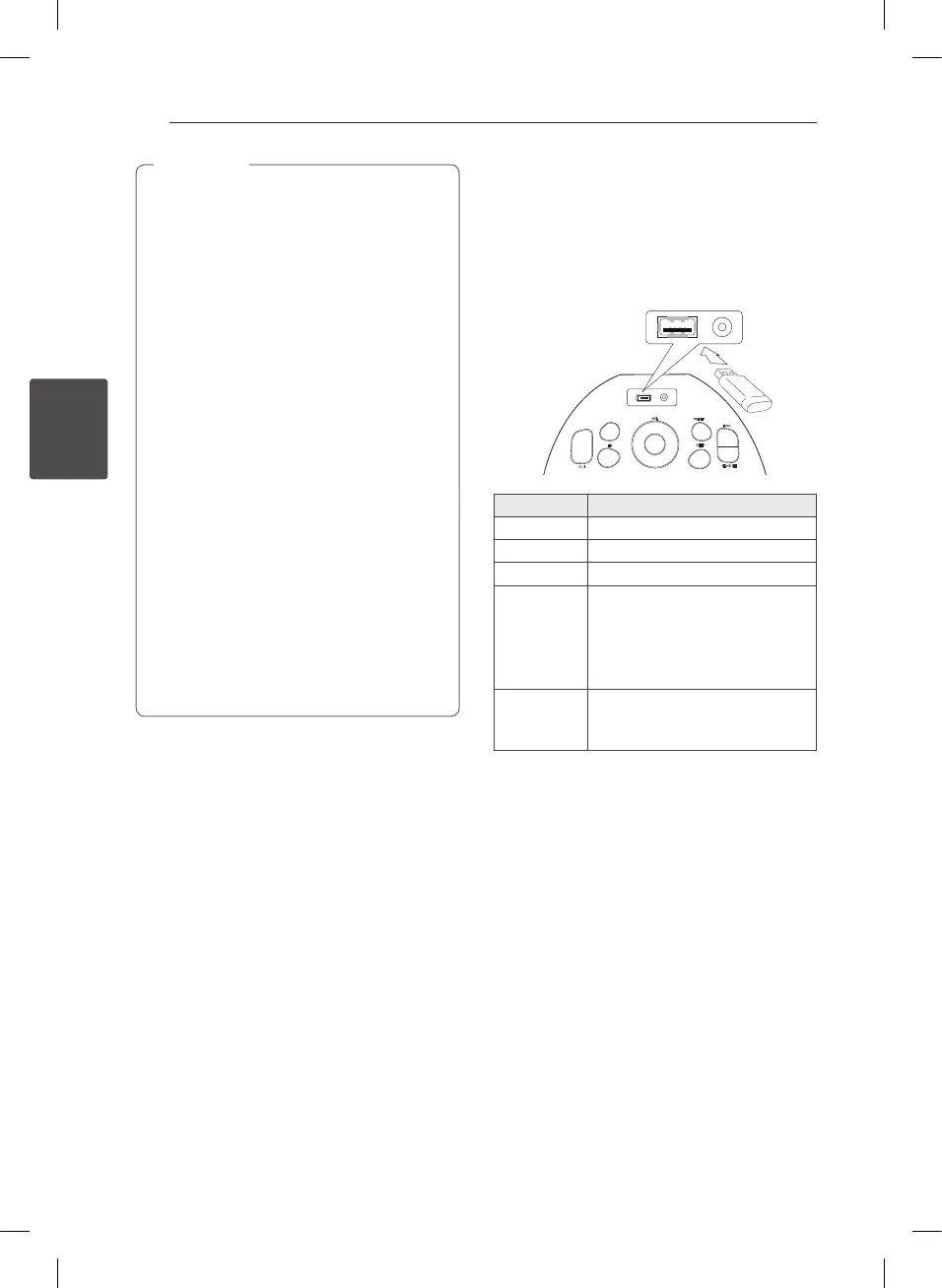
1. Connect the USB device to the USB port.
2. Select the USB function by pressing
FUNC. on the unit.
PRESET
FUNC.
SLEEP
EQ
VOL
Y
U
+
-
T
CLOCK SET
MEMORY
To Do this
Stop Press and hold
T
Play Press
T
Pause During playback, press
T
Skipping to
the next/
previous le
During playback, press
Y/U
to go to the next le or to return to
the beginning of the current le.
Press
Y
twice briey to step back
to the previous le.
Searching
for a section
within a le
Press and hold
Y/U
during
playback and release it at the point
you want to listen to.
PD36D-FP-AAUSLL-ENG.indd 10 11. 08. 26 �� 5:45



 To Next Page