Getting Started 7
Getting Started
1
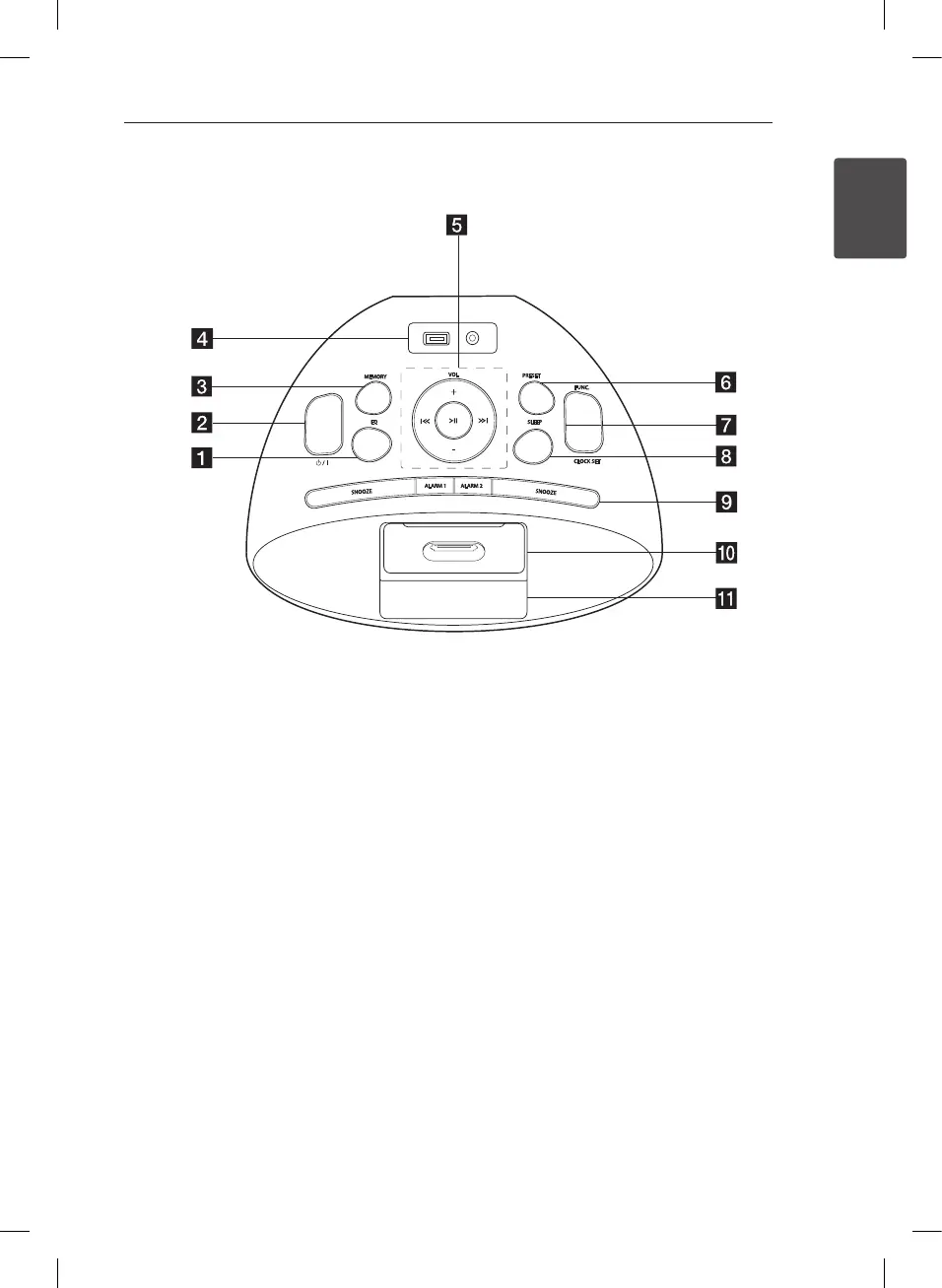
Top panel
a
EQ
Chooses sound impressions.
b 1
/
!
(POWER)
c
MEMORY
MEMORY used for storing radio station and
scrolling through saved station. On the USB
mode, you can make your own playlist.
d
USB Port / PORT. IN
You can play music les by connecting the USB
device.
Listens to music from your portable device
e
VOL (+ / -)
Adjusts speaker volume
Y/U
- Skip : Press
Y/U
- Search : Press and hold
Y/U
T
- Starts playback and pauses : press
T
- Stops playback : press and hold
T
f
PRESET
Chooses a preset number for a radio station.
g
FUNC.
Selects the function or input source.
CLOCK SET
For setting the clock and checking the time.
h
SLEEP
Sets the system to turn o automatically at a
specied time.
i
ALARM 1 / 2
With the ALARM function you can turn IPOD/
IPHONE, USB, BUZZER and TUNER on or off at a
desired time.
SNOOZE
The SNOOZE function wakes you up every 5
minutes if you press SNOOZE.
j
iPod/ iPhone DOCKING
k
Display window
PD36D-FP-AAUSLL-ENG.indd 7 11. 08. 26 �� 5:45



 To Next Page