Troubleshooting 15
Troubleshooting
3
Advanced Operations
Listening to music from your
external device
The unit can be used to play the music from many
types of external device. (Portable cable is not
supplied as an accessory with unit)
PRESET
FUNC.
SLEEP
EQ
VOL
Y
U
+
T
MEMORY
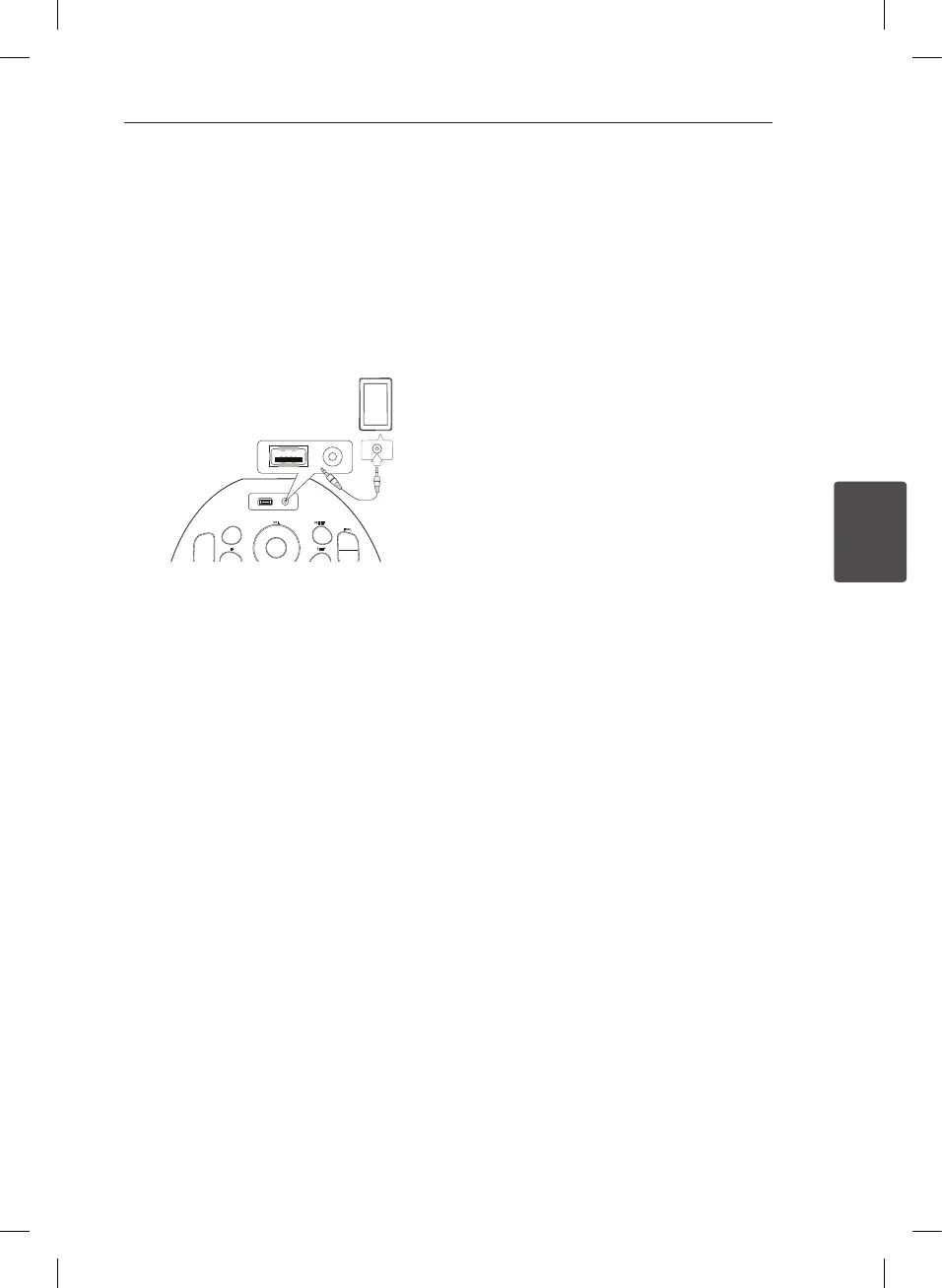
1. Connect the external device to the PORT. IN
connector of the unit.
2. Turn the power on by pressing
1
/
!
(POWER).
3. Select the PORTABLE function by pressing
FUNC. .
4. Turntheexternaldeviceonandstartitplaying.
PD36D-FP-AAUSLL-ENG.indd 15 11. 08. 26 �� 5:45



 To Next Page