2
When the expected temperature is lower than the
room temperature : Cooling Mode.
When the expected temperature is higher than the
room temperature : Heating Mode
3
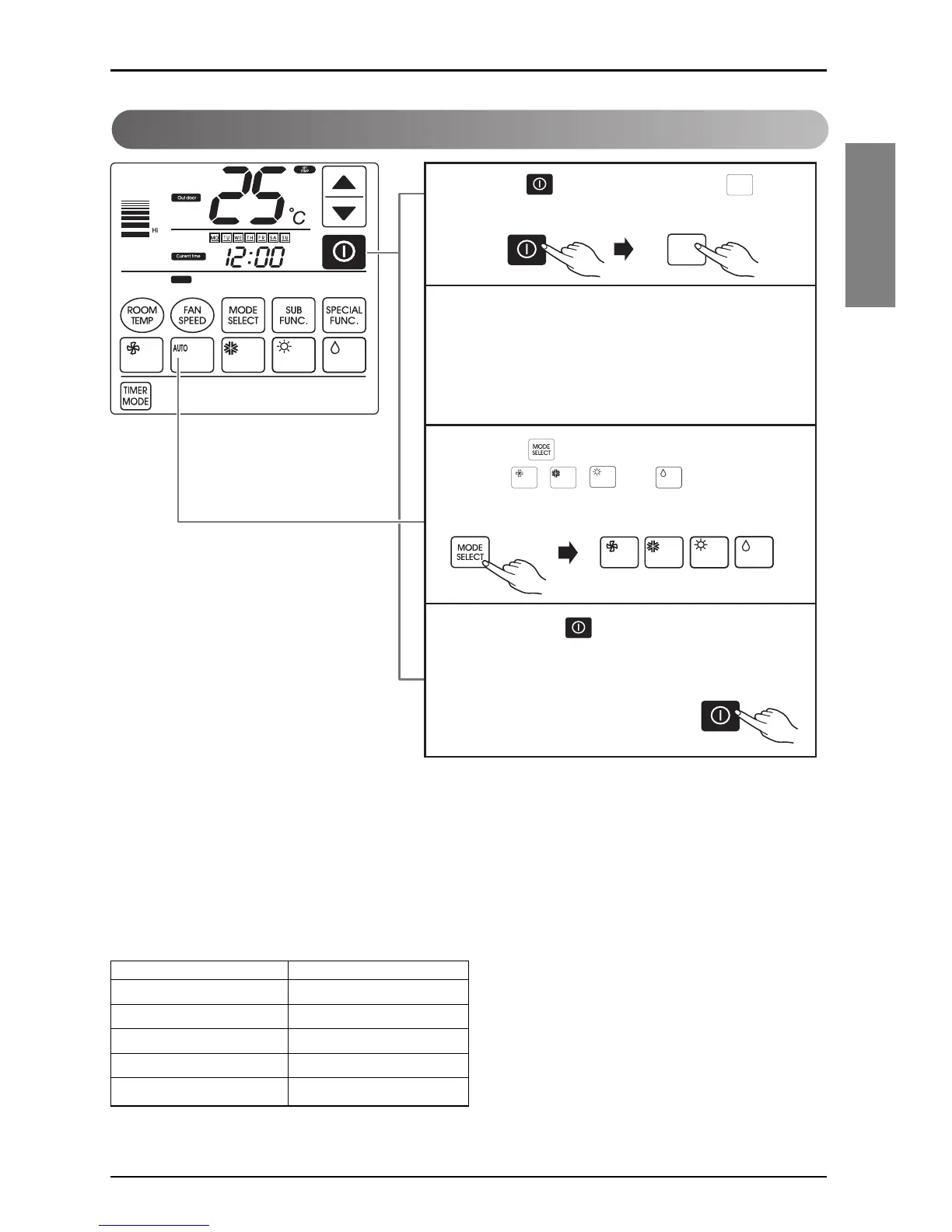
Press the button and choose one of the functions
among
, , ,
and if you want
anotheroperation mode during the operation.
4
If you press the button, the cooling mode will
stop.
Auto Changeover Mode
❈ Auto changeover mode and auto operation mode can not operate defend on product type.
For more detail please refer the product manual.
❈ The cooling-only model will show “AI” on the temperature display.
AI could be adjusted by five levels (-2, -1, 0, +1, +2).
Please select the code defend on your feeling.
<Code Table>
Code Feel
2 Cool
1 Slightly cool
0 Neutral
-1 Silghtly warm
-2 Warm



 To Next Page
 Loading...