1
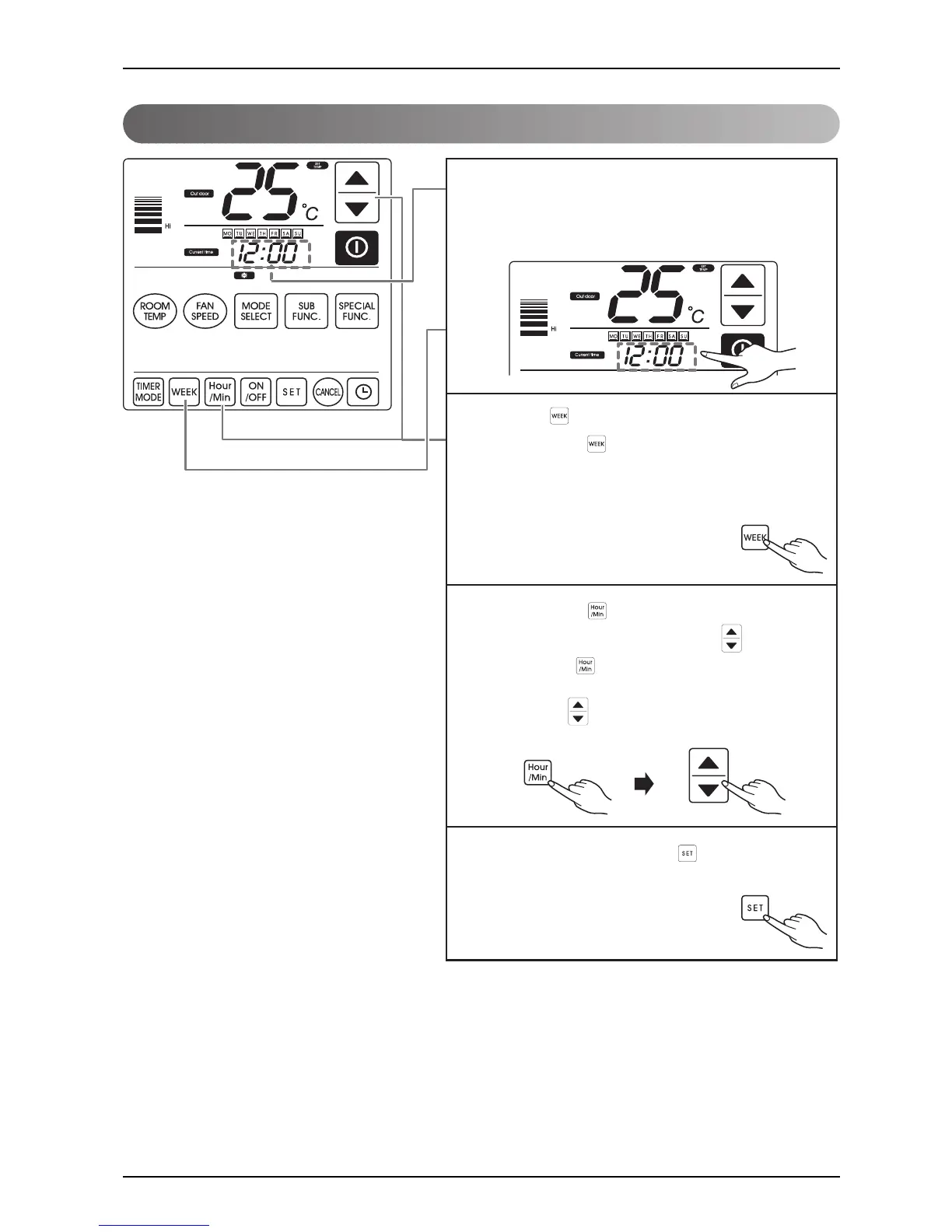
You can set the current time by pressing the time
display.
When the time display is selected, a window for date
and time setting shows up.
4
After adjusting time, press the button so that the
current configuration can be saved.
2
Press the button.
If you press the button, the day of the week will
flash. Then you can choose the proper day in the order
of Monday, Tuesday, Wednesday, Thursday, Friday,
Saturday and Sunday.
3
If you press the button, the hour digits will flash so
that you can adjust it by pressing the button. If
you press the button one more
time, the minute digits will flash. You can adjust it by
pressing the button.



 To Next Page
 Loading...